Configure Royal Render Addon
Last updated About 1 year ago
Overview
AYON supports integration with the Royal Render render farm manager through the AYON Royal Render addon.
Preparation
Setting up Royal Render addon is pretty much the same as Configure Deadline Addon:
Deploy AYON Launcher: Install the AYON launcher on all nodes of the Deadline farm. See Getting Started with AYON Pipeline for guidance.
Install Custom Plugin and Scripts: Copy the contents of
ayon_royalrender/rroot(rr_root) to folder to your RR_ROOT (place where RoyalRender studio wide installation is).Configure Royal Render: Update any configurations needed on RR side.
Create a New AYON Bundle: Include the Royal Render Addon version in your new AYON Bundle.
Configure RR Addon Settings: See Royal Render Addon Settings for configuration details.
Run AYON Launcher, Open a scene and publish to farm.
Setting the following environment variables is required on render nodes.
AYON_EXECUTABLE: points to installedayon_consoleorayonexecutable from Launcher.AYON_SERVER_URLAYON_API_KEY
Royal Render Addon Settings
Enable Addon

It’s found at the top of Royal Render Addon Settings where you can enable or disable it per project.
Royal Render Root Paths
Setting Location:
ayon+settings://royalrender/rr_paths
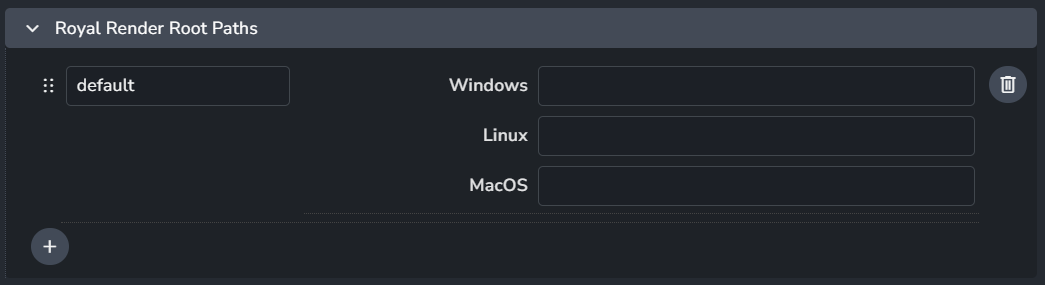
Add roots where you can specify Royal Render paths per OS.
Selected Royal Render Paths
Setting Location:
ayon+settings://royalrender/selected_rr_paths

Select Royal Render path by name.
Publish Plugins
Collect Sequences from the Job
Setting Location:
ayon+settings://royalrender/publish/CollectSequencesFromJob

When enabled, it generates reviews from rendered sequences.