AYON Event Viewer
Learn about the Event Viewer page, the events table, how to filter the events table, how to inspect events, and find a list of well-known event topics.
Last updated About 2 months ago
Overview
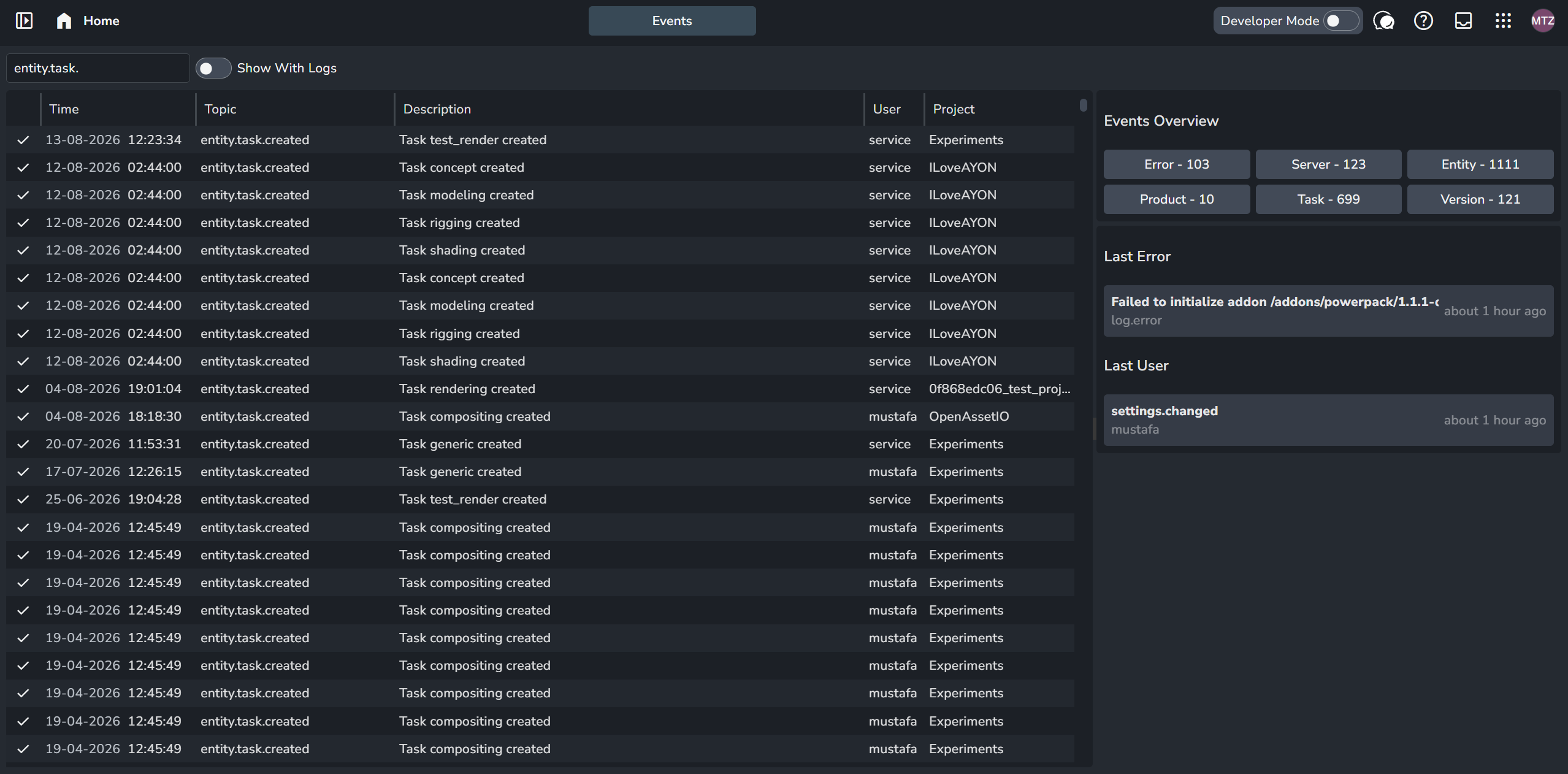
The Event Viewer provides a centralized stream of AYON Server activity, logs, and background process events.
Access it via the App Menu (9-dots icon) in the top-right corner, or by pressing the E shortcut key twice.
Events Table
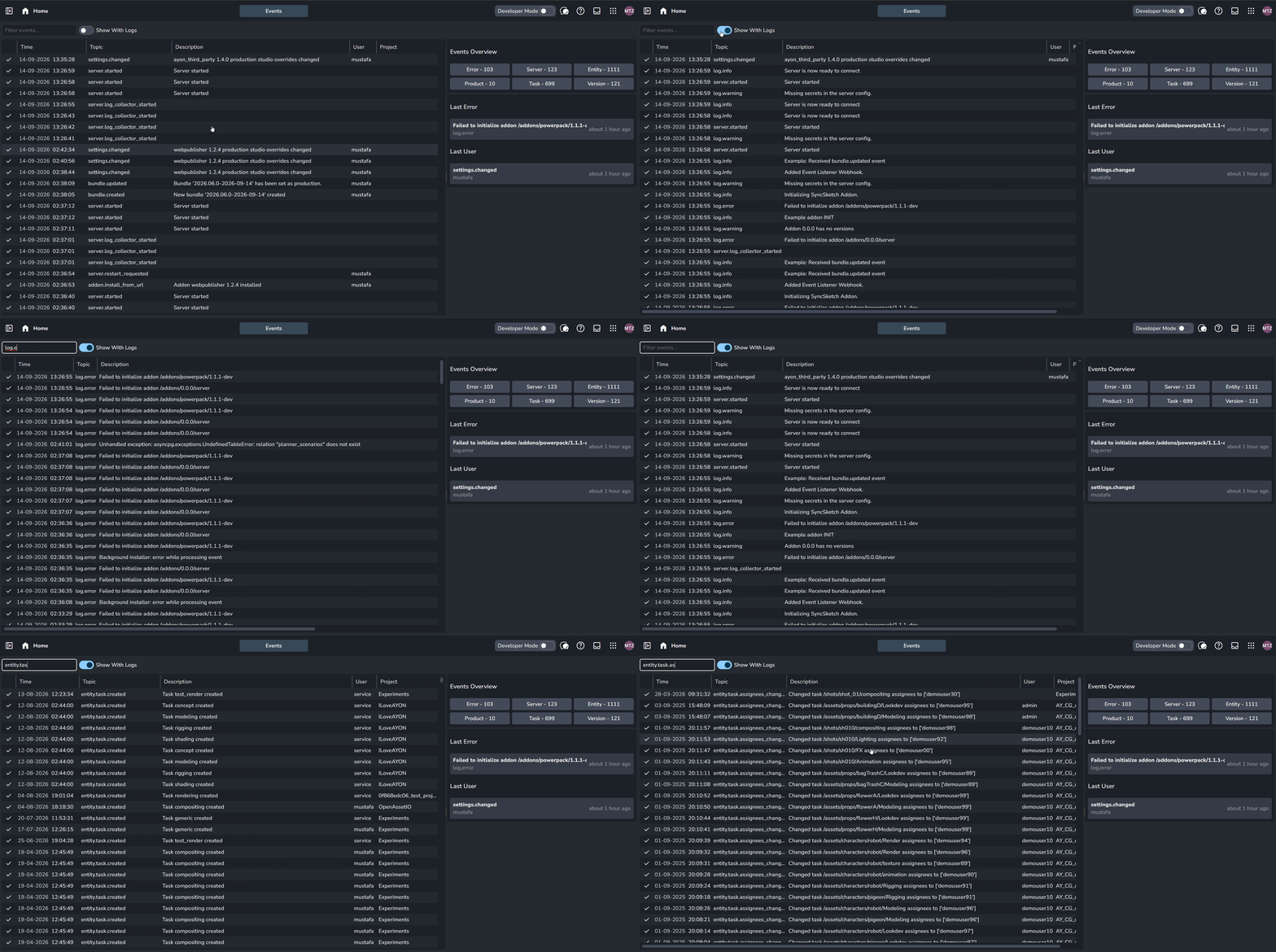
The events table lists logged items with their timestamp, topic name, description, trigger user, and target project. You can filter events by topic using the top search bar or enable the Show With Logs toggle to include system diagnostic logs (log.info, log.warning, log.error).
The events table lists logged items with their timestamp, topic name, description, triggering user, and target project. You can filter events by topic using the top search bar, or enable the Show With Logs toggle to include system diagnostic logs (log.info, log.warning, log.error).
Inspecting Event Details

Select a specific event to display its details on the right side panel. It shows the event description, triggering user, project, and related entity (if any). Additionally, click the three-dot vertical button next to the close (x) button to reveal the Event Context, which includes further details such as the event id, topic, and payload.
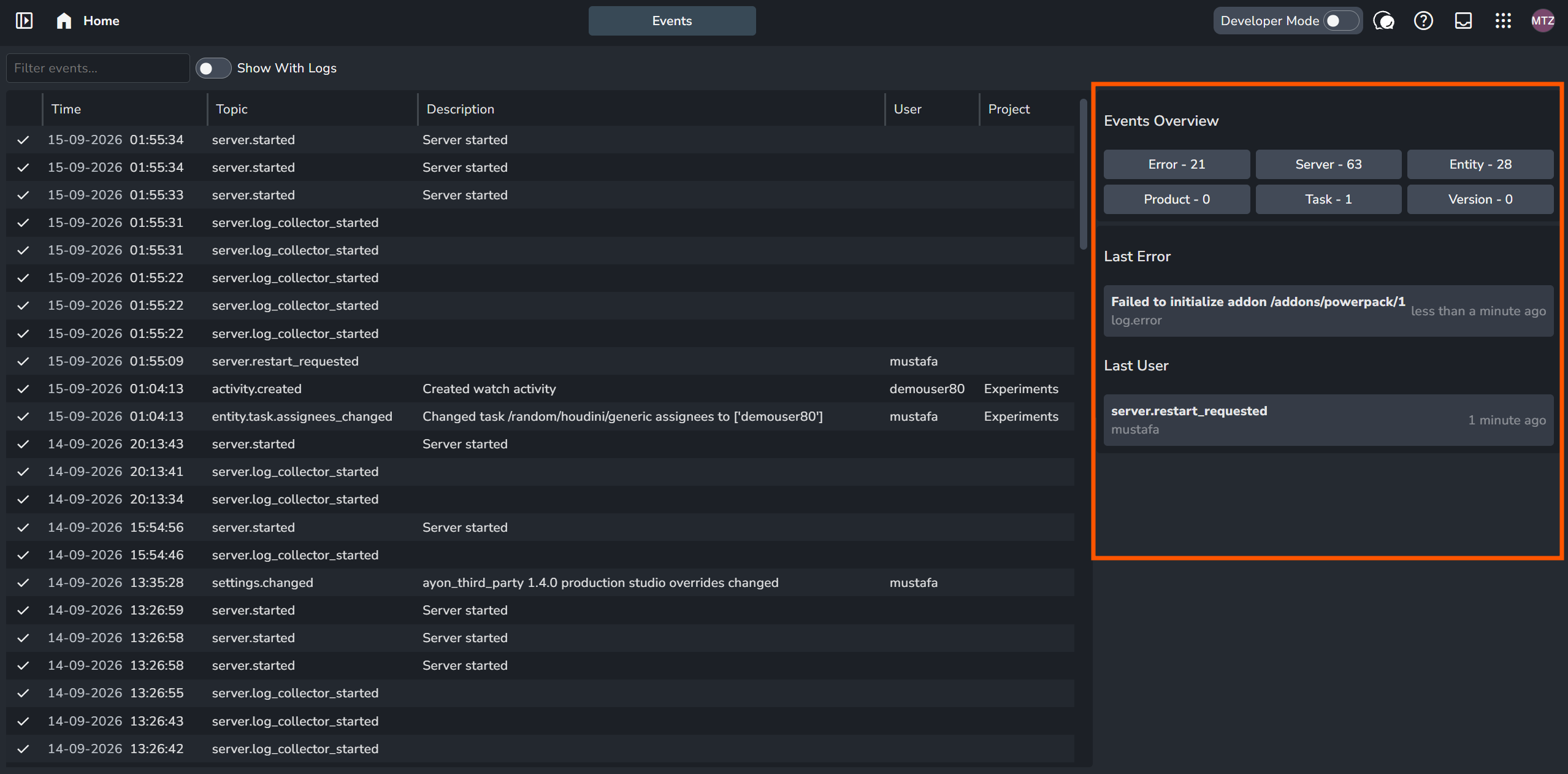
When no specific event is selected, the right side panel displays the Events Overview, which shows total counts categorized by type (e.g., Error), the Last Error, and the Last User who triggered an event on the server.
Well-Known Event Topics
AYON server ships with a set of standard event topics available by default. This set can be extended over time, either in the server itself or by addons.
On top of that, every addon can register its own event topics based on its internal logic. Therefore, arbitrary event topics can appear throughout AYON addons. At the moment there isn't detailed documentation of event topics for each addon. Therefore, a good practice is to search the codebase for topics directly. This can be done by tracing EventStream.dispatch or ayon_api.dispatch_event calls, or by searching for the literal topic, since many functions take a topic argument (or an argument that contains topic, e.g. sourceTopic / targetTopic).
For convenience, here's a list of well-known event topics:
[
    // Replace {entity_type} with an entity name, e.g. `project`, `folder`, `task`,
    // `product`, `version`, `representation`, `user`.
    // Note: some of these topics only apply to specific entity types.
    // As a rule of thumb, verify a topic actually exists for your entity type e.g. by checking the event viewer.
    // This pattern is derived from:
    // https://github.com/ynput/ayon-backend/blob/develop/ayon_server/events/patch.py
    "entity.{entity_type}.created",
    "entity.{entity_type}.deleted",
    "entity.{entity_type}.renamed",
    "entity.{entity_type}.data_changed",
    "entity.{entity_type}.status_changed",
    "entity.{entity_type}.tags_changed",
    "entity.{entity_type}.attrib_changed",
    "entity.{entity_type}.label_changed",
    "entity.{entity_type}.thumbnail_changed",
    "entity.{entity_type}.product_type_changed", // product
    "entity.{entity_type}.type_changed", // folder, task
    "entity.{entity_type}.active_changed", // project, representation, version
    "entity.{entity_type}.changed", // project, project_skeleton
    "entity.{entity_type}.assignees_changed", // task

]

[
    "server.started",
    "server.restart_required",
    "server.restart_requested",
    "server.log_collector_started",
    "heartbeat",

    "activity.created",
    "activity.updated",
    "activity.deleted",

    "addon.install",
    "addon.install_from_url",
    "dependency_package.install_from_url",
    "installer.install_from_url",
    "bundle.created",
    "bundle.updated",
    "bundle.status_changed",

    "entity_list.changed",
    "entity_list.created",
    "entity_list.deleted",

    "link.created",
    "link.deleted",

    "action.launcher",

    "access_group.deleted",
    "access_group.updated",
    "auth.login",
    "auth.logout",

    "database_import",
    "inbox.message",

    "maintenance",
    "reviewable.created",

    "settings.changed",
    "thumbnail.updated",
    "user.log_fail"

]
Was this helpful?
Still need help? Ask the team