AYON Air Table Addon
Last updated 5 months ago
Overview
The AYON Airtable Addon enables a bi-directional synchronization between the AYON server and Airtable bases. This allows production tracking data to stay consistent across both platforms automatically.
Installation & Setup
Setting up the Airtable integration involves four primary stages:
1. Addon & Bundle
Install: Navigate to the Addon Market in your AYON Server, search for "Airtable," and install. (See AYON Market for more info).
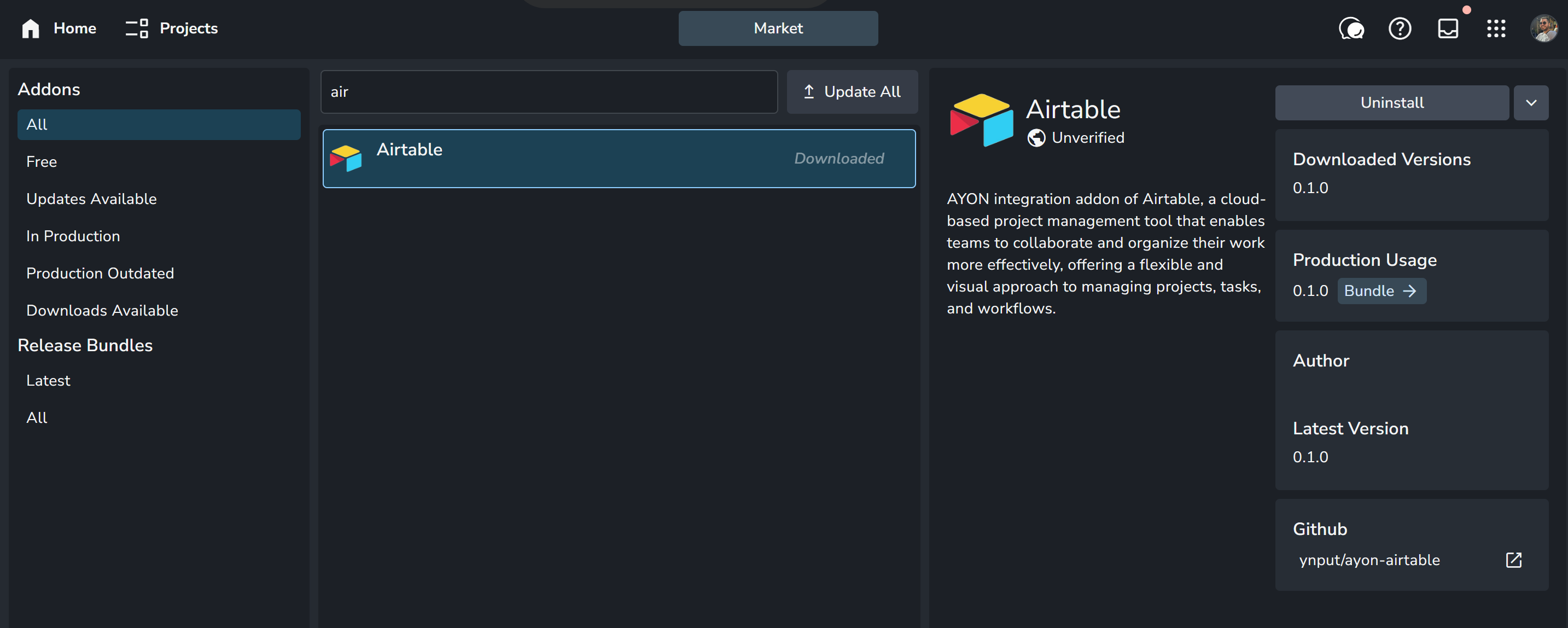
Add to production Bundle: Add the addon to your Production Bundle. ( SeeBundles & Addons for more info).
2. Credentials & Secrets
API Token: Create a token in your Airtable account.
Add Secret: In AYON Studio Settings > Secrets, add your key (e.g.,
AIRTABLE_API_KEY).
Configure Settings: Go to
ayon+settings://airtable/service_settingsand define your Base Name and Table Name.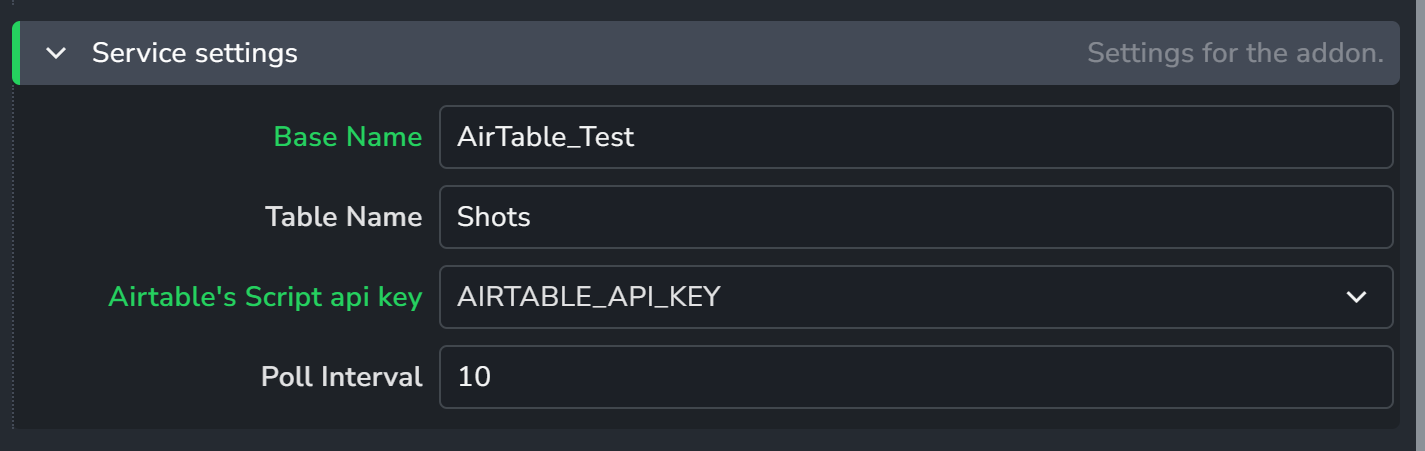
3. Spawn Services
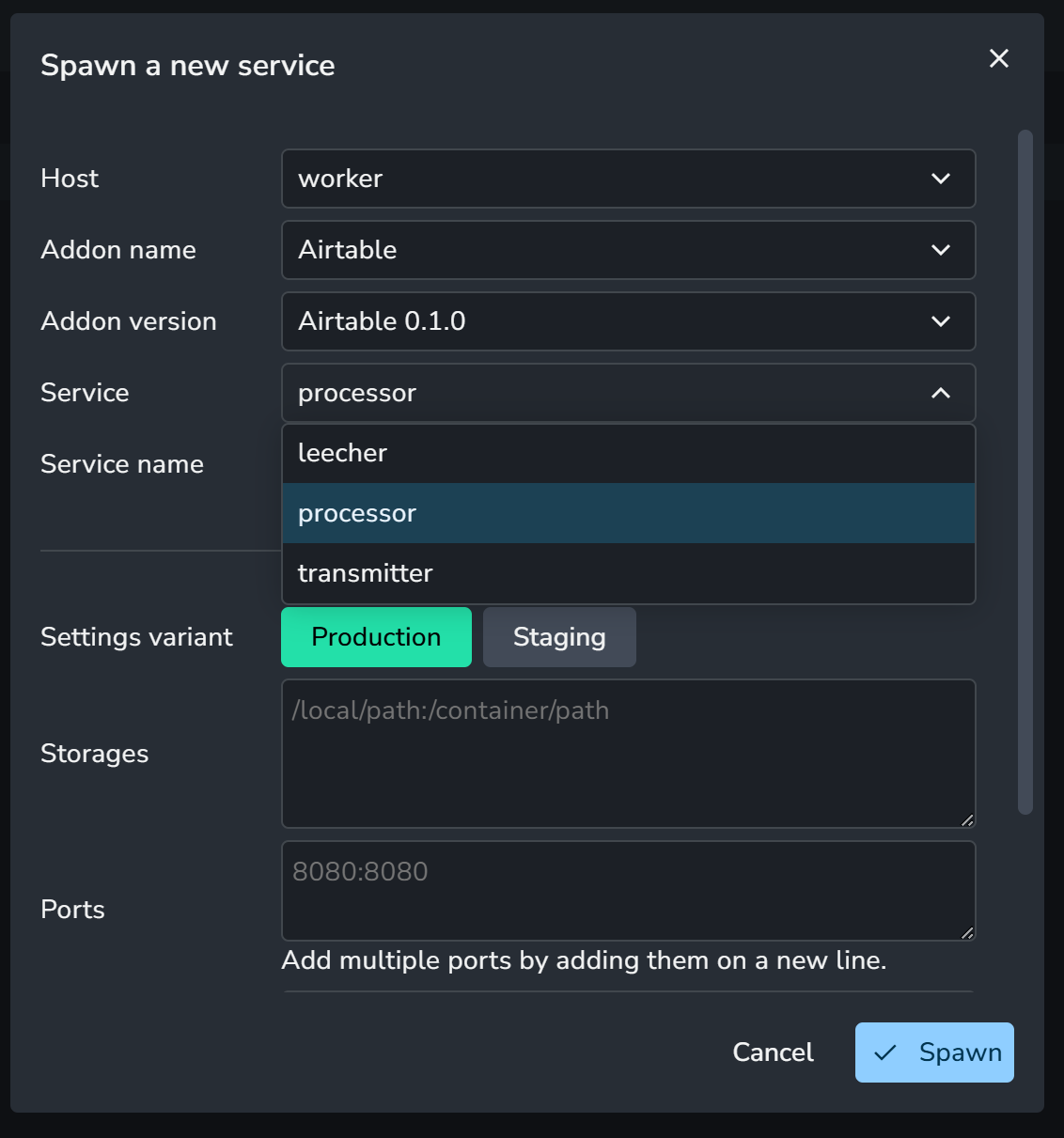
Launch the following three services via your Services (V+V) page. (see AYON Services for more info).
Leecher: Listens for Airtable events and stores them in the AYON database.
Processor: Handles the stored events one by one to update AYON entities.
Transmitter: Monitors AYON events and pushes relevant changes back to Airtable.
Ensure your ASH worker has an active internet connection and can access your AirTable Base.
Attributes Mapping
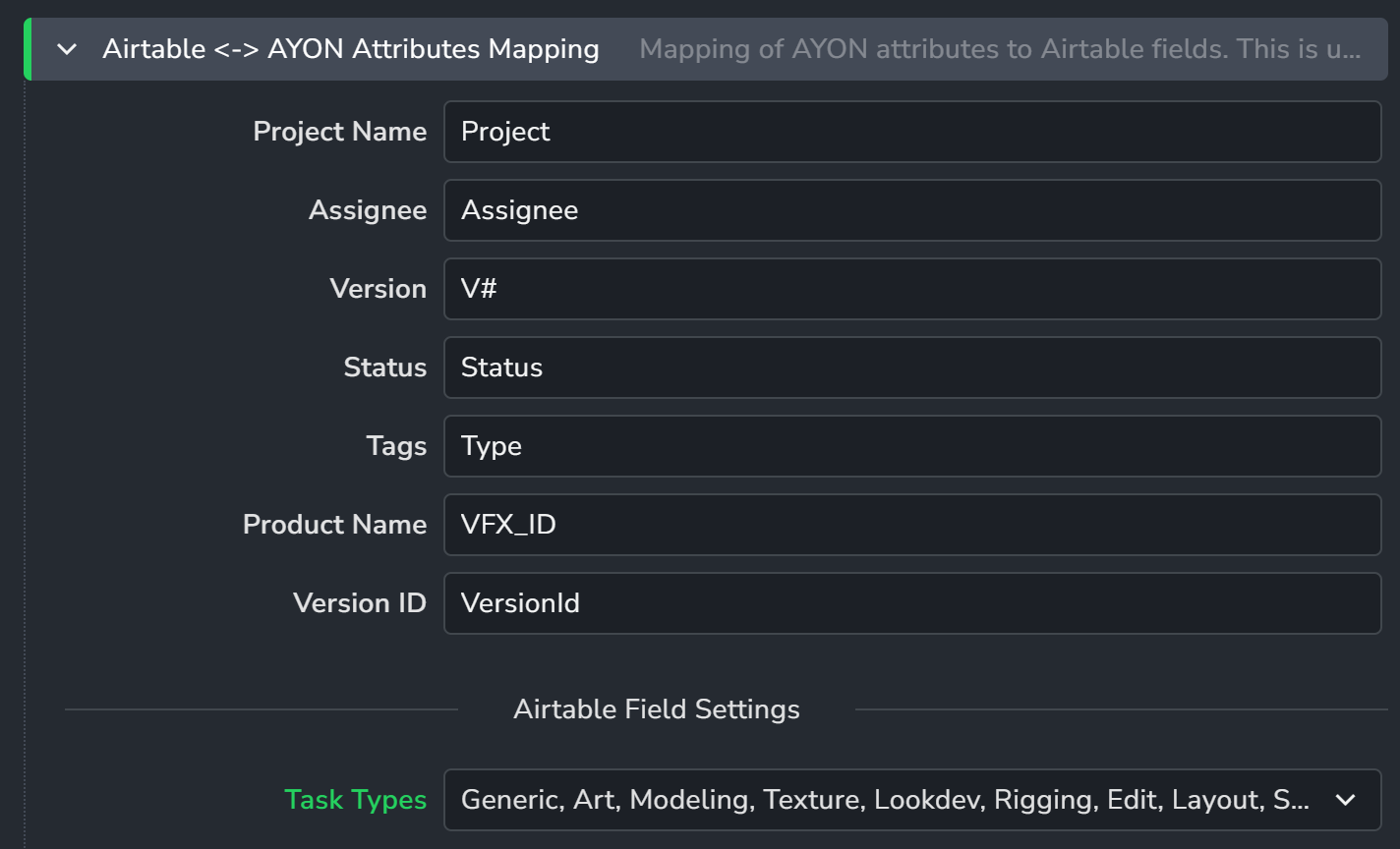
To define how data moves between platforms, configure the Attribute Mapping settings. You can specify which AYON Task Types to sync and map the following fields:
Project Name
Assignee
Assignee synchronization requires Airtable Enterprise subscription.
Version / Version ID
Status
Tags
Product Name
FAQ
Why aren't my assignees syncing?
Airtable restricts specific API access for user fields. Ensure you have an Airtable Enterprise subscription; otherwise, assignee data cannot be synchronized.
Do I need all three services running?
Yes. To achieve a two-way sync, all three must be active. If you only want to push data from AYON to Airtable, you technically only need the Transmitter, but running the full suite is recommended for data integrity.