Silhouette Addon Settings
Last updated Over 1 year ago
Color Management (ImageIO)
Setting Location:
ayon+settings://silhouette/imageio
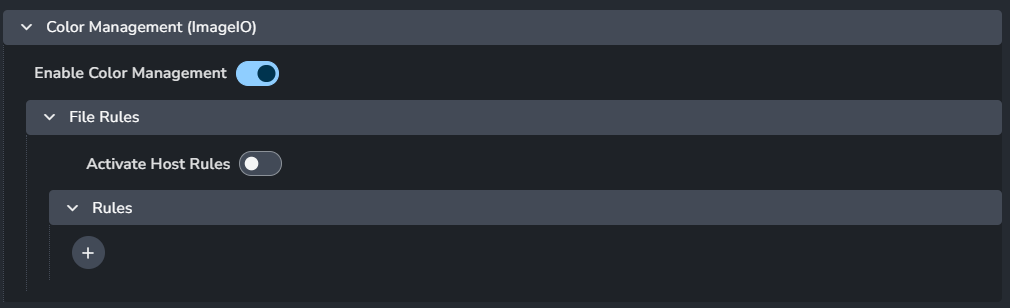
This section allows you to configure and override the global color management settings. For more details, check Host specific overrides.
Enable Color Management: Turns on color management.
File Rules
Activate Host Rules: Enable this to override global color rules.
Rules
+ : Add more rules
Each rule consists of:
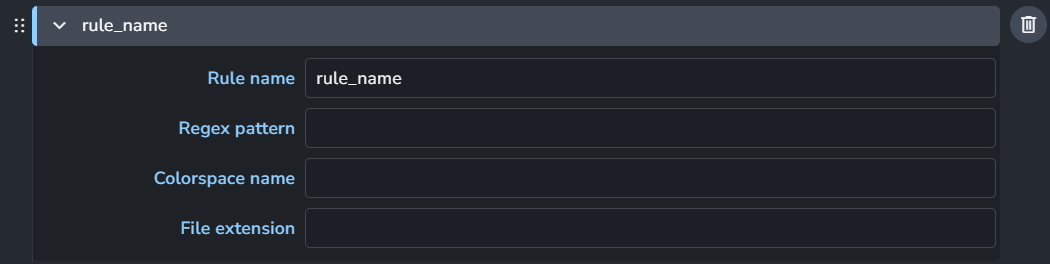
Rule name
Regex pattern
Colorspace name
File extension
Publish
Extract Nuke 9+ .nk Shapes
Setting Location:
ayon+settings://silhouette/publish/ExtractNukeShapes

Enable: The default state of the plugin.
Optional: Allows the user to toggle this setting in the publisher UI.
Active: The default value of the toggle in the publisher UI.
Extract Nuke 6.2+ .nk Shapes
Setting Location:
ayon+settings://silhouette/publish/ExtractNuke62Shapes

Enable: The default state of the plugin.
Optional: Allows the user to toggle this setting in the publisher UI.
Active: The default value of the toggle in the publisher UI.
Extract Silhouette .fxs Shapes.
Setting Location:
ayon+settings://silhouette/publish/ExtractSilhouetteShapes

Enable: The default state of the plugin.
Optional: Allows the user to toggle this setting in the publisher UI.
Active: The default value of the toggle in the publisher UI.
Extract Shake 4.x .ssf Shapes
Setting Location:
ayon+settings://silhouette/publish/ExtractShakeShapes

Enable: The default state of the plugin.
Optional: Allows the user to toggle this setting in the publisher UI.
Active: The default value of the toggle in the publisher UI.
Extract Fusion .settings Shapes
Setting Location:
ayon+settings://silhouette/publish/ExtractFusionShapes

Enable: The default state of the plugin.
Optional: Allows the user to toggle this setting in the publisher UI.
Active: The default value of the toggle in the publisher UI.
Extract After Effects .txt Trackers
Setting Location:
ayon+settings://silhouette/publish/SilhouetteExtractAfterEffectsTrack

Enable: The default state of the plugin.
Optional: Allows the user to toggle this setting in the publisher UI.
Active: The default value of the toggle in the publisher UI.
Extract Nuke 5 .nk Trackers
Setting Location:
ayon+settings://silhouette/publish/SilhouetteExtractNuke5Track

Enable: The default state of the plugin.
Optional: Allows the user to toggle this setting in the publisher UI.
Active: The default value of the toggle in the publisher UI.
Extract Workfile
Setting Location:
ayon+settings://silhouette/publish/SilhouetteExtractWorkfile

Add project.sfx representation: Add the project.sfx file as a separate
sfx_projectrepresentation.
Templated Workfile Builder
Setting Location:
ayon+settings://silhouette/templated_workfile_build

First matched profile will be used as a workfile template
Profiles
Each profile consists of:
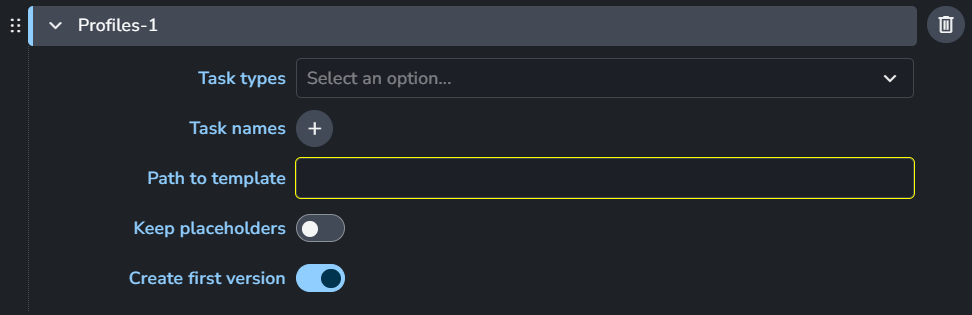
Task Types
Task names
Path to template
Keep placeholders
Create first version
+: Add more profiles
Example:
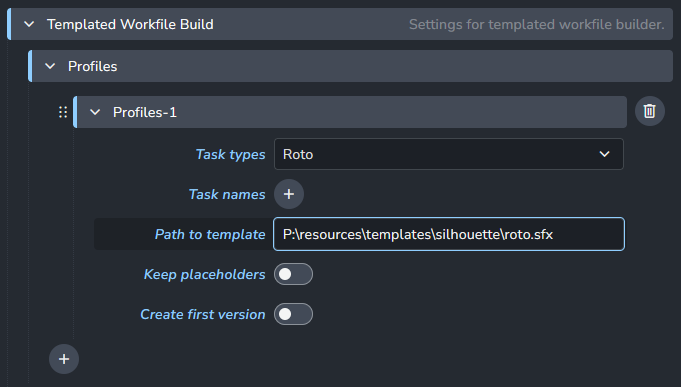
In this case it would build the workfile template only for the Roto task type using the .sfx template project provided in the settings.