Nuke Addon Settings
Last updated Over 1 year ago
General
Menu Shortcuts
Setting Location:
ayon+settings://nuke/general/menu
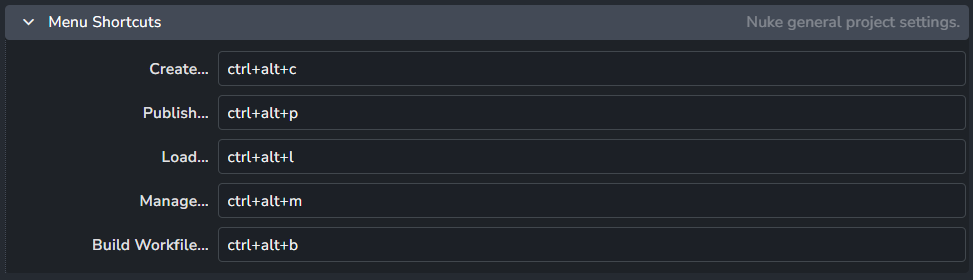
Set Shortcuts for AYON pipeline tools.
Available Shortcuts:
Color Management (ImageIO)
Color configuration for Nuke scripts and nodes and also override the global color management settings, check Host specific overrides.
Enable Color Management
Setting Location:
ayon+settings://nuke/imageio/activate_host_color_management

This toggle enables AYON's global color management. This toggle is a master switch that enables and disables the whole section.
File Rules
Setting Location:
ayon+settings://nuke/imageio/file_rules
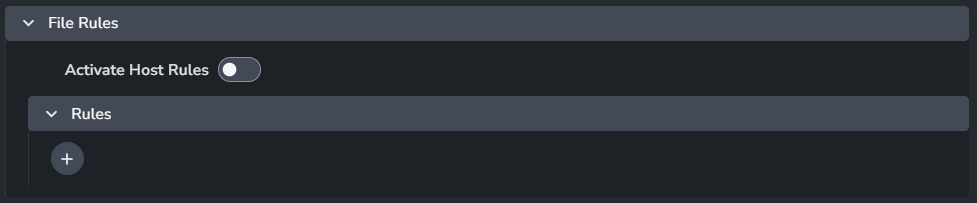
Activate Host Rules
Rules
+: Add more rules
Each rule consists of
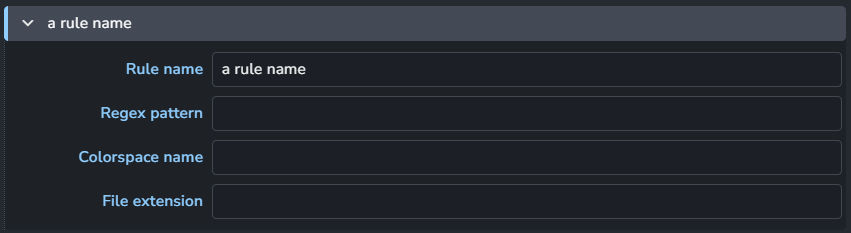
Rule name
Regex pattern
Colorspace name
File extension
Viewer
Setting Location:
ayon+settings://nuke/imageio/viewer

Display
View
Monitor OUT
Setting Location:
ayon+settings://nuke/imageio/monitor

Display
View
Baking Target Colorspace
Setting Location:
ayon+settings://nuke/imageio/baking_target
It supports two modes:
Mode 1: Use Colorspace

Enable: The default state of the plugin.
Target baking type
Colorspace
Mode 2: Use Display & View

Enable: The default state of the plugin.
Target baking type
Display
View
Workfile
Setting Location:
ayon+settings://nuke/imageio/workfile
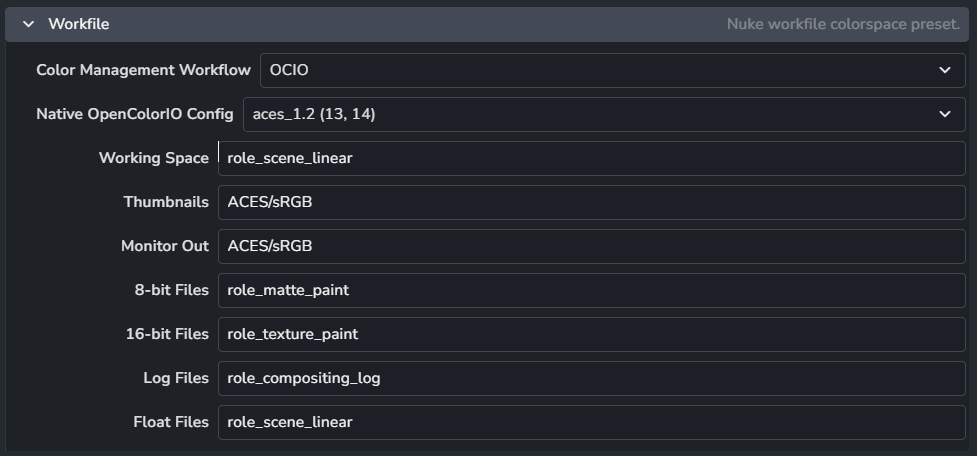
Nuke script project color settings map 1:1
Color Management Workflow
Native OpenColorIO Config
Working Space
Thumbnails
Monitor Out
8-bit Files
16-bit Files
Log Files
Float Files
Nodes
Setting Location:
ayon+settings://nuke/imageio/nodes
Define knob settings for nuke node for each creator.
Plugin required
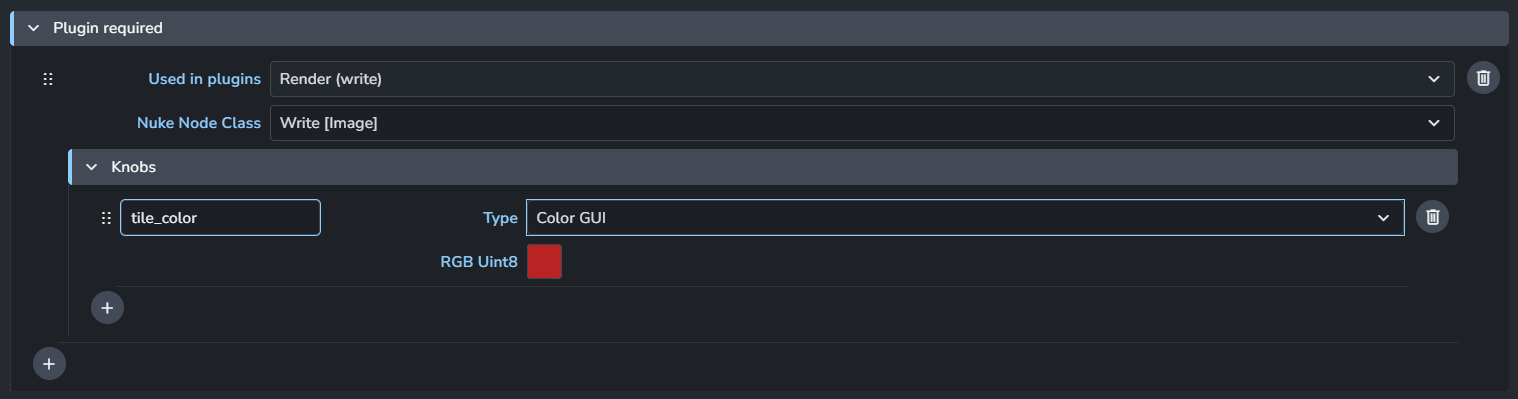
Used in plugins
Nuke Node Class
Knobs
Name: Knob name
Type: Select the knob type from a dropdown menu.
Value: This option varies based on the knob type, allowing you to set the value easily.
+: Add more knobs
+: Add more node per plugins
By default AYON relies on the file_type knob default to configure the extension of the output Write node. However some extensions do not match the file_type. In which case, set the file_type knob and enforce the relevant extension via an additional ext knob default.
For example:
Stereo EXR (sxr):
file_type = exrandext = sxrJPEG/JPG:
file_type = jpegandext = jpg
Plugin's node overrides
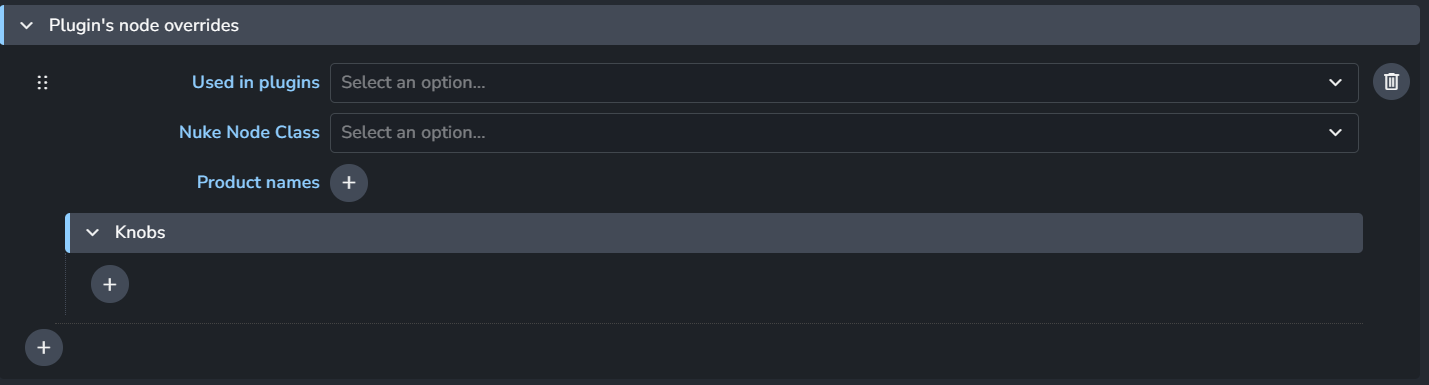
Used in plugins
Nuke Node Class
Product names
Knobs
Name: Knob name
Type: Select the knob type from a dropdown menu.
Value: This option varies based on the knob type, allowing you to set the value easily.
+: Add more knobs
+: Add more node per plugins
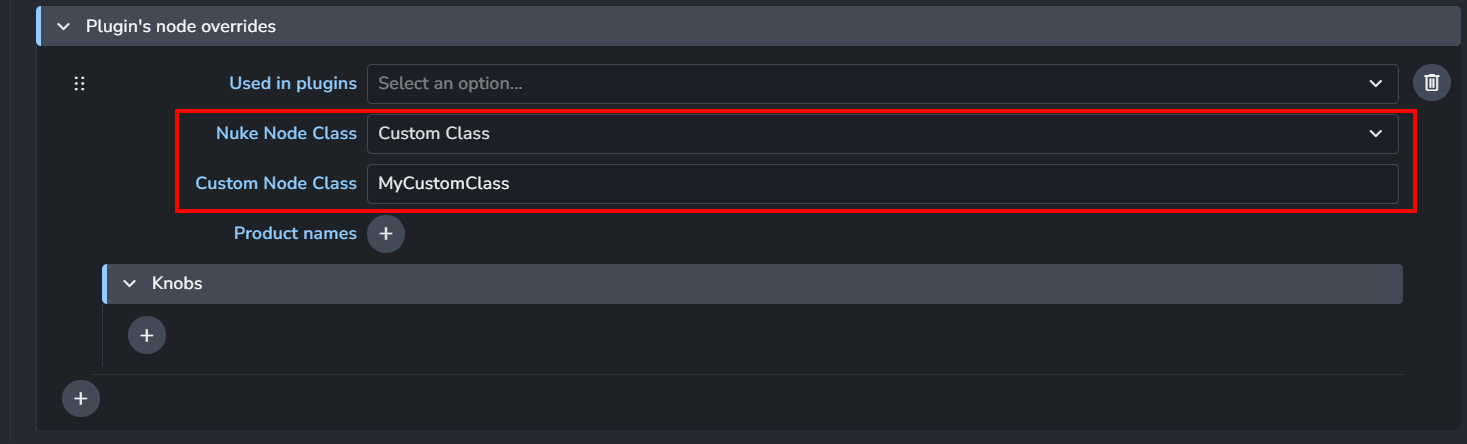
Nuke Node Class
Nuke node class enum supports Custom Class, allowing you to specify a custom class name.
Assign colorspace to read nodes via rules
Setting Location:
ayon+settings://nuke/imageio/regex_inputs

When using loading different clips and images sequences via AYON loader, you can set the default colorspace for the read node based on a regex expression.
Regex expression
Colorspace
+: Add more rules.
Nuke Directory Mapping
Setting Location:
ayon+settings://nuke/dirmap

Enable: The default state of the plugin.
Source Paths
Destination Paths
Custom Tools
Setting Location:
ayon+settings://nuke/scriptsmenu
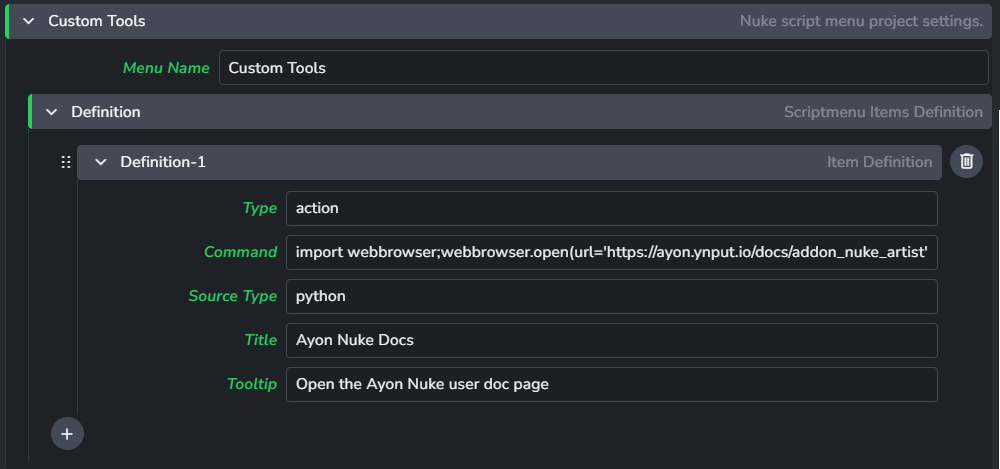
Creates a custom tools menu from the provided action definitions
Menu Name
Definitions
Each definition includes
Type
Command
Source Type
Title
Tooltip
+: Add more definitions
Expected Result
For the setting value in the screen shot above, custom tools menu will appear in Nuke's toolbar. | 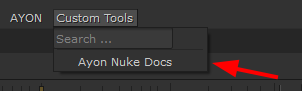 |
Gizmo Menu
Setting Location:
ayon+settings://nuke/gizmo
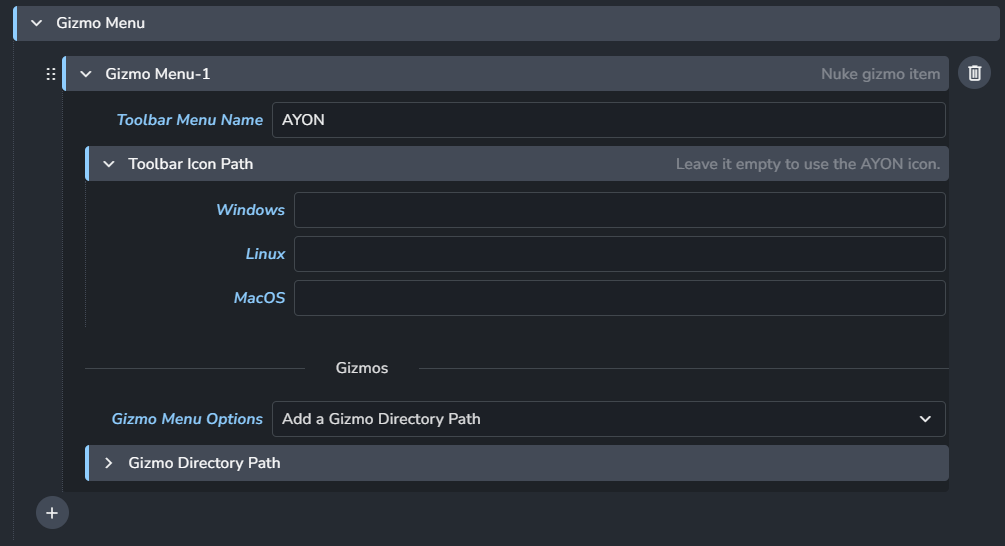
Toolbar Menu Name
Toolbar Icon Path
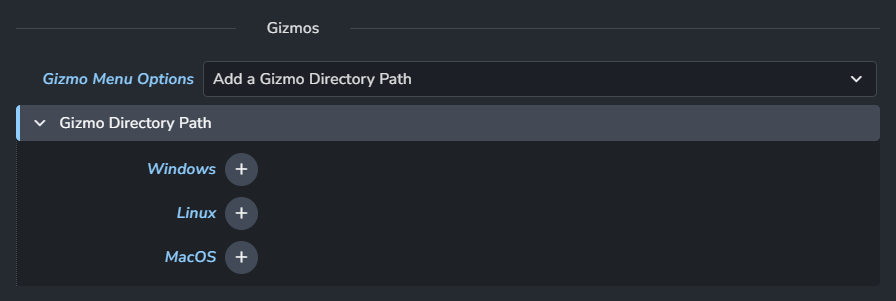
Gizmo Menu Options Gizmo Menu supports two modes:
Gizmo Directory Path
Gizmo Definitions
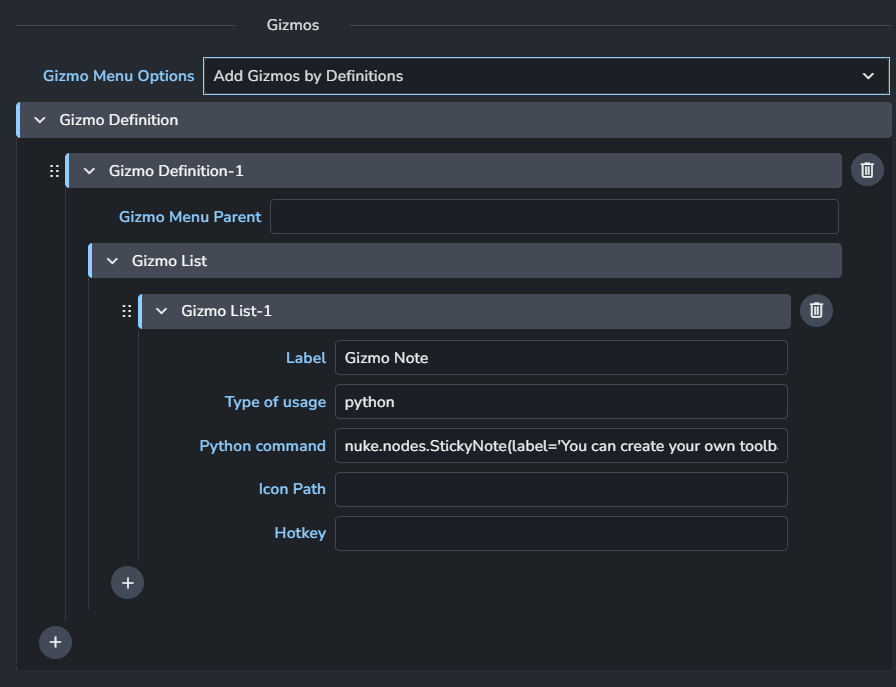
Each Definition consists of:
Gizmo Menu Parent
Gizmo List
Each Gizmo item consists of:
Label
Type of usage
Python command
Icon Path
Hotkey
+: Add More Gizmos
+: Add More gizmo Definitions
Creator Plugins
Create Write Render
Setting Location:
ayon+settings://nuke/create/CreateWriteRender
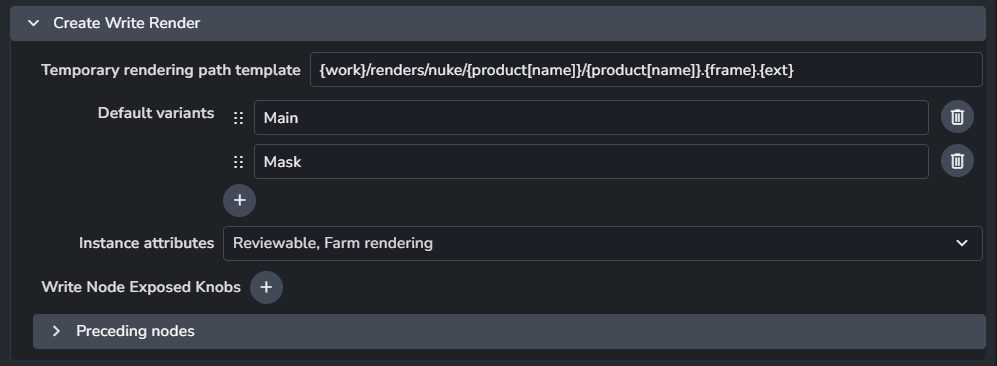
Temporary rendering path template
Default variants
Instance attributes
Write Node Exposed Knobs
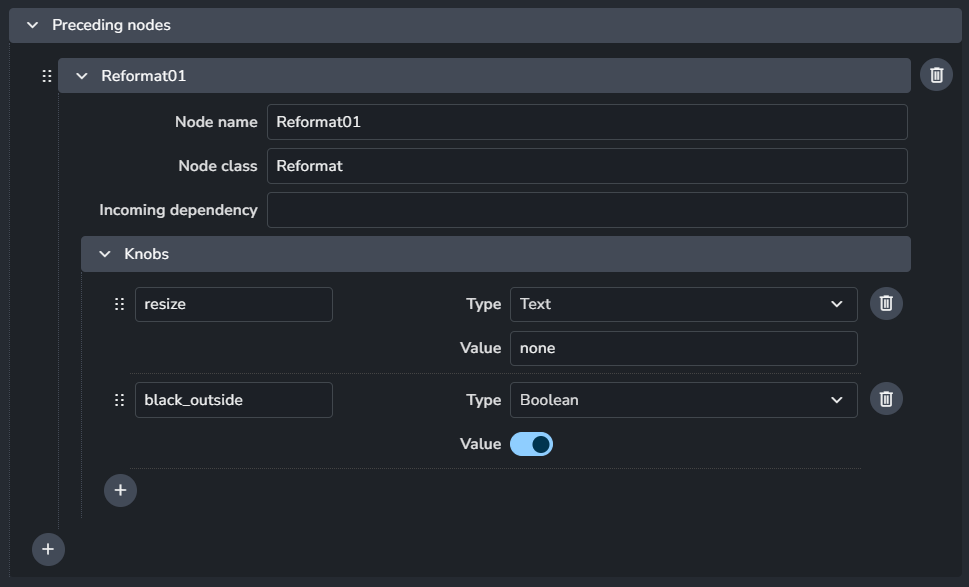
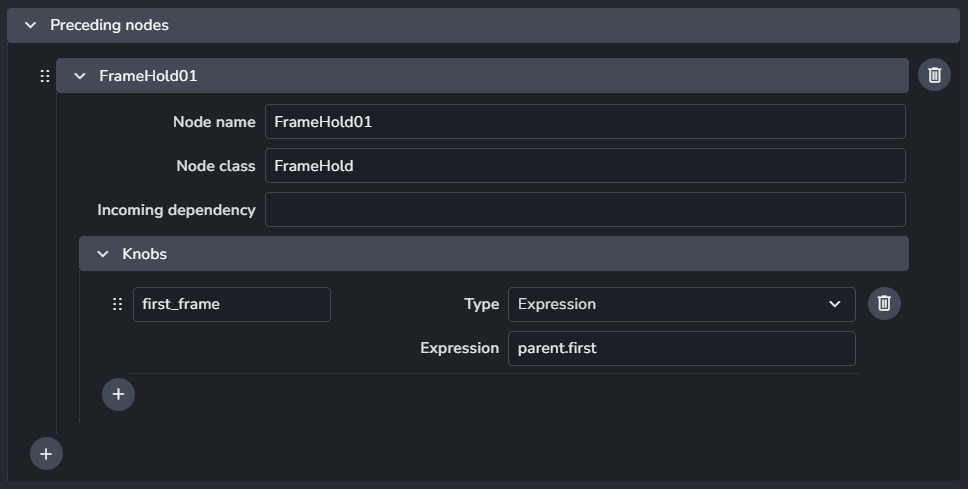
Preceding nodes
Create Write Prerender
Setting Location:
ayon+settings://nuke/create/CreateWritePrerender
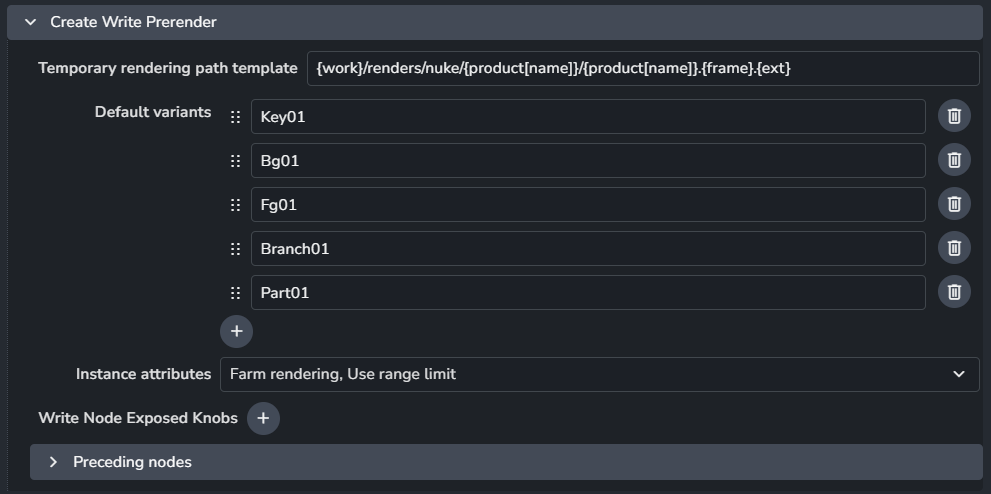
Temporary rendering path template
Default variants
Instance attributes
Write Node Exposed Knobs
Preceding nodes

Create Write Image
Setting Location:
ayon+settings://nuke/create/CreateWriteImage
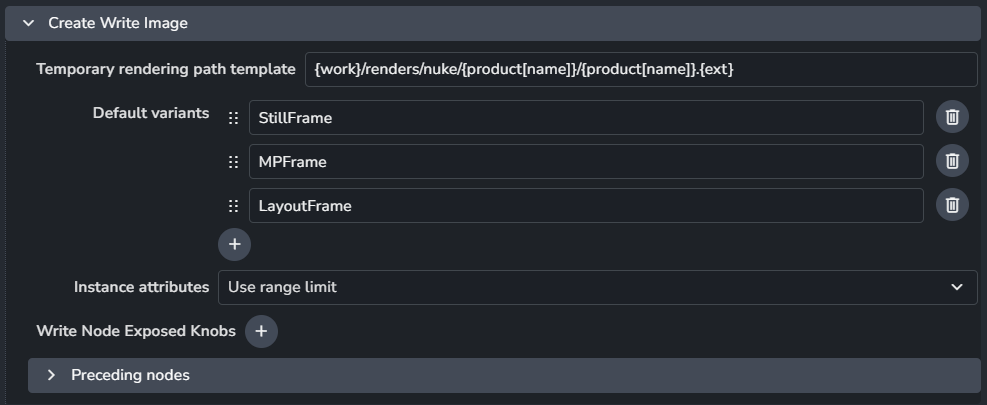
Temporary rendering path template
Default variants
Instance attributes
Write Node Exposed Knobs
Preceding nodes
Publish Plugins
Collect Instance Version
Setting Location:
ayon+settings://nuke/publish/CollectInstanceData

Product types
Validate Correct Folder Name
Setting Location:
ayon+settings://nuke/publish/ValidateCorrectAssetContext

Enable: The default state of the plugin.
Optional: Allows the user to toggle this setting in the publisher UI.
Active: The default value of the toggle in the publisher UI.
Validate Knobs
Setting Location:
ayon+settings://nuke/publish/ValidateKnobs
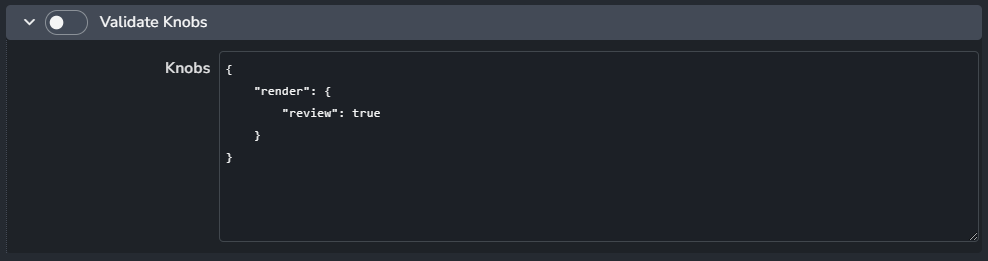
Enable: The default state of the plugin.
Knobs
Validate Output Resolution
Setting Location:
ayon+settings://nuke/publish/ValidateOutputResolution

Enable: The default state of the plugin.
Optional: Allows the user to toggle this setting in the publisher UI.
Active: The default value of the toggle in the publisher UI.
Validate Gizmo
Setting Location:
ayon+settings://nuke/publish/ValidateGizmo

Enable: The default state of the plugin.
Optional: Allows the user to toggle this setting in the publisher UI.
Active: The default value of the toggle in the publisher UI.
Validate Backdrop
Setting Location:
ayon+settings://nuke/publish/ValidateBackdrop

Enable: The default state of the plugin.
Optional: Allows the user to toggle this setting in the publisher UI.
Active: The default value of the toggle in the publisher UI.
Validate workfile attributes
Setting Location:
ayon+settings://nuke/publish/ValidateScriptAttributes

Enable: The default state of the plugin.
Optional: Allows the user to toggle this setting in the publisher UI.
Active: The default value of the toggle in the publisher UI.
Extract Review Data
Setting Location:
ayon+settings://nuke/publish/ExtractReviewData

Extract Review Data Lut
Setting Location:
ayon+settings://nuke/publish/ExtractReviewDataLut

Extract Review Intermediates
Setting Location:
ayon+settings://nuke/publish/ExtractReviewIntermediates
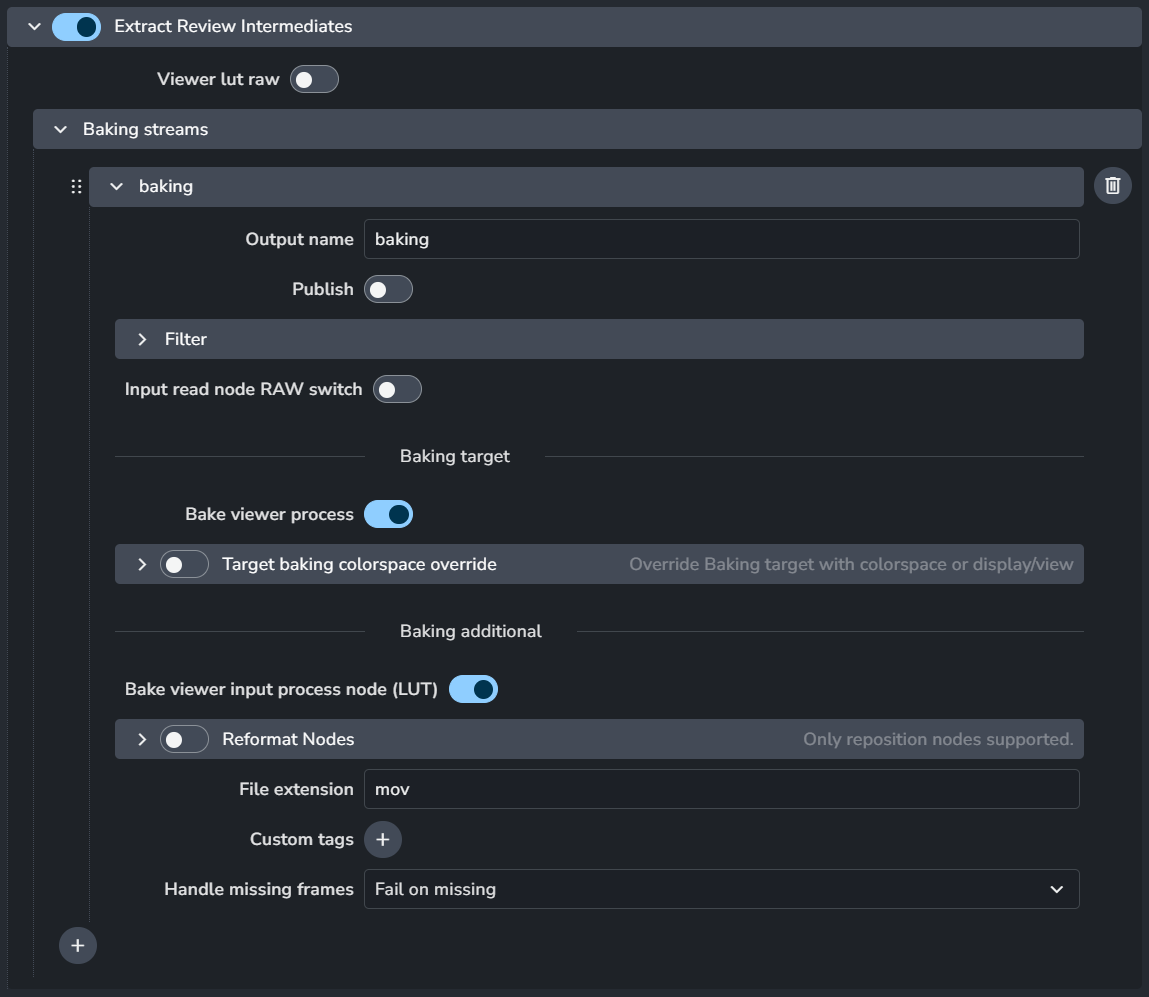
Viewer lut raw
Baking streams
Each baking stream consists of
Output name
Publish
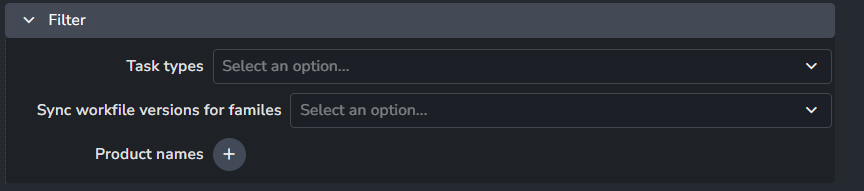
Filter
Input read node RAW switch
Bake viewer process
Target backing colorspace override

Bake viewer input process node (LUT)
Reformate Nodes
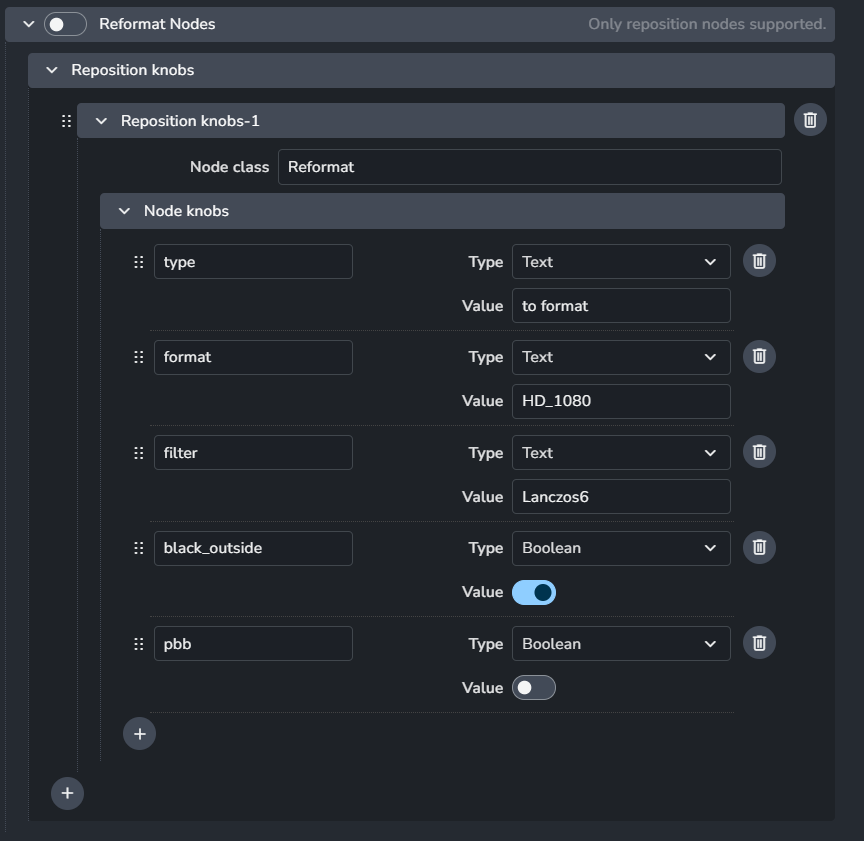
File extension
Custom tags
Handle missing frames: This is similar to the same option with in Extract Review
Possible options:Fail on missing (default)
Generate blank frame
Use checkerboard: use checkerboard frame.
Use closest existing
+: Add more baking streams
Extract Camera Formate
Setting Location:
ayon+settings://nuke/publish/ExtractCameraFormat

Camera export format
Extract Slate Frame
Setting Location:
ayon+settings://nuke/publish/ExtractSlateFrame
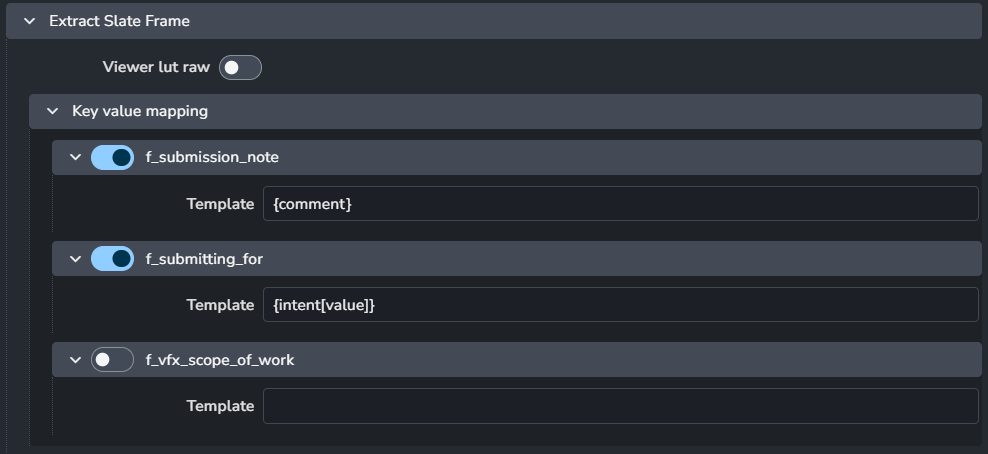
Viewer lut raw
Key value mapping
f_submission_note
Template
f_submitting_for
Template
f_vfx_scope_of_work
Template
Increment Workfile Version
Setting Location:
ayon+settings://nuke/publish/IncrementScriptVersion

Enable: The default state of the plugin.
Optional: Allows the user to toggle this setting in the publisher UI.
Active: The default value of the toggle in the publisher UI.
Load Plugins
Load Image
Setting Location:
ayon+settings://nuke/load/LoadImage

Include representations
Read node name template
Load Clip
Setting Location:
ayon+settings://nuke/load/LoadClip
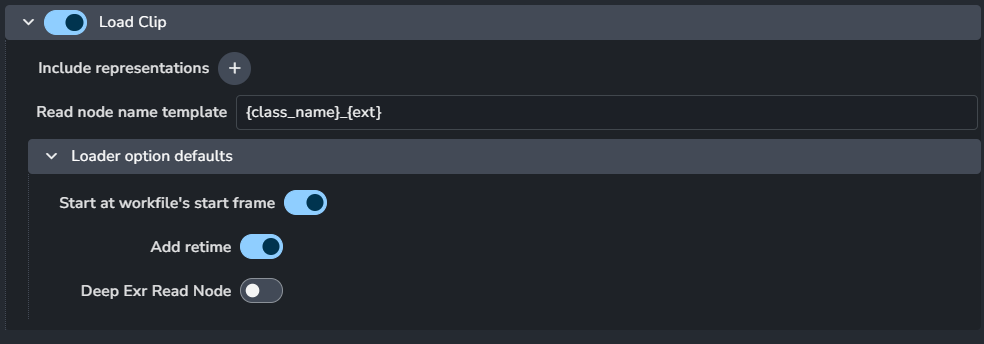
Include representations
Read node name template
Loader options defaults
Start at workfile's start frame
Add retime
Deep Exr Read Node
Workfile Builder
Setting Location:
ayon+settings://nuke/workfile_builder
Deprecation Alert
This setting is deprecated, use Templated Workfile Builder Setting instead.
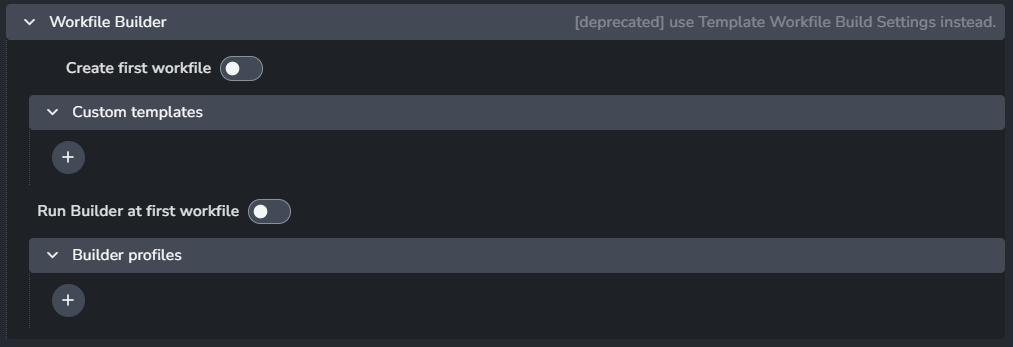
Create first workfile
Custom templates
RunBuilder at first workfile
Builder profiles
Templated Workfile Builder
Setting Location:
ayon+settings://nuke/templated_workfile_build
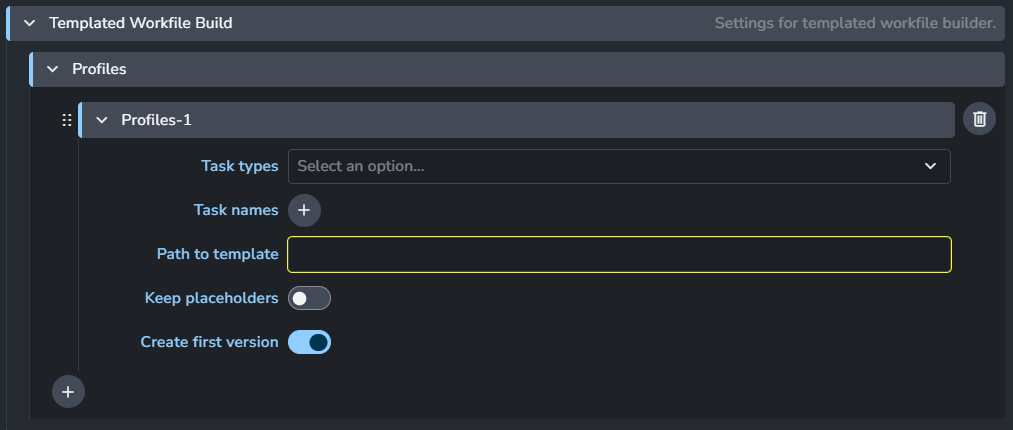
First matched profile will be used as a workfile template.
For more info about workfile templates, please refer to How to Use Templated Workfile Builder.
Profiles
Each profile consists of:
Task types: Specifies the task types this profile applies to.
Task names: Lists the task names relevant to this profile.
Path to template: Supports these Available Template Keys.
Keep placeholders: Enable this to replace placeholders without deleting them.
Create first version: When enabled, the built workfile will be saved if there are no previous workfiles in the work directory.
+: Add more profiles