Working with Redshift in AYON
Last updated Over 1 year ago
Introduction
AYON supports working with Redshift Proxy files. You can create Redshift Proxy from almost any hierarchy in Maya and it will be included there. Redshift can export animation proxy file per frame.
Creating Redshift Proxy
To mark data to publish as Redshift Proxy, select them in Maya and - AYON → Create ... and then select Redshift Proxy. You can name your product and hit Create button.
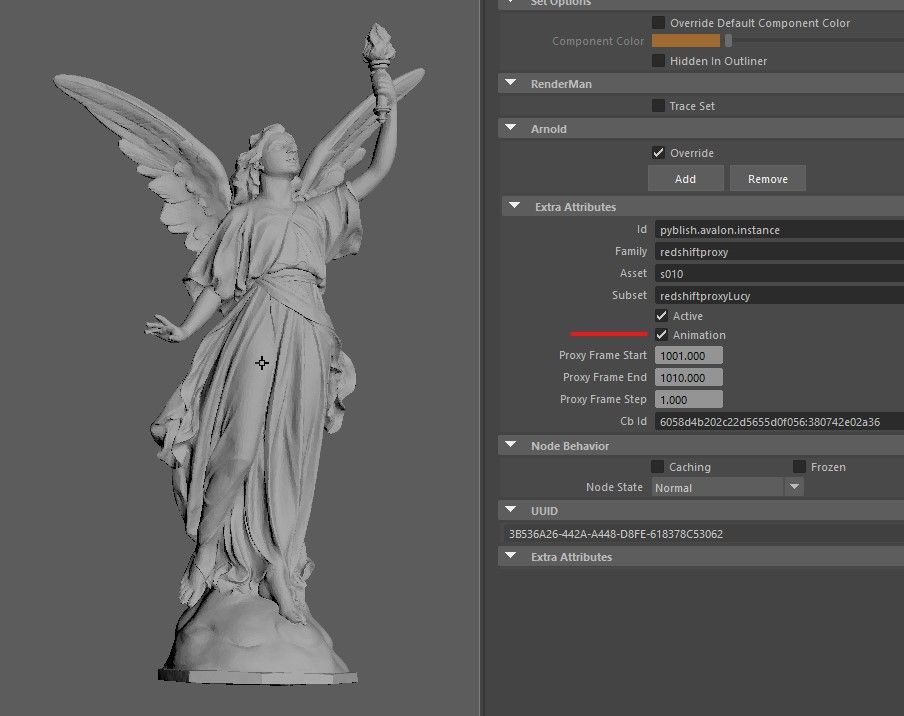
You can enable animation in Attribute Editor:
Publishing Redshift Proxies
Once data are marked as Redshift Proxy instance, they can be published - AYON → Publish ...
Loading Redshift Proxies
Published proxy files can be loaded with AYON Loader. It will create mesh and attach Redshift Proxy parameters to it - Redshift will then represent proxy with bounding box.