Introduction: Tray Publisher
Last updated 6 months ago
Tray Publisher is a standalone tool that allows you to publish any files to AYON. It's also capable of creating assets and shots in your projects. The Tray Publisher is minimal and doesn't have many validators, offering greater flexibility.
Installation & Setup
Once installed, start exploring Tray Publisher Addon Settings and you are ready to start publishing.
Getting Tray Publisher up and running is a simple two-step process:
Get the addon: Navigate to the Addon Market (M+M) in your AYON Server, Search for
traypublisher, and click install.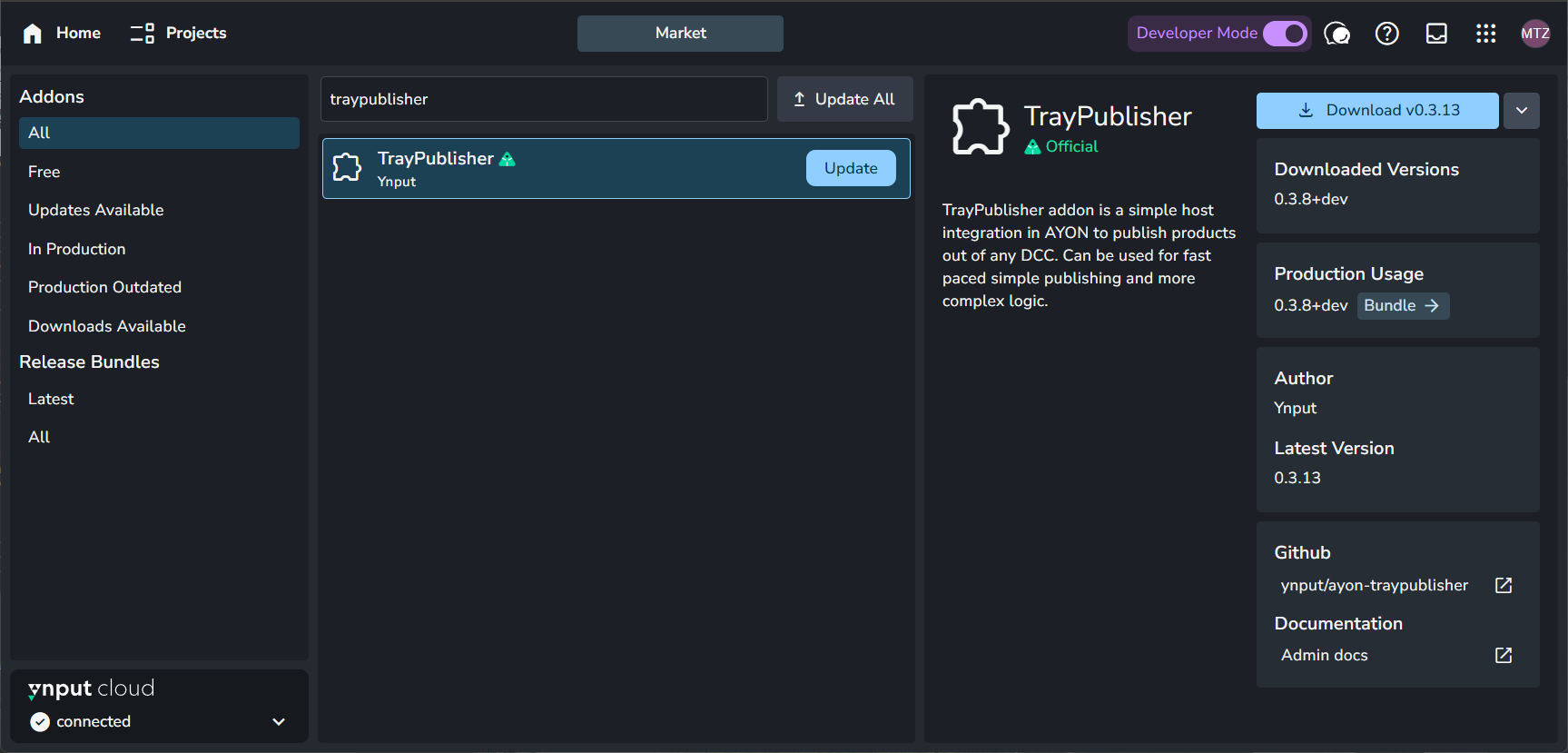
Add it to your production Bundle: Navigate to your bundles (B+B), create and duplicate your production bundle, set batch delivery to the available version on your server. For further info about working with bundles, see Bundles & Addons.
Artist Guide
For details about how to use tray publisher, please refer to Working with AYON Tray Publisher.
TD Guide
The tray publisher offers CLI commands for TDs to experiment, test and possible do custom automations. for further info, please refer to Tray Publisher for TDs.
Configuration Guide
For information about the Addon settings, please refer to Tray Publisher Addon Settings.
Still need help? Ask the team