AYON Server Secrets
Last updated Over 1 year ago
Overview
The AYON Secrets tab is used for managing sensitive information within your AYON server. It allows you to store any arbitrary key-value pair, such as API keys, ensuring all sensitive data remains secure and centralized.
Admins and managers can reference secrets in various addon settings using the secret's name, eliminating the need to know or expose the actual values.
The AYON Secrets tab is located on the same page as the Studio Settings tab.
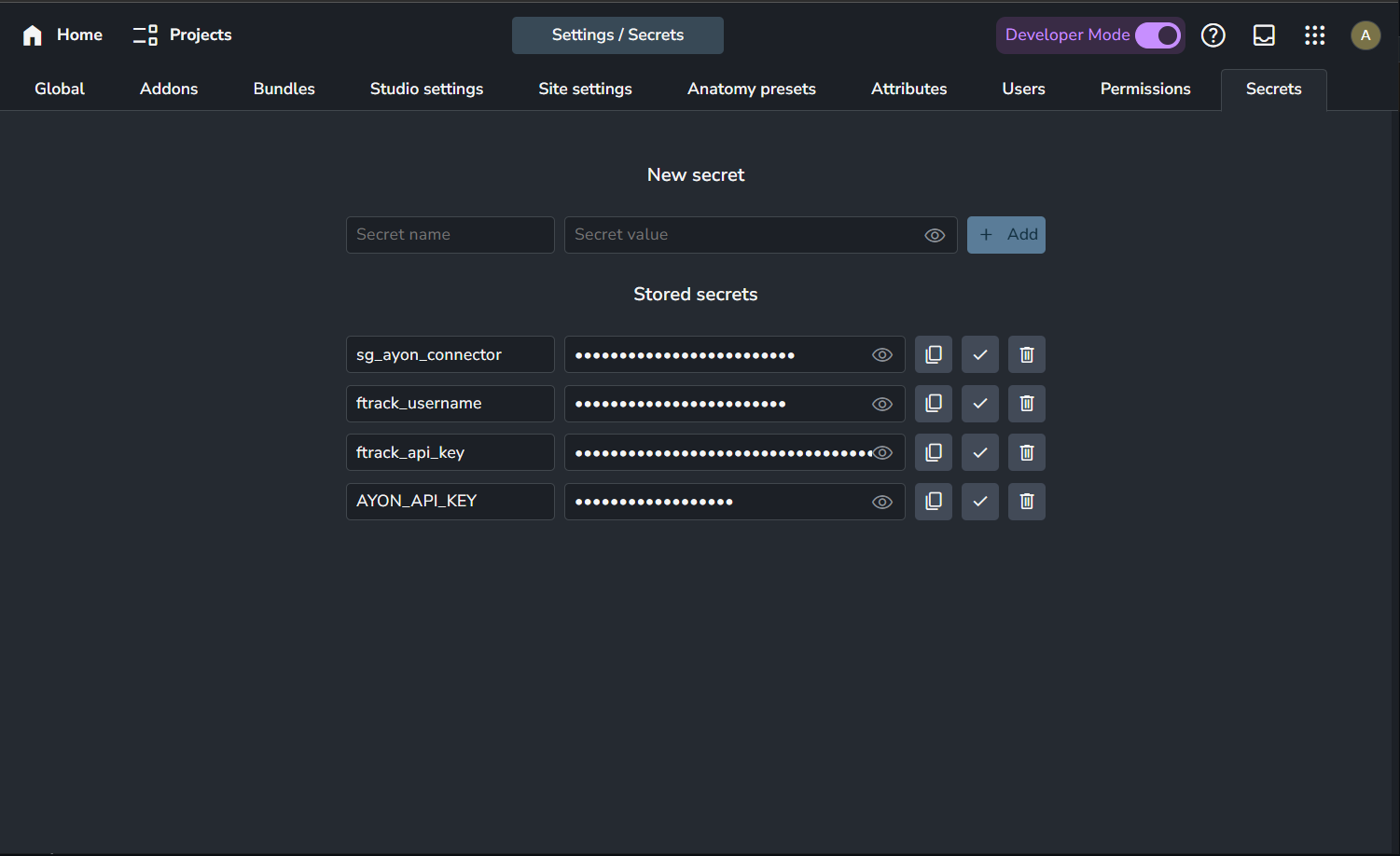
Working with Secrets
Only services and admins (users with admin access level) can work with secrets.
Managers (users with manager access) can view the Secrets page, but it will appear empty, and they are restricted from making any changes.
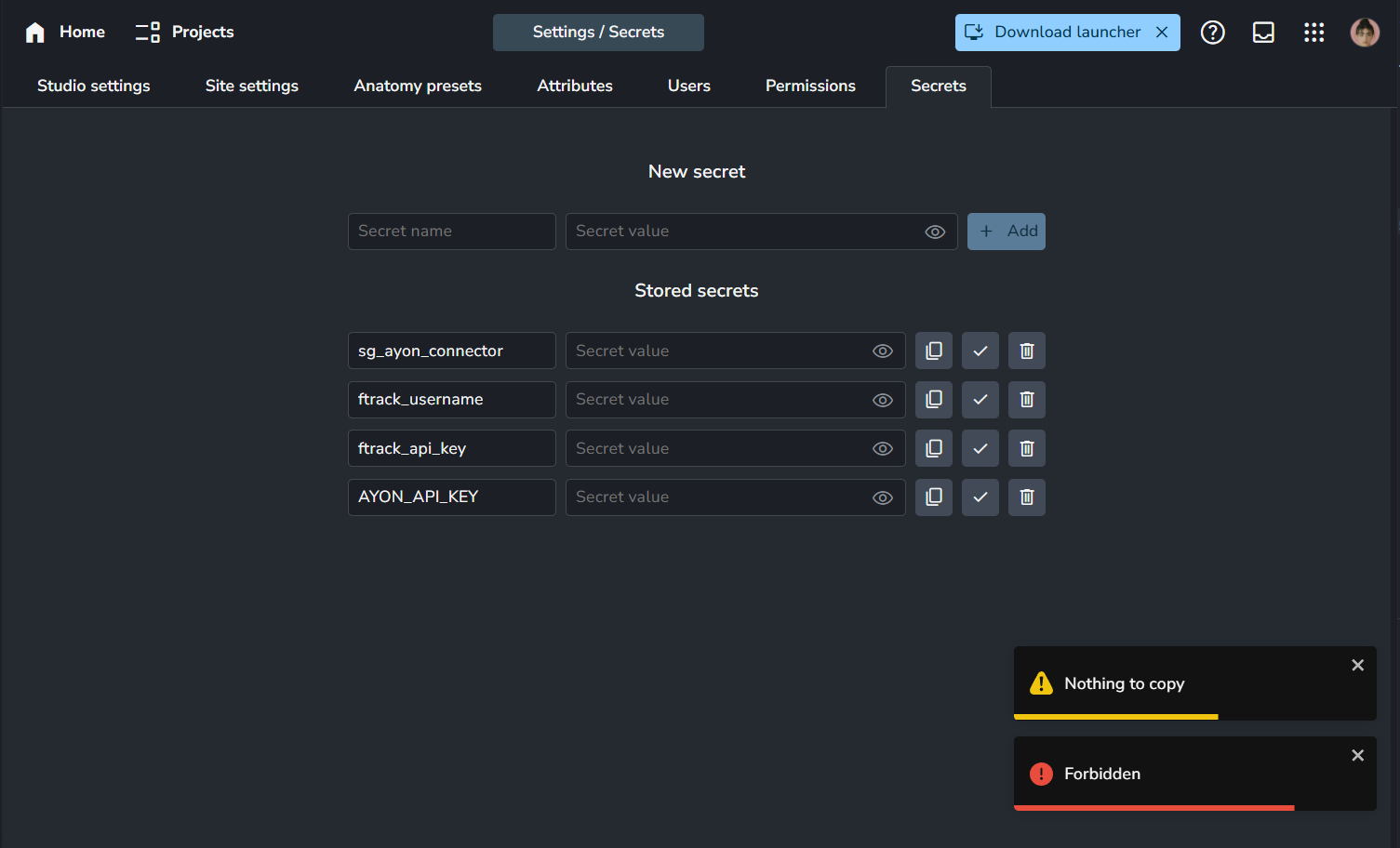
Add New Secret

Secret Name: Name of the secret.
Secret Value: The value associated with the secret.
👁️ Show/Hide Value: Toggle visibility of the secret value.
+ Add: Save the new secret.
Manage Stored Secrets
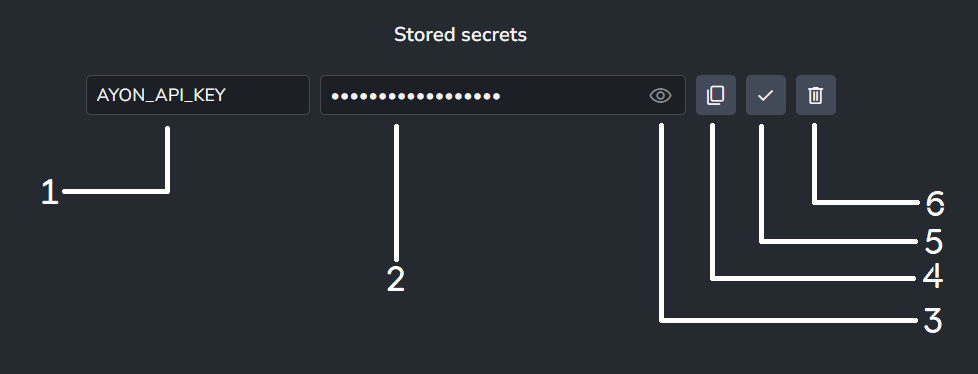
Secret Name: Displays the name of the secret.
Secret Value: Displays the associated value (hidden by default).
Show Secret Value: Reveal the value of the secret.
Copy Secret Value: Copy the secret value to the clipboard.
Apply Secret Value Change: Save any updates to the secret value.
Delete Secret: Remove the secret permanently.
Use Secrets in Settings
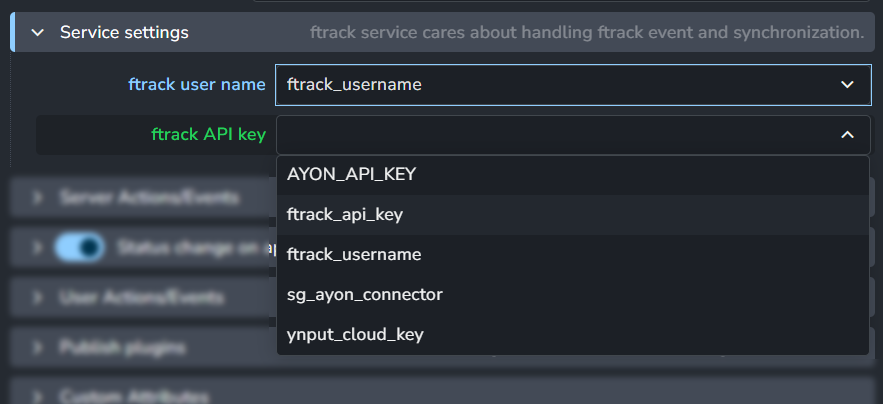
Admins and managers can reference stored secrets in various addon settings by using their names, streamlining configuration while maintaining security.