Reviewables
Last updated 6 months ago
Reviewables were introduced in 1.3.0.

Overview
The reviewables feature streamlines the version review process, making it both simple and powerful. Traditionally, each version could only have a single "representation" for reviewing. Reviewables revolutionize this by allowing you to create and manage as many focused review elements as needed for a single version. These reviewables can be conveniently uploaded and managed directly within the web interface.
Here are some examples of how reviewables could be utilized:
A model needs to be reviewed with multiple different lighting setups.
A complex model needs to have be viewed close up.
An animation needs to be viewed from multiple angles.
An environment needs to show different areas in more detail.
Reviewables Tab
Every version has a "Files" tab that can be used to view, manage and upload new reviewables. To upload a reviewable drag and drop a media file over the reviewables area or click the dropzone to pick a file.
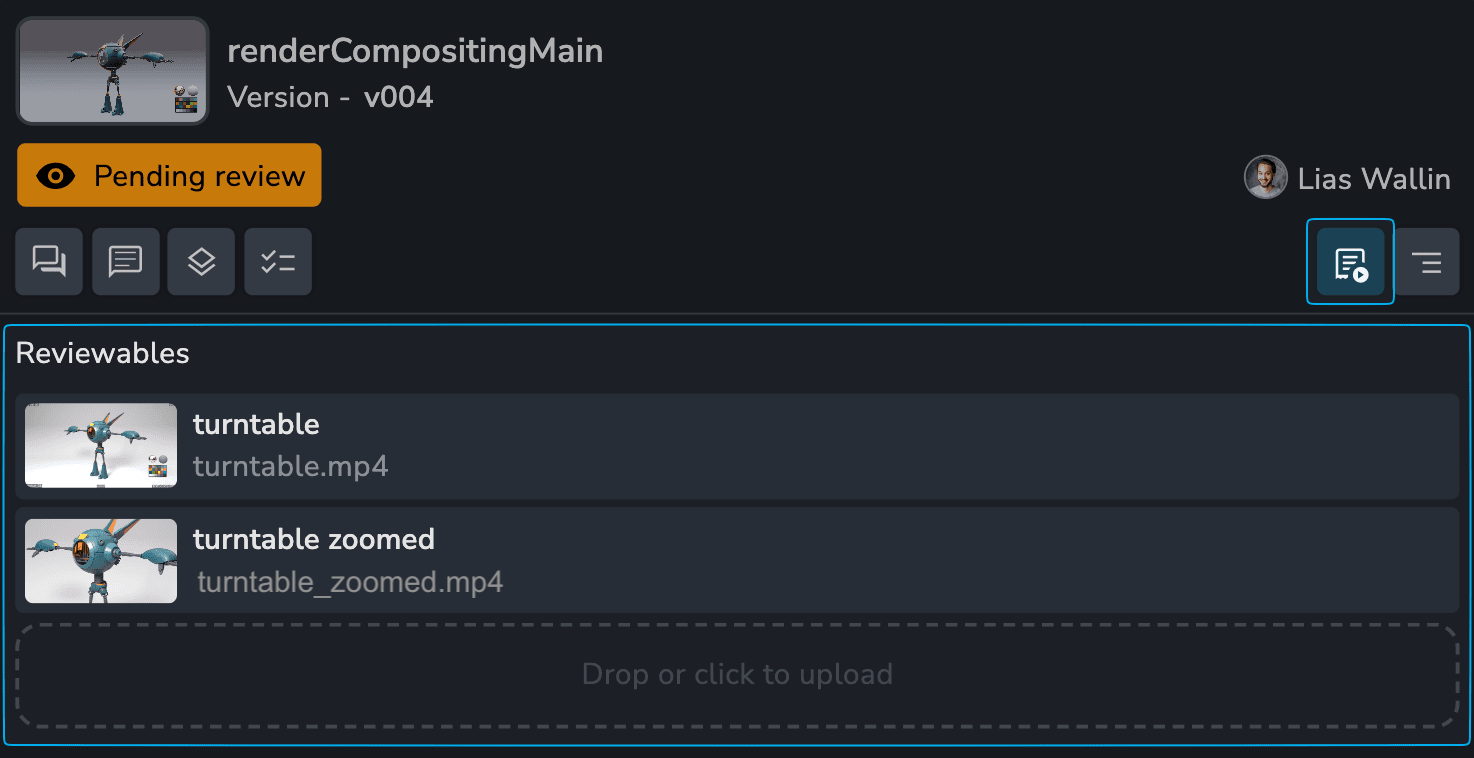
Download the original video by right-clicking the file and selecting "Download Original."
Default File Support
For the best playback performance and experience use the recommended codec.
Recommended: mp4: yuv420p, h.264, qtfaststart flag enabled, iframe only
Supported Containers:
.mp4(commonly supported, but not guaranteed for all variations)Partially Supported:
.movfiles will play but are generally unreliable and will cause issues.Video Codecs:
H.264,AV1,VP8,VP9(Preferably encoded with I-frames only for optimal compatibility)Image Formats:
PNG,JPEG,WebP
Uploaded files are not transcoded or converted. You will see a message to let you know if a reviewable file is not viewable.

Web Viewer
You can quickly view a Reviewable by using the Web Viewer. To open the viewer:
Click on a reviewable
Click on any entity thumbnail
Press spacebar on any selection for folders, tasks and versions.

Player Controls
The viewer comes with all the player controls you would expect and we plan to add more advanced controls in the future.
Play/Pause
SpacebarNext/Previous frame
Left and Right arrowsNext/Previous 5 frames
Shift Left and Right arrowsFirst frame
Shift ALast frame
Shift DFull screen
FMute
MLooping
Grid overlay
Scrubbable timeline
Comparing Versions
The viewer makes it incredibly easy to compare different versions of the same reviewable. Go to any frame and select the next or previous version. If there's a matching reviewable it will be displayed on the same frame.
We recommend using the two main shortcuts A - previous version and D - next version to quickly flick back and forth between versions.
Comparing Reviewables
Reviewables with the same label across versions will be synced allowing for comparison of two reviewables from different versions.
Was this helpful?
Still need help? Ask the team