The Details Panel
Last updated 8 months ago
Overview
When using the AYON production tracker, you'll encounter the details panel frequently. It's essential for team interactions. As the name suggests, the details panel is packed with information, serving as a communication tool and offering useful actions.
Panel Content
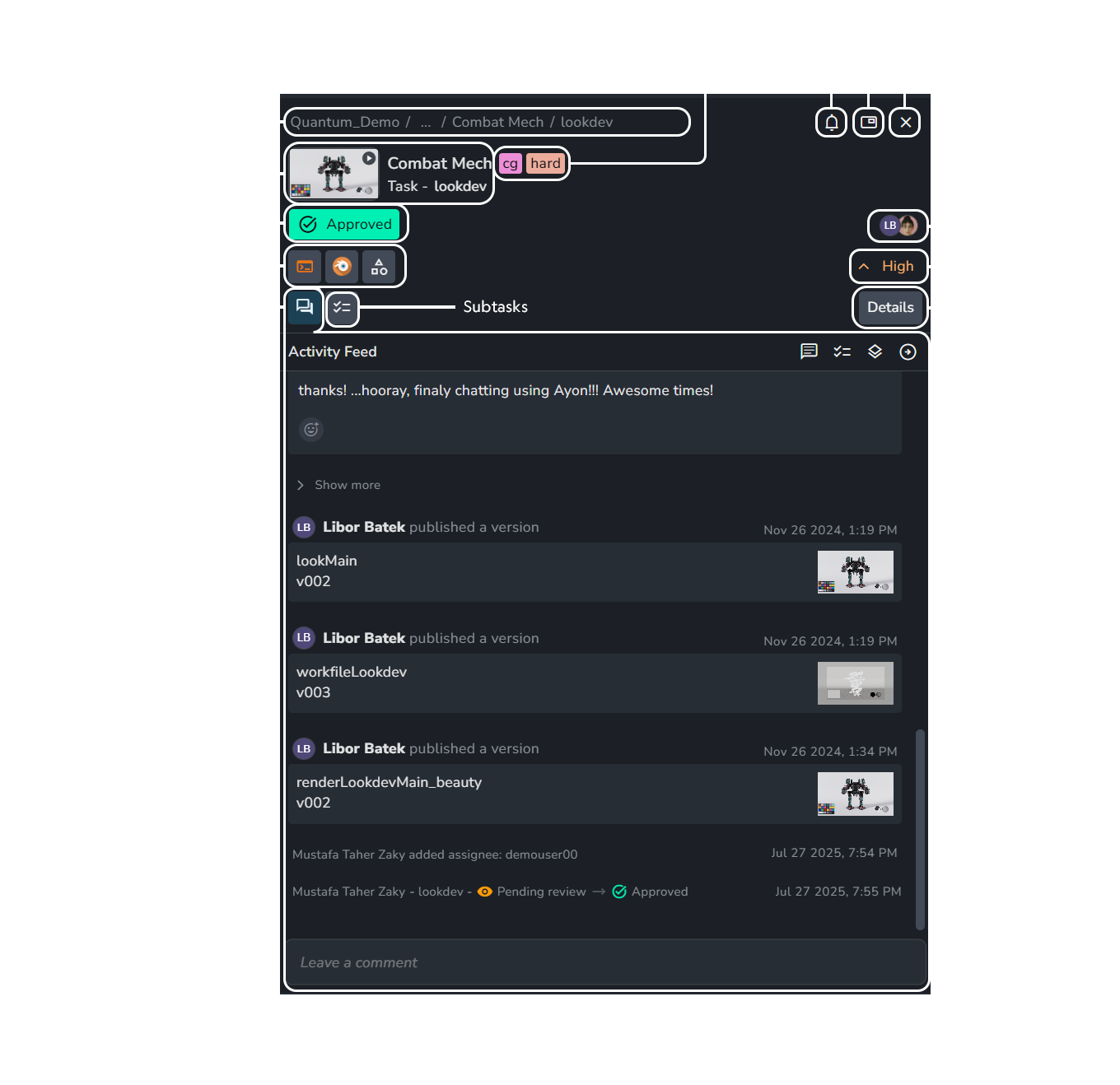
Folder Path: Displays the folder path to the entity.
Name & Thumbnail: Shows the name and thumbnail of the entity.
You can update the thumbnail by right-clicking the thumbnail and selecting Upload new thumbnail.
Tags: View and add tags.
Status: View and update status.
Web Actions: Access available web actions, e.g. applications, directly via the AYON web server.
Activity Feed: Leave comments, create checklists, upload attachments and track activity, like status changes. It provides four filters for the feed: "Comments", "Check Lists", "Published versions", and "Entity updates".
For information about how to use them, see The Activity Feed.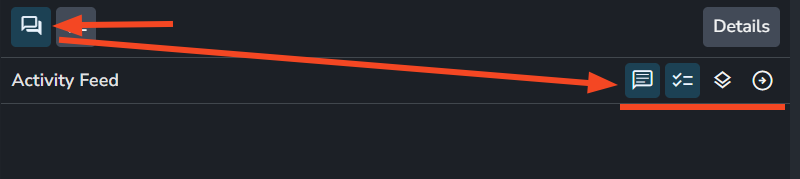
Activity feed filters. it provides 4 filters: "Comments", "Check Lists", "Published versions", and "Entity updates". Sub Tasks: Shows sub tasks below the task. For more info, see Subtasks.
Watchers: Update notification settings for the current folder or task and choose who receives updates. For more info, see watchers.
Picture in Picture: Open a panel that can stay open as you navigate to different pages.
Escape: Close the current details panel.
Assignees: Shows the assigned users of the current task.
Priority: View and update the priority of the current task.
Details: Provides description, task info and task attributes like
fps,Start frame,End frame. For more info, see Attributes.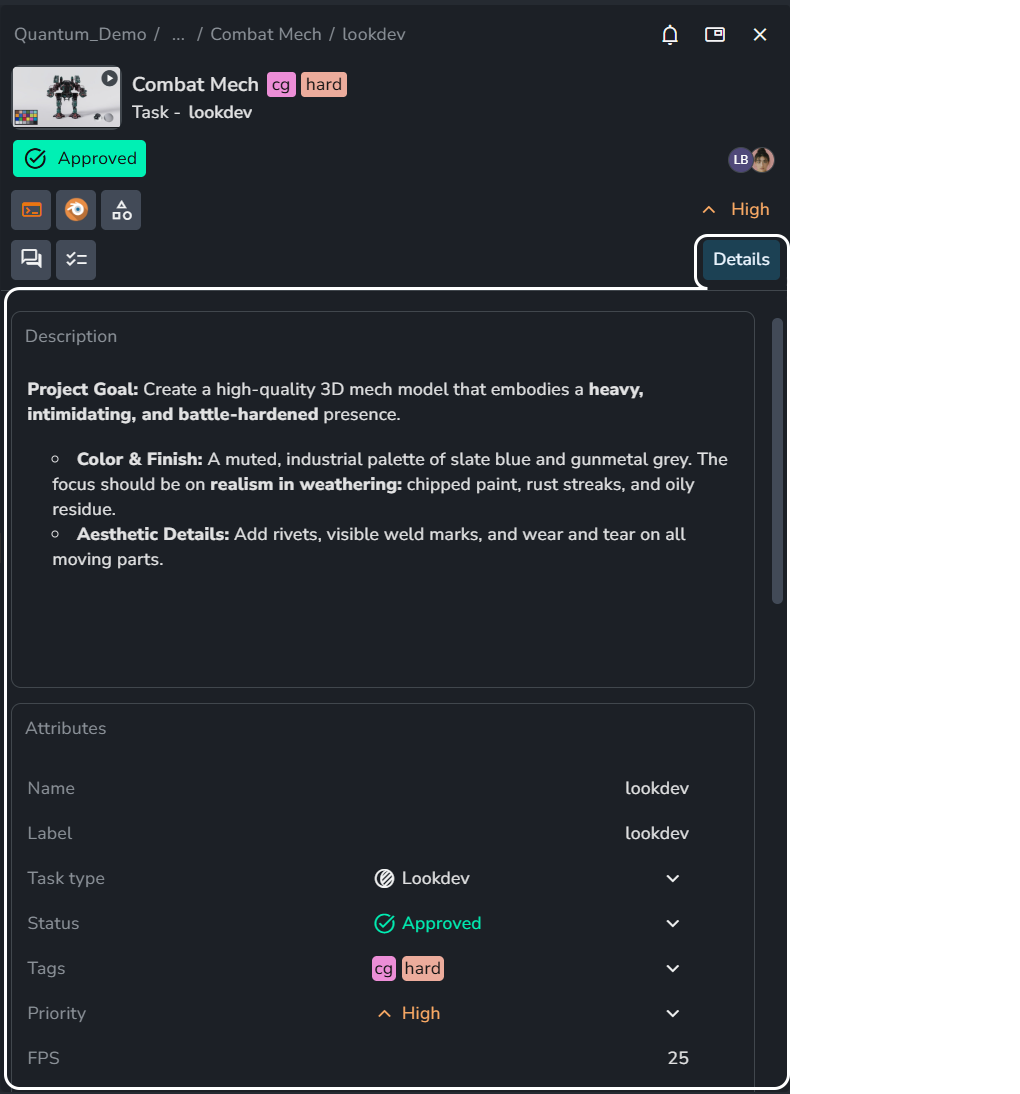
Was this helpful?
Still need help? Ask the team