September 9th, 2026
Server
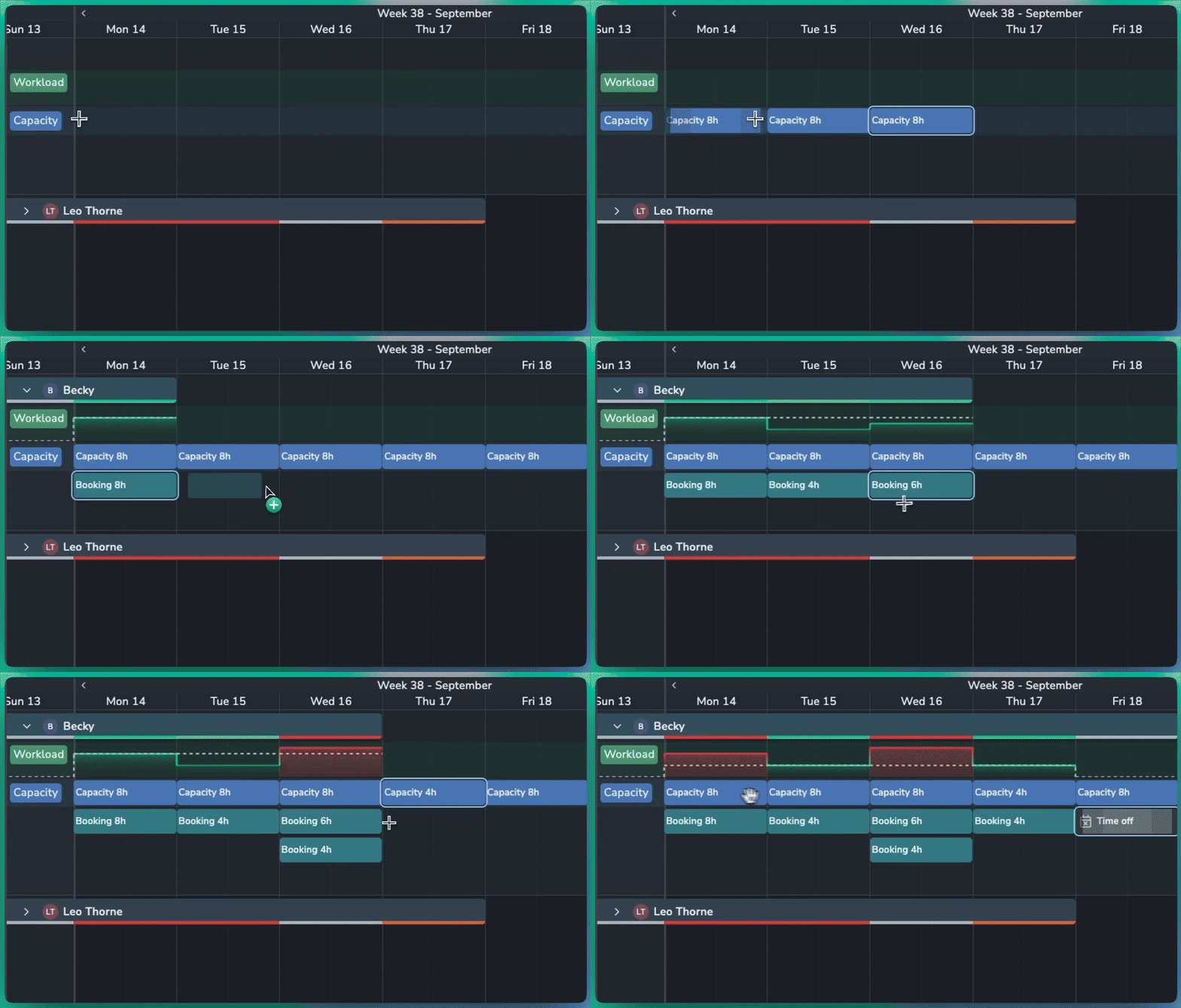
Plan resource availability and balance workloads with the new Capacity and Workload features in Planner.
📈 Capacity & Workload
Set Capacity: Define how many hours a resource is available to work, either for a specific day or across a longer period.
Hours per Day: Set a daily capacity, such as 8 hours per day, and Planner automatically calculates the total for the selected period.
Workload Graph: Compare booked work against available capacity. The dotted line shows the resource's total capacity for each day.
At-a-Glance Status: Quickly identify workload levels:
⚪ Grey: Capacity is available
🟢 Bright green: Workload matches capacity
🟠 Orange: Booked slightly over capacity
🔴 Red: Booked significantly over capacity
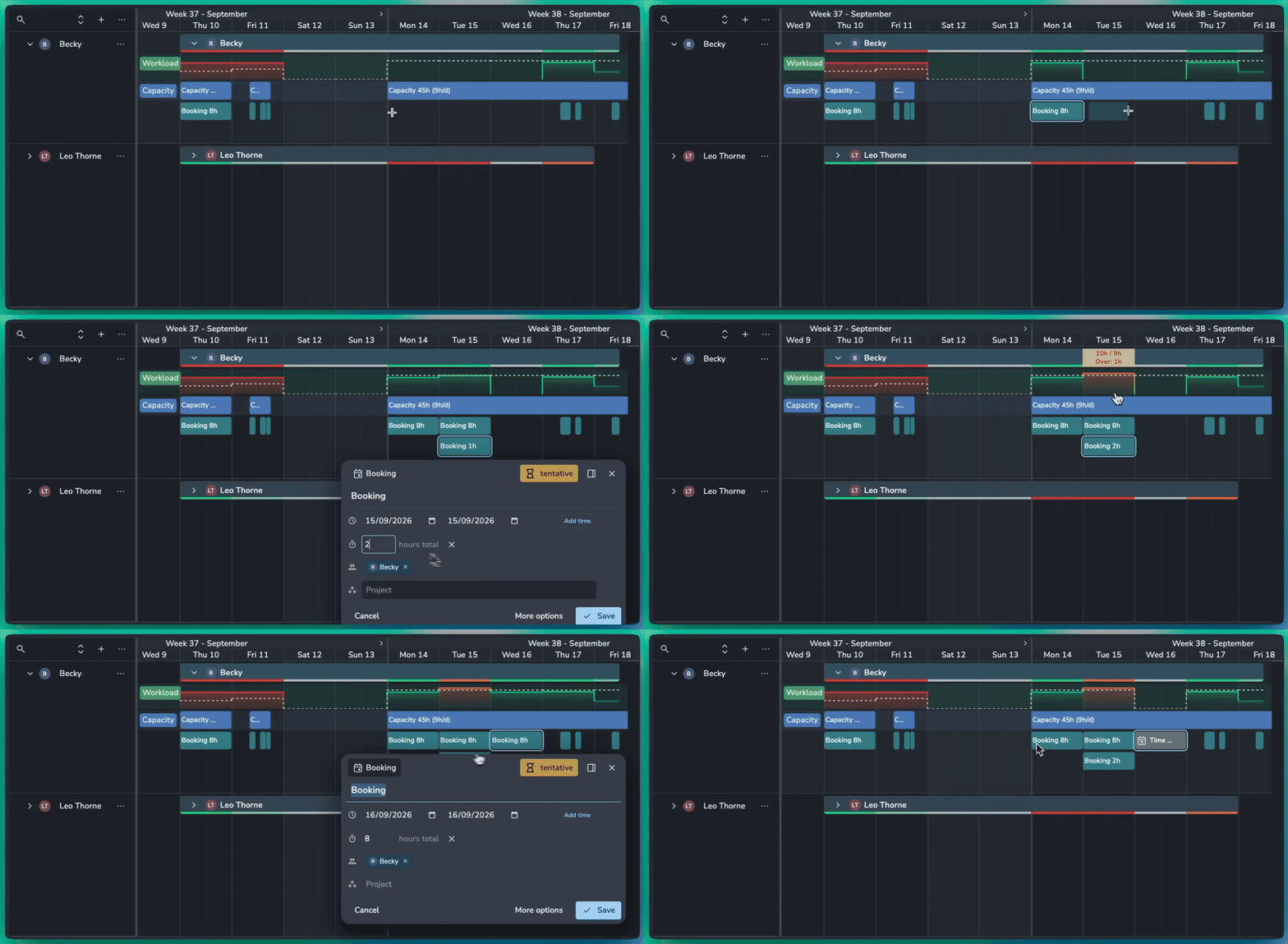
Smarter Scheduling
Time Off: Mark a booking as Time Off to set capacity to zero for that period and highlight any conflicting work.
Specific Hours: Create specific hours of capacity or bookings like from 9am-5pm.
Flexible Bookings: Set the number of hours a booking uses, even when it spans multiple days. For example, an 8-hour booking across two days can represent 4 hours of work per day.
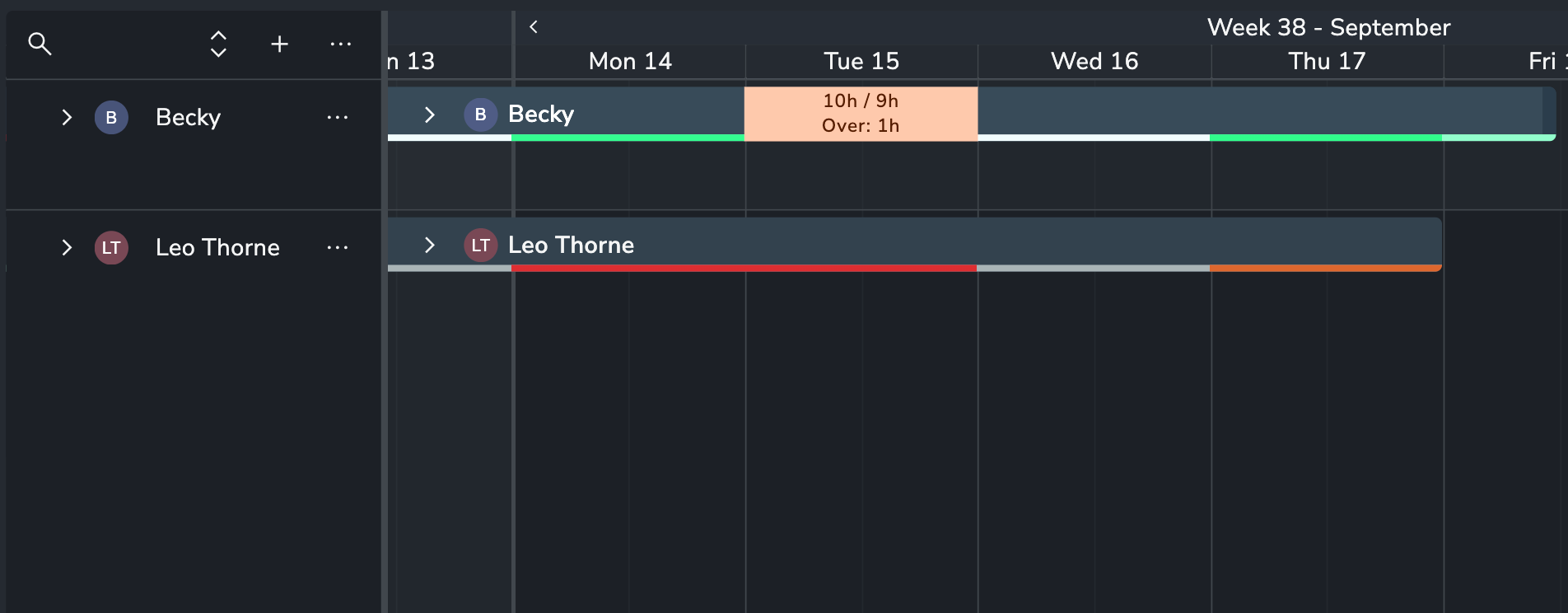
🛠️ Planner Improvements
Duplicate Events: Quickly duplicate bookings or capacity to the next day or week.
Move Events: Move bookings and capacity forward by day or week without dragging them manually.
Planner is a premium addon included with the Studio subscription, or as an extra with a Pro subscription.
September 7th, 2026
Server
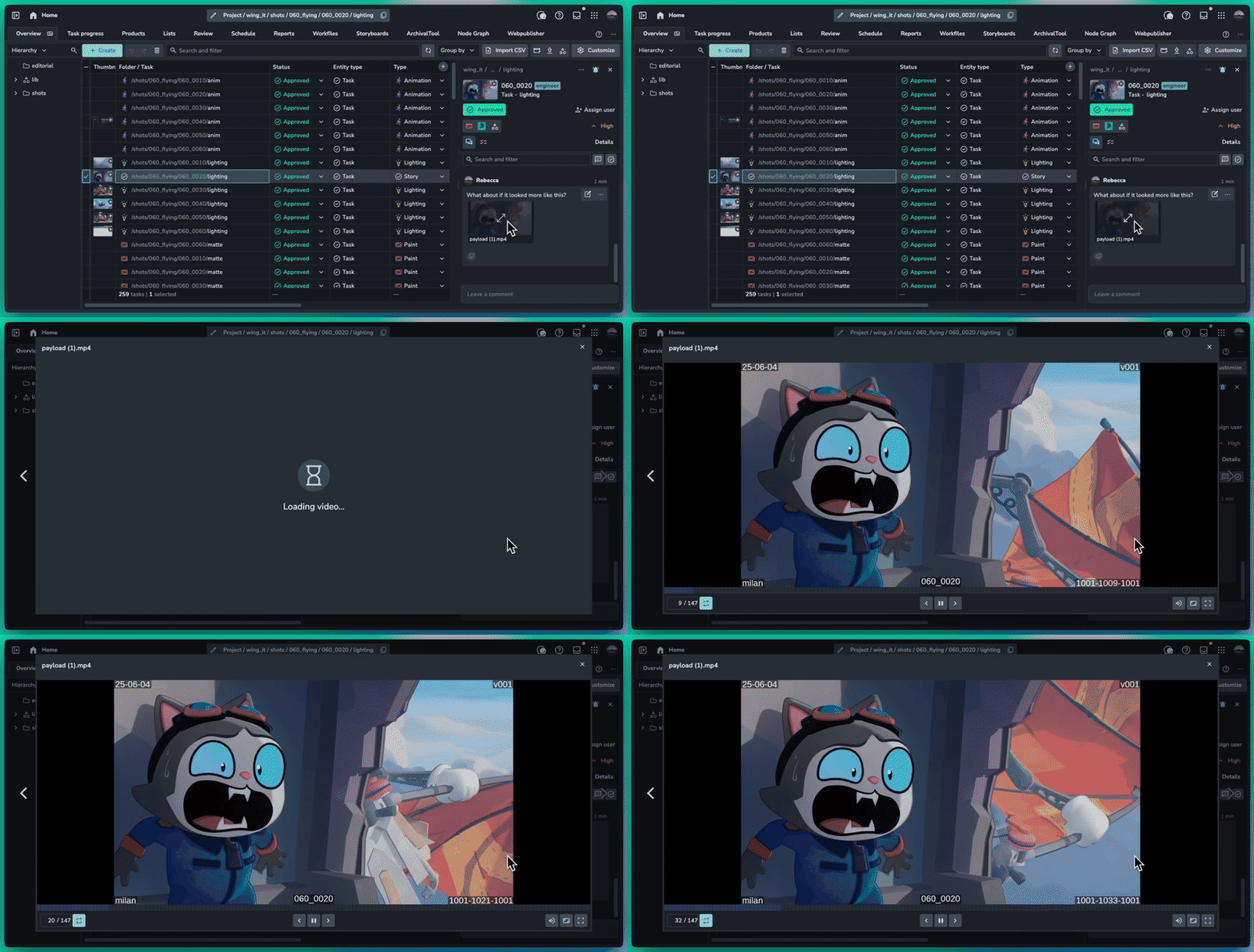
Video attachments are now playable inside of AYON using our custom video player for frame accurate playback, zoom and full screen support.
❤️ Improvements
Comments: Video attachment thumbnails and playback #2267
Slicer: Support multiple search items using comma #2277
My Tasks: Show tags in list view #2285
Slicer: Show all lists types #2293
🛠️ Bugfixes
August 26th, 2026
Addon
When creating a new event within the context of a resource attribute, a resource picker filtered to the filters will open to picker from.
When grouping by or filtering a resource attribute like “Location: London” or “Department: Lighting”, creating new events will show you all resources that are London based you can quickly pick who you want on the event.
❤️ Improvements
Add created by/at and updated by/at details to the event
🛠️ Bugfixes
Fixed an issue where adding the time to an existing event wouldn’t work.
Scenarios: Hide scenario controls for users as they cannot update scenarios
Scenarios: Add a written confirmation for deleting scenarios to make it hard to delete one by accident.
Scenarios: Add confirmation for setting a scenario to live.
August 25th, 2026
Server
Inbox Filtering
The inbox is a place to get work done, not just a notification center. We’ve added filtering to help cut through the noise and focus on the changes that matter. You can now filter by:
Project
Update type
Comment Category
Review Approvals
Plus many more
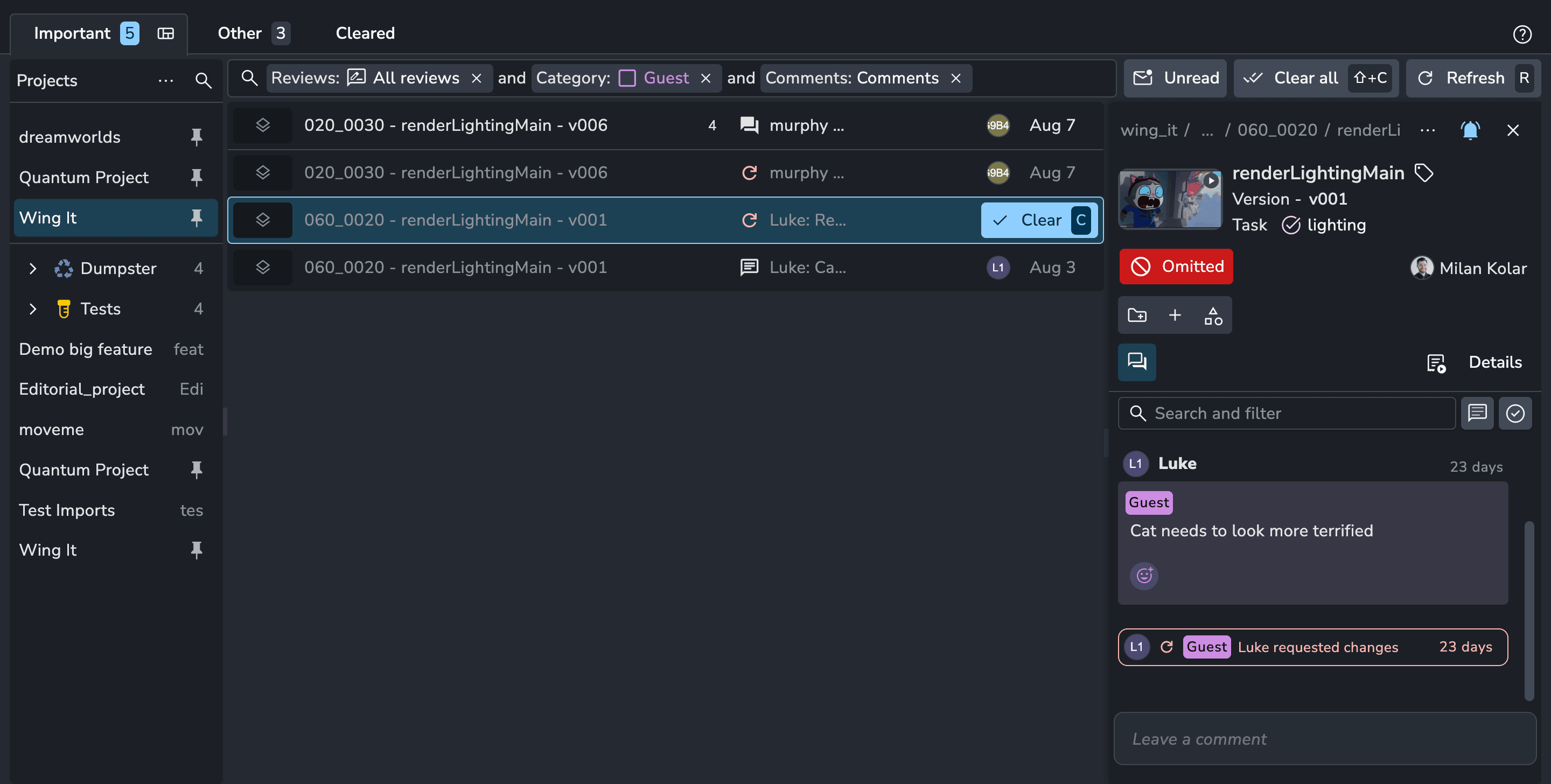
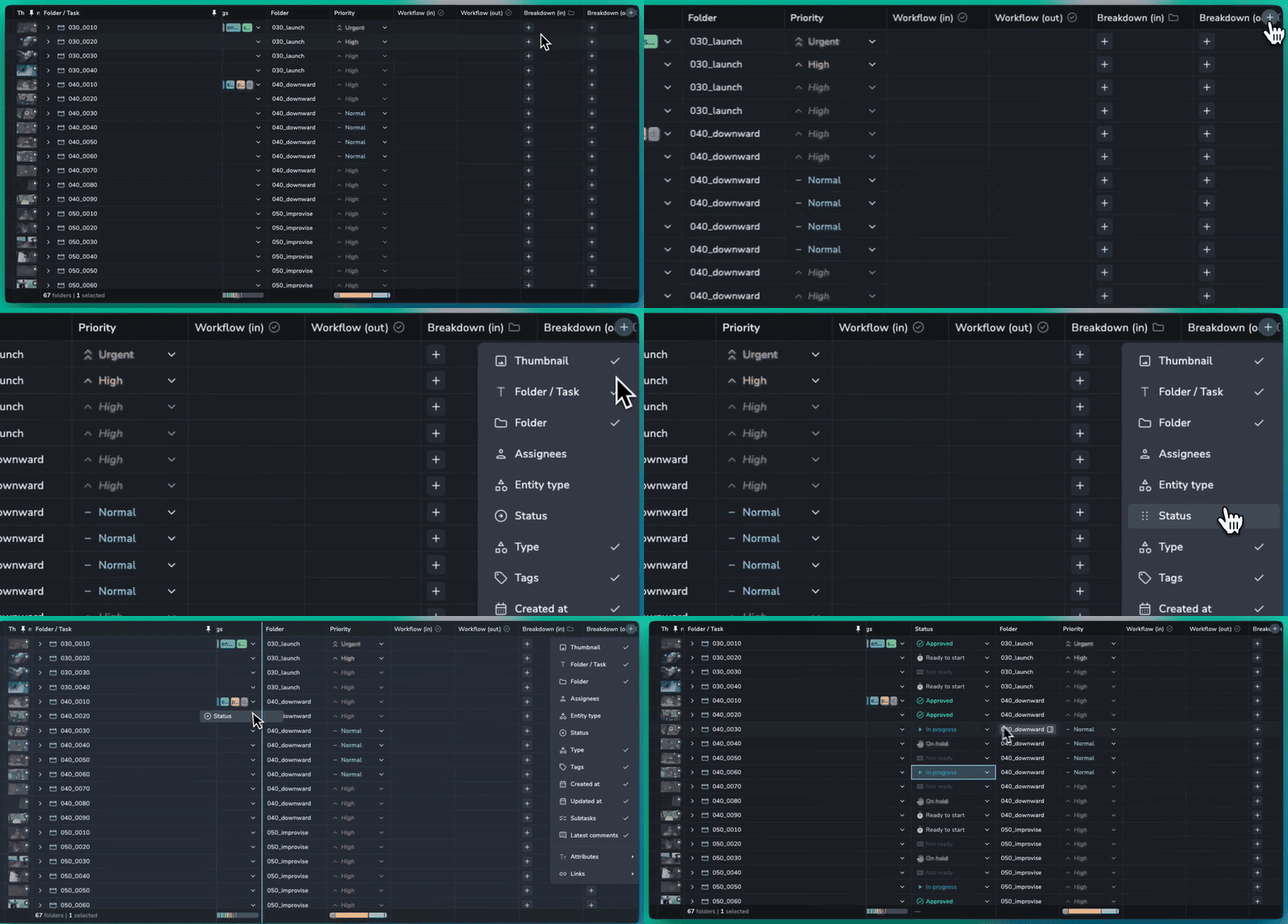
Table Columns Redesign
It’s now much easier to add and manage columns in the table. Simply click the new “Add” button, then select the column you need or drag it directly onto the table. Columns are now better organised into groups, with a new search making it easier to find exactly what you need.
🎉 New Features
Inbox Filtering #2217
❤️ Improvements
Overview: Allow creating folders and task in any mode #2256
Summaries: Name breakdown of folder and task types #2268
Table: Redesign column management #2241
🛠️ Bugfixes
Slicer: Fix selection of redundant children being sent to server #2257
Products: product type should not enum dropdown and string type #2269
📚 Resources
Note: Ynput cloud hosted instances have automatic, scheduled updates. Self-hosted servers require you to update yourself How to Update Your AYON Server.
August 19th, 2026
Server
🏎️ Speed Optimisations
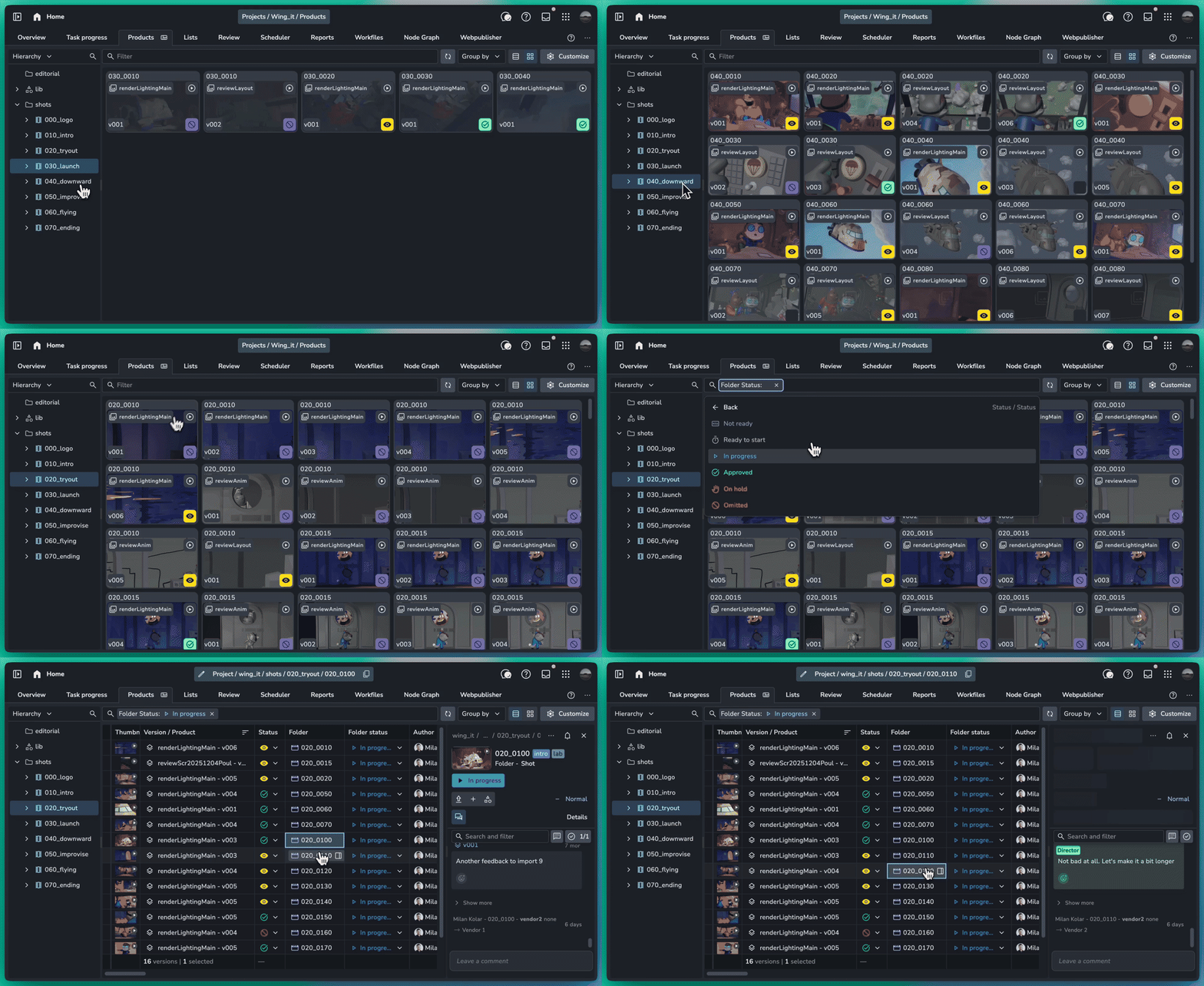
As projects scale and production data grows, we are continually optimizing AYON to remain fast and responsive. We've delivered major performance improvements to version loading times on the Products page, achieving up to a 10x speed increase in large-scale environments.
🔎 More Products Page Filters
Versions are inherently tied to their folder structure. To give you clearer context and faster navigation directly from the Products page, we've expanded your filtering and management options:
Parent Folder Filtering: Filter versions dynamically using the attributes of their folders.
Folder & Task Navigation: Jump directly to a versions folder or linked task in a single click.
Parent Folder Status: See the parent folder status right alongside the version entry.
Latest per Folder: Isolate your view to show only the latest version per folder.
Streamlined Filtering UX: Enjoy a cleaner, re-designed search filter interface that makes building queries faster and easier.
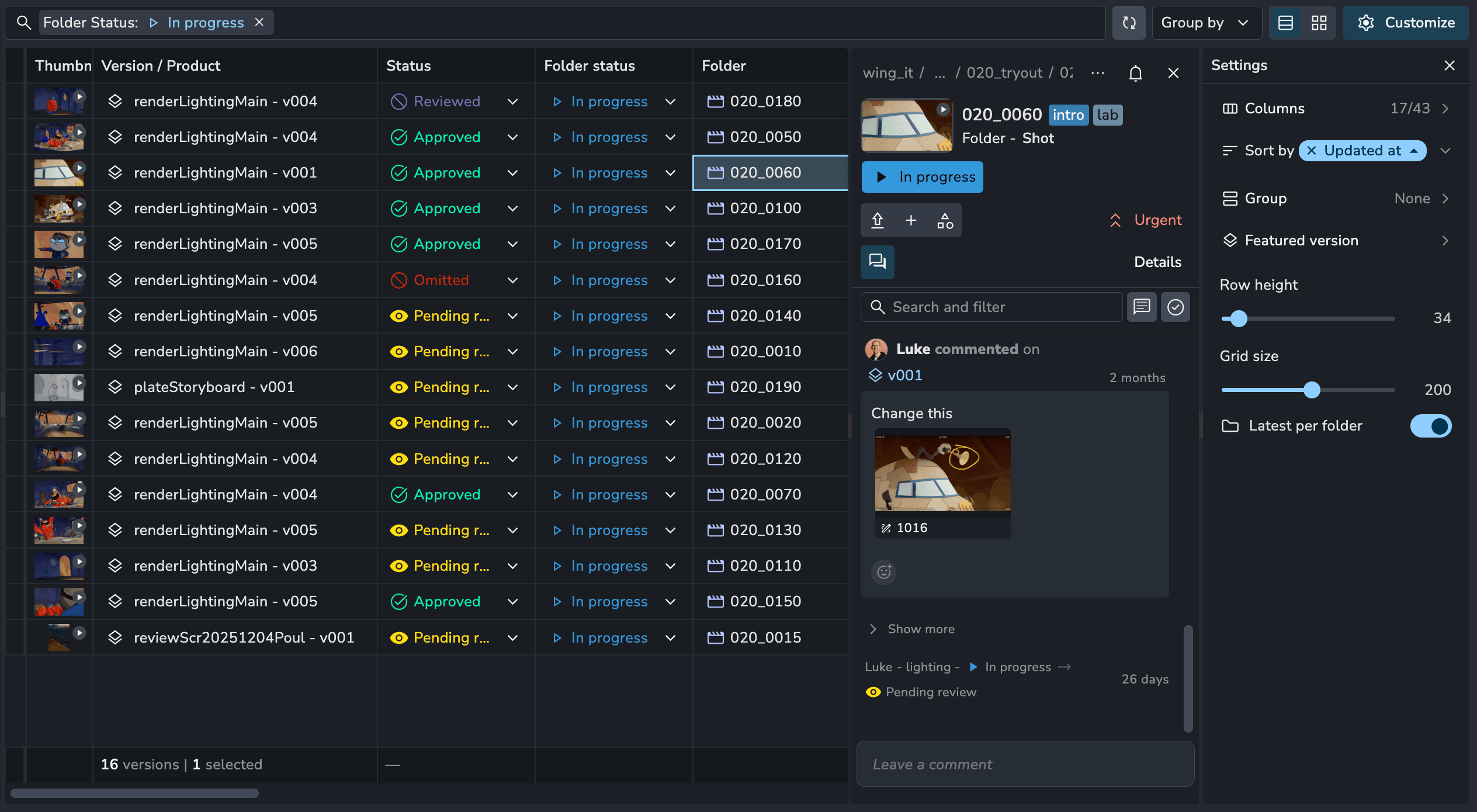
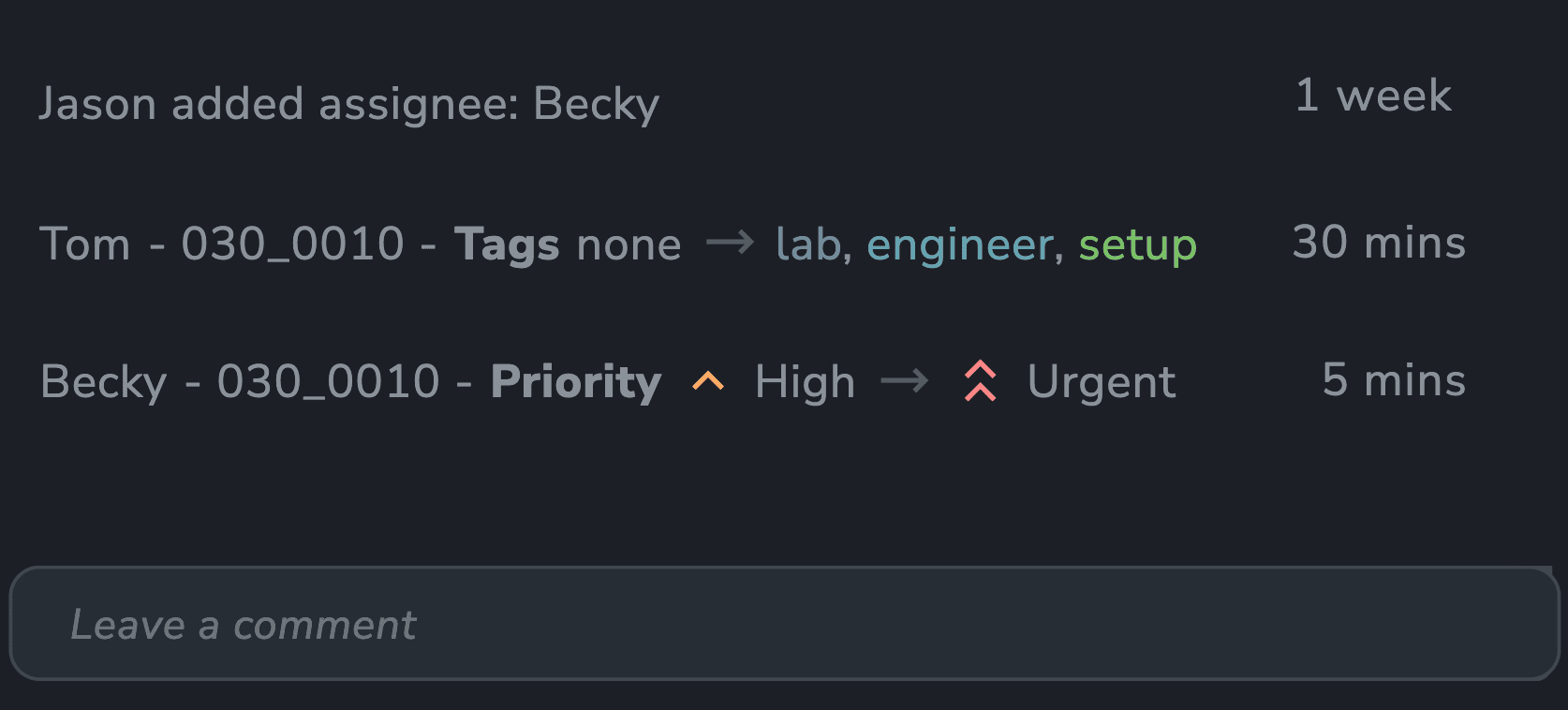
✅ Activity Feed Attribute Tracking
The Activity Feed now captures all attribute and entity changes across folders, tasks, and versions, giving you a complete, transparent timeline of your project history.
🎉 New Features
Entity changes show as activities in feed #2197
Products: Filter versions by folders and get the latest in a folder #2226
❤️ Improvements
Slicer: Hierarchy right click options on folders #2189
Filters: Text fields empty and not empty #2205
Delete: Deleting entities requires typed confirmation #2206
Lists: Search filter now supports fuzzy text strings #2201
Table: Double click folder and task cells to open them #2237
Table: Word wrapping for column content #2239
🛠️ Fixes
Fix sorting by Folder Name in tasks #1047
Tasks: Changed allowed length of task type to 2 not 3 #1053
Projects: Fix new project code generation for regexes #2209
Actions: Dialogs closing on table changes and real time updates #2219
Slicer: Lists sorting now matches lists page #2220
Realtime Updates: Optimise folder updates and standardize batching and delays #2218
Overview: Fix sorting tasks by folder #2236
Overview: Fix folder count stats when searching for tasks #2251
Lists: Move list should use add to list dialog #2245
Summaries: Show column summaries for multi-select attributes #2261
📚 Resources
Note: Ynput cloud hosted instances have automatic, scheduled updates. Self-hosted servers require you to update yourself How to Update Your AYON Server.
August 18th, 2026
Addon

📐 Geometric Shapes
Quickly highlight details, point out specific pixels, and frame areas of interest using brand-new dedicated shape tools: Arrow, Circle, Square, Line
🖌️ Pencil, Opacity, and Tablet Improvements
We’ve upgraded the drawing experience to give you greater precision and a more natural feel when annotating:
Opacity Slider: Adjust stroke transparency to overlay notes without completely obscuring the underlying media.
Pencil Hardness Slider: Fine-tune the pencil tool’s edge hardness for crisp callouts or softer, subtle marks.
Improved Tablet Performance: Enjoy a smoother, more responsive drawing feel with optimized tablet and stylus input.
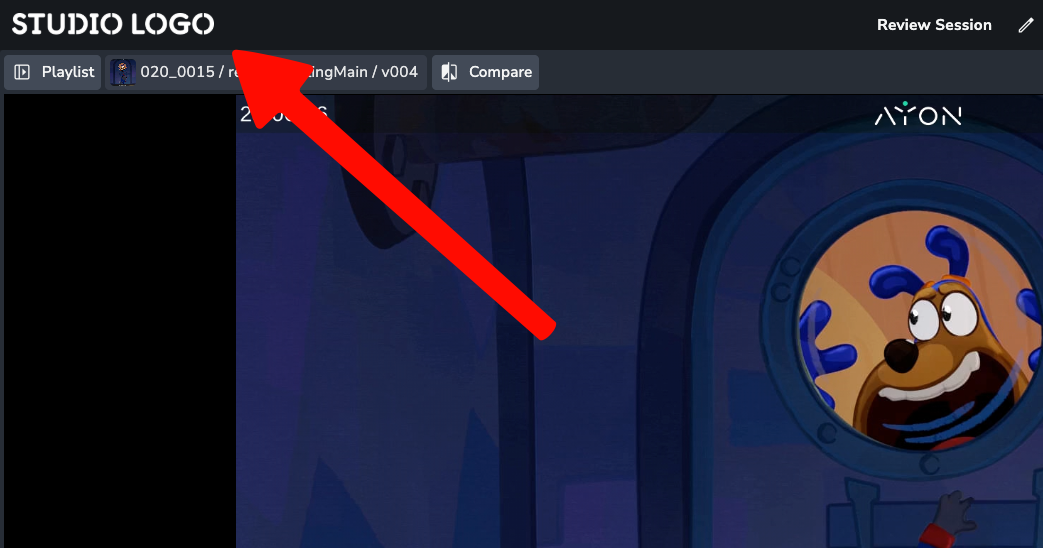
🎨 Studio Logo Branding
You can now display your custom studio logo directly in the top-left corner during review sessions for cleaner, consistent studio branding.
🛠️ Bugfixes
Continued fixes to improve playback and sync stability.
Review is a premium addon included with the Studio subscription, or as an extra with a Pro subscription.
July 29th, 2026
Server
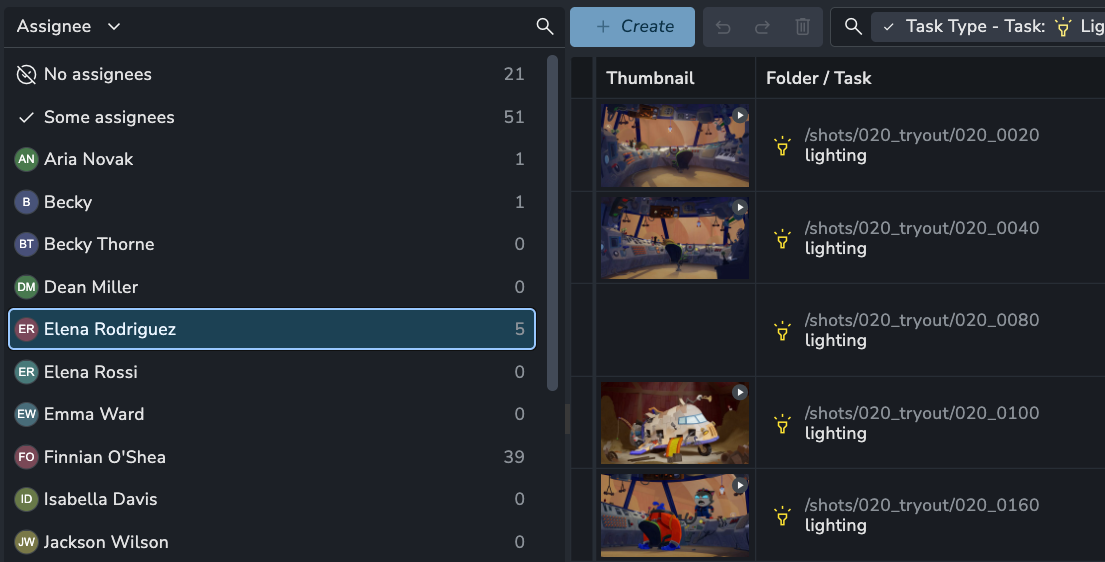
❤️ Improvements
🛠️ Fixes
Details panel: clicking close sometimes does not close #2195
Overview: Table rendering unstable causing links picker to close on streaming updates #2200
📚 Resources
Note: Ynput cloud hosted instances have automatic, scheduled updates. Self-hosted servers require you to update yourself How to Update Your AYON Server.
July 28th, 2026
Addon
🛠️ Bugfixes
Fixed an issue where updating the review session list could drop newly added versions.
Improved loading for very long clips, preventing them from getting stuck.
Fixed an issue where selecting the first clip would not jump to its position.
Improved support for images with transparency.
Fixed an issue where deleting a comment failed to work.
Review is a premium addon included with the Studio subscription, or as an extra with a Pro subscription.
July 23rd, 2026
Server
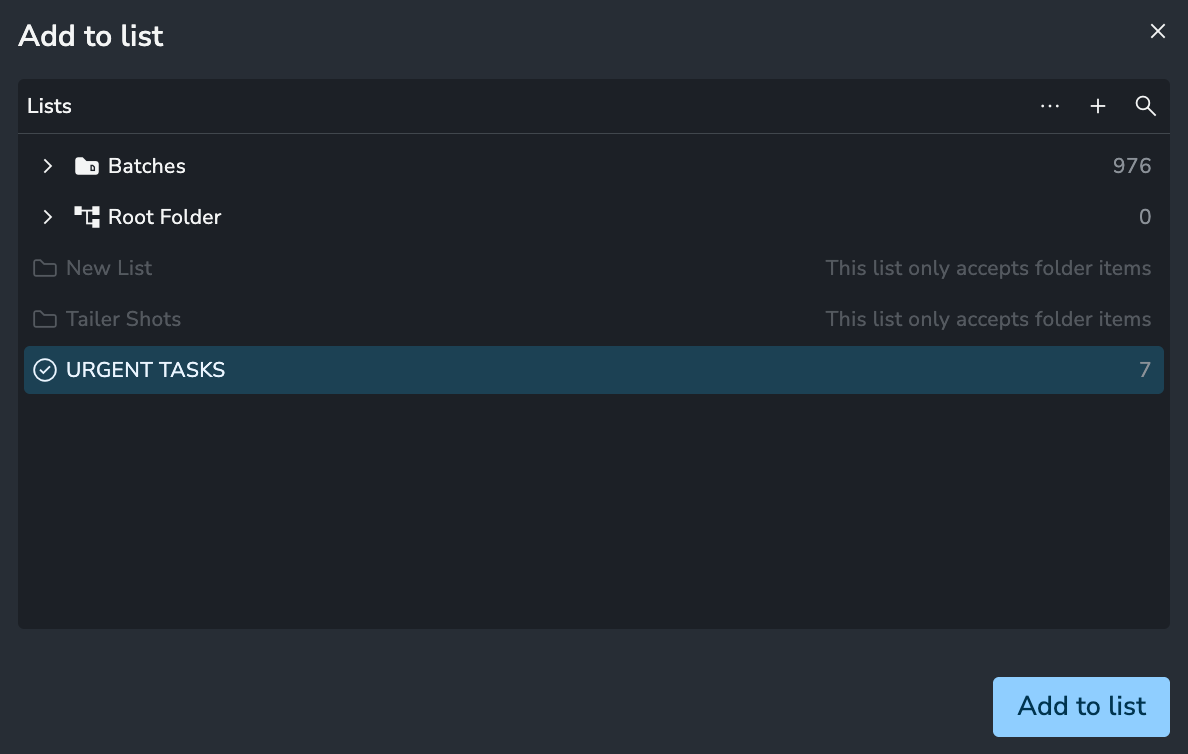
Add To List Redesign
Adding Folders, Tasks, and Versions to lists and reviews is now faster, more familiar, and optimized for large-scale projects:
Faster Discovery: Easily find the exact list you need by navigating organized folders or using the search bar.
Multi-List Support: Add selected items to multiple lists simultaneously with a single action.
❤️ Improvements
Feed: Show status on version activity #2167
Reload data button #2182
Details Panel: More menu delete option #2177
Lists: Add to lists redesign #2183
🛠️ Bugfixes
Lists: Copying table cells now copies correct list data #2184
Products: Ensure table cells are focused properly #2190
📚 Resources
Note: Ynput cloud hosted instances have automatic, scheduled updates. Self-hosted servers require you to update yourself How to Update Your AYON Server.
July 21st, 2026
Server
Releases 1.15.12 through 1.15.16 focus on overall stability, bug fixes, and performance enhancements, alongside a few handy quality-of-life additions.
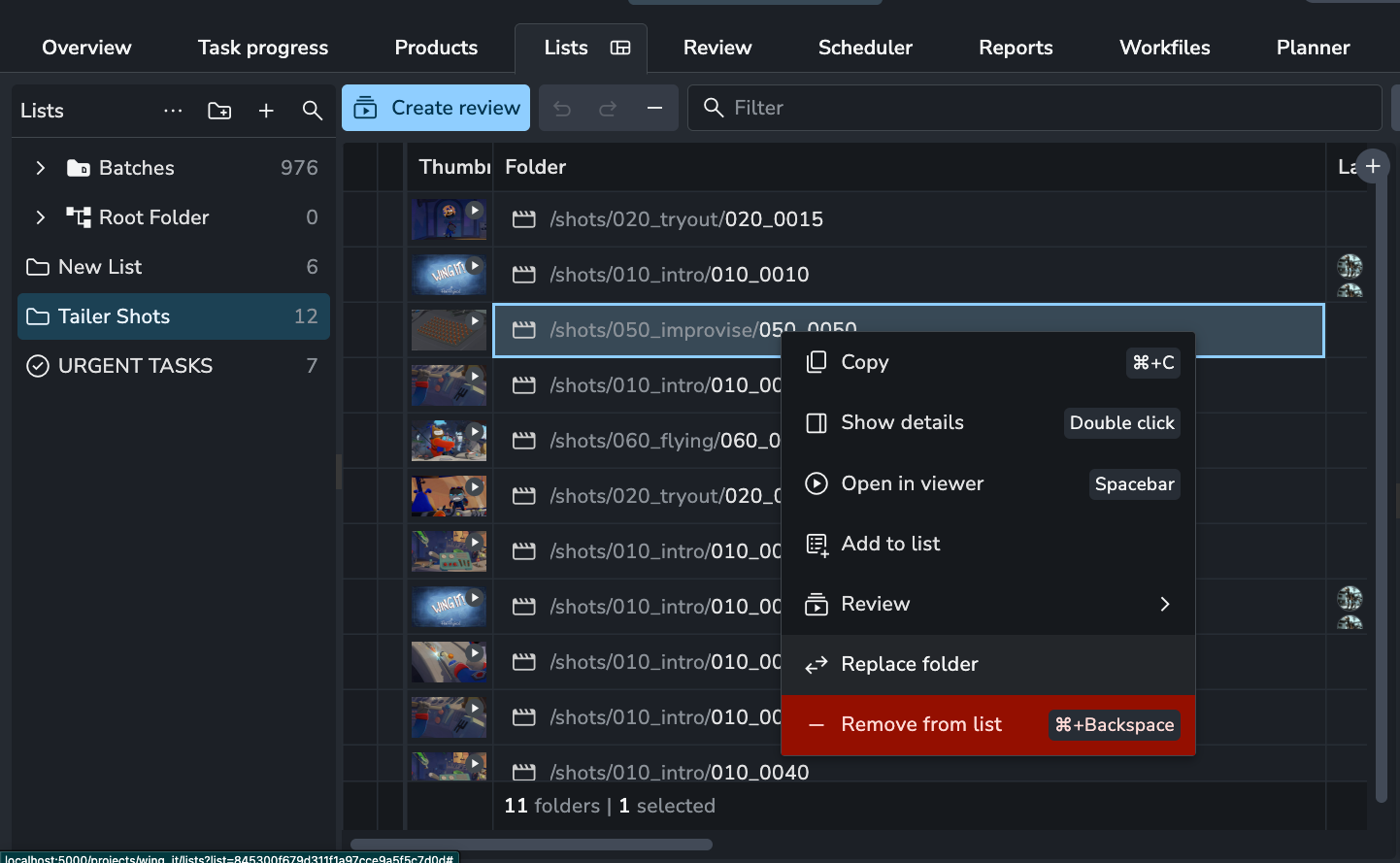
Replace List Items
Managing lists just got much faster. Instead of manually deleting an item from a list and then hunting down its replacement, you can now swap items instantly in place.
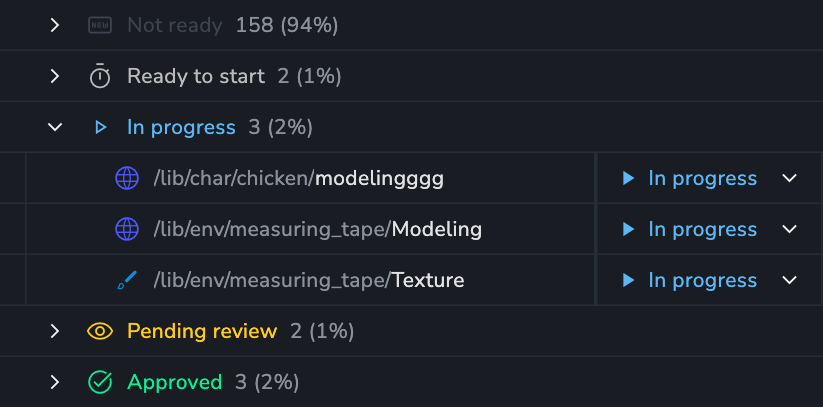
Group Counts ⚡
When grouping by a field, the number of items in the group and overall percentage is shown.
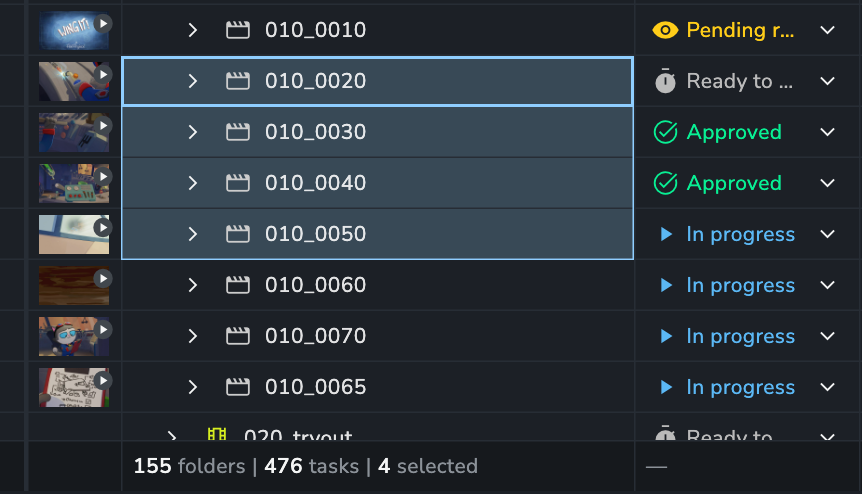
Summaries Selection Count⚡
The summaries bar now shows your current selection count.
🎉 New Features
Lists: Replace items #2141
Copy Representation File Path via context menu #2162
Inbox: Select and clear multiple messages at once #2168
❤️ Improvements
Overview: Drastically improve the speed of hierarchy browsing #2156
Summaries: Show selected count in name summary column #2171
Groups: show filter-aware count and percentage on group rows #2095
Expose product/task/folder type in version column stats by #1022
🛠️ Fixes
Table: Folder column copying does not work #2122
Optimise Review list updates #2123
Summary: Relative date filter breaks column-stats footer on Lists #2145
Filters: When a corrupt filter causes, tasks, products,
entityListItemsnot to load show reset button #2138Developer actions #2150
Enhance task filtering to include inherited attributes #1016
Summaries: Do not collect stats for disabled columns and by default they should be off #2146
Summaries: fix column-summary grouping and skip disabled fetches #2154
Entity lists: Sort items by product name #1000
Lists: Copying cells from the lists table skips values #2152
Filter: Ensure filter bar does not overflow and push items off the page #2169
Entity Picker: Use the keyboard can affect other shortcuts #2178
📚 Resources
Backend Changelog: 1.15.12, 1.15.13, 1.15.14, 1.15.15, 1.15.16
Frontend Changelog: 2026070, 20260710, 20260715, 20260716, 20260717
Note: Ynput cloud hosted instances have automatic, scheduled updates. Self-hosted servers require you to update yourself How to Update Your AYON Server.
⚡ Power Features are premium features included with the Studio or Pro subscription.