Review 1.0.0 - Frame Comments & Focus Mode
Review reaches 1.0.0 with comments you can pin to a frame, a new focus mode for trying things out, improved UX, better frame accuracy and a cleaner view for guests.
📍 Link Comments to Frames
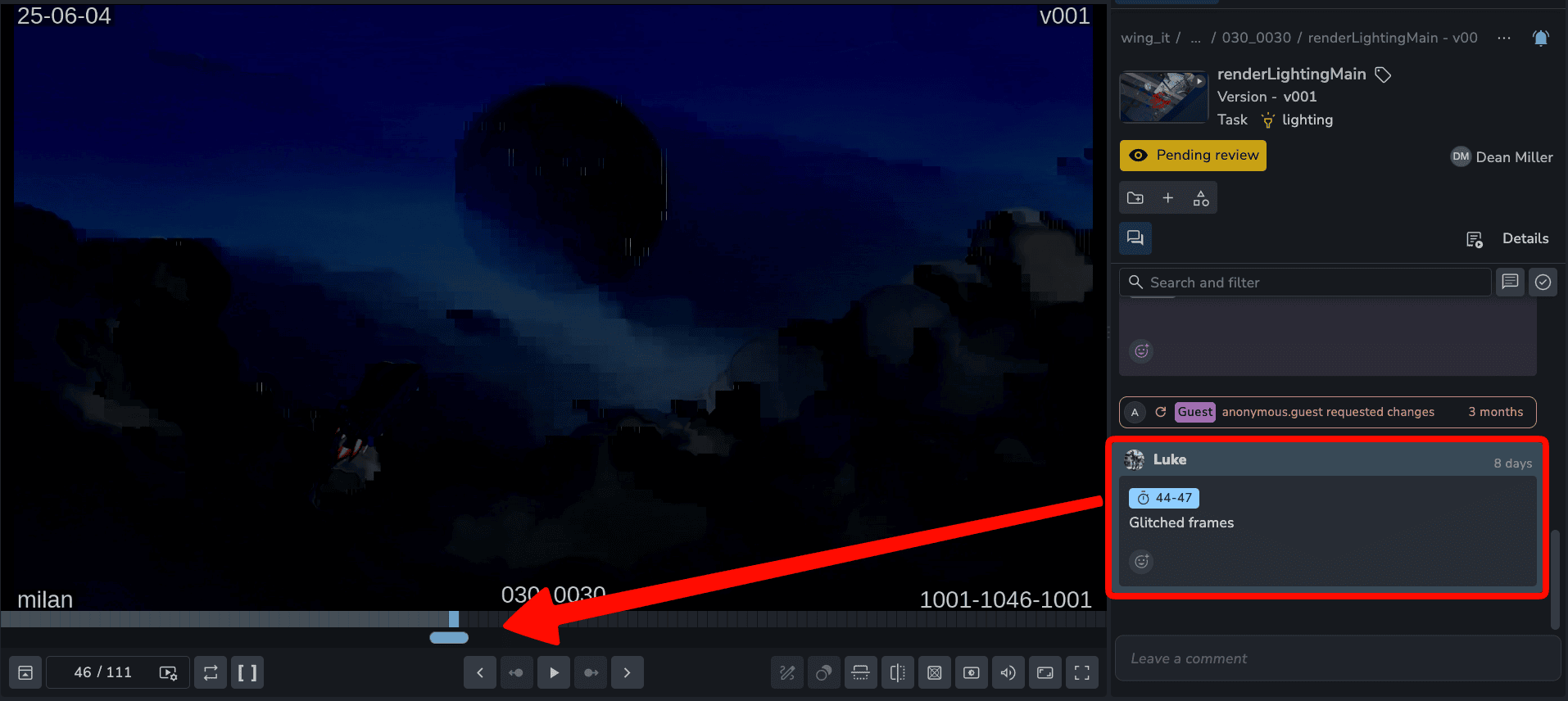
Point a comment at the exact moment it is about.
Single frame: link a note to the frame where the problem is.
Range: link a note to a stretch of frames, like a shot that pops for six frames.
Jump to it: click the link in a comment and the player goes straight there.
🎯 Focus Mode
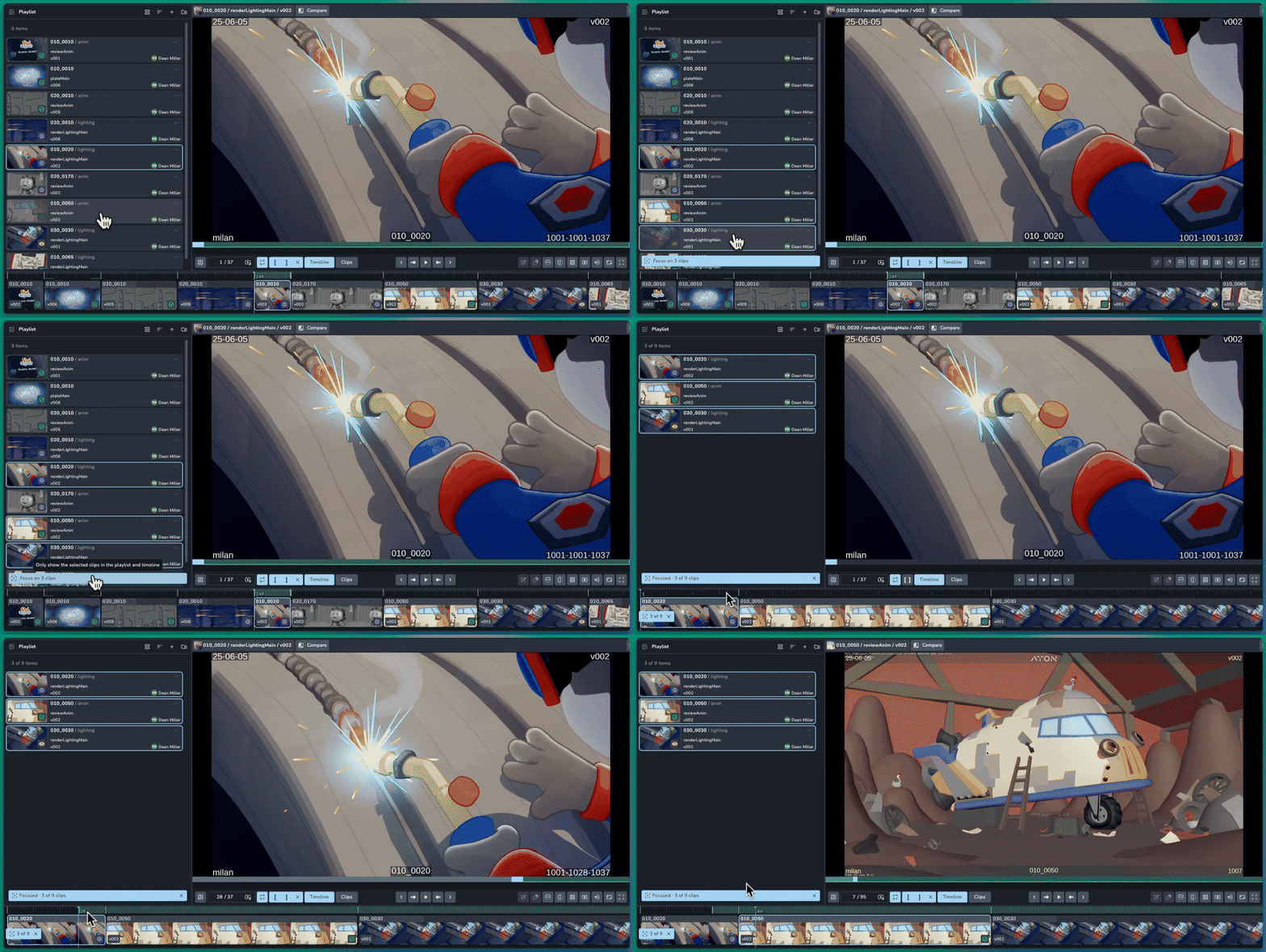
Pick a few clips and review just those, without touching your original review session. It is a sandbox for trying things out.
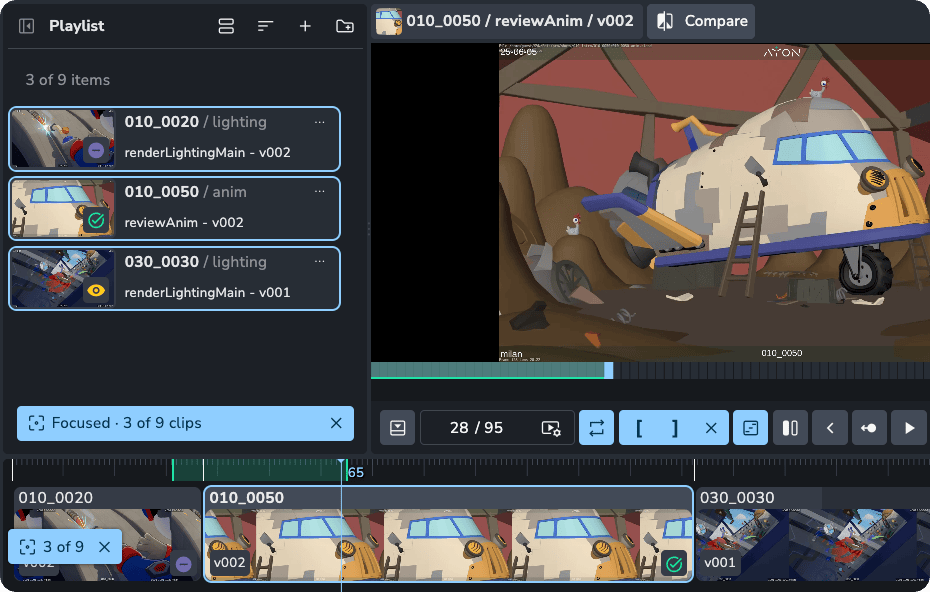
Focus on your selection: select several clips in the playlist and click Focus at the bottom. The timeline shows only those clips and everything else is hidden.
Try ideas freely: reorder clips, section them, remove them, or swap in different versions to compare. None of it changes the original session.
Keep it or drop it: Discard or save the changes you made the focused clips.
🧹 A Cleaner Guest View
Guests get a simpler player, built for giving feedback.
Compact controls: audio, reset zoom, fullscreen and one overflow menu.
Approval at a glance: clip cards show Approved or Changes requested instead of internal statuses.
🎉 New Features
Link comments to frames
Focus: show only chosen clips in the playlist and timeline, the same for everyone in a synced session, including people who join later
Compact guest view with approval status on clips
Session header shows the number of items
❤️ Improvements
Warning icon on clips that may play badly: unsupported or unoptimised files, larger than 4K, or very high bit rate
The clips view follows the playing clip, and only one clip looks selected after you click it
Volume shows 0 when muted
Frame dividers on long clips no longer merge into a solid block
Clear in and out points moved from P to Alt+X, because P clashed with the annotation tools
Confirmation before removing an open guest link
Share terminology renamed
🛠️ Bugfixes
Pressing O to set an out point no longer types into the comment box
Synced strokes and unsaved annotations getting lost
Custom studio logo not showing for guests
Adding clips to a review session from the Review tab
Sections update setting the wrong grouping
Open links now reuse existing sessions, and replacing a guest session works
Review is a premium addon included with the Studio subscription, or as an extra with a Pro subscription.