CelAction Addon Settings
Last updated Over 1 year ago
Color Management (ImageIO)
Setting Locaion:
ayon+settings://celaction/imageio
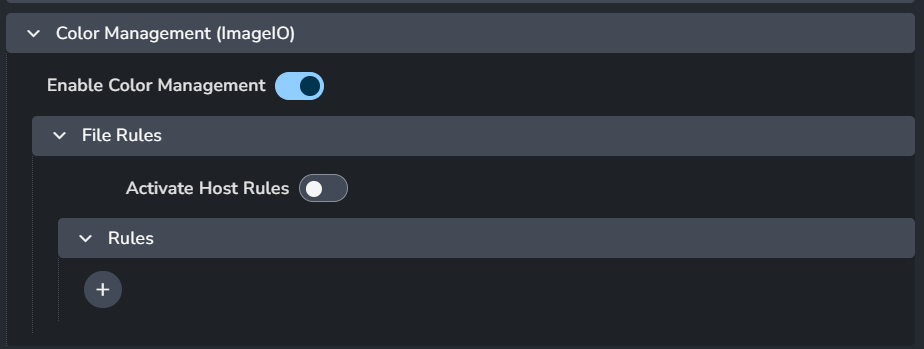
Enable Color Management: This toggle enables AYON's global color management. This toggle is a master switch that enables and disables the whole section.
File Rules
Activate Host Rules
Rules
+: Add more rules
Each rule consists of
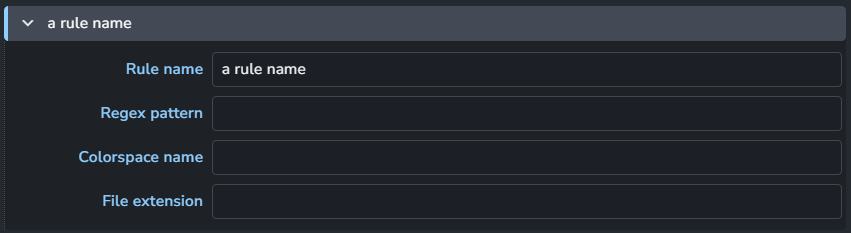
Rule name
Regex pattern
Colorspace name
File extension
Workfile
Setting Location:
ayon+settings://celaction/workfile

Submission workfile overrides: Specify overrides that will be used on celaction launch.
Publish plugins
Collect Render Path
Setting Location:
ayon+settings://celaction/publish/CollectRenderPath
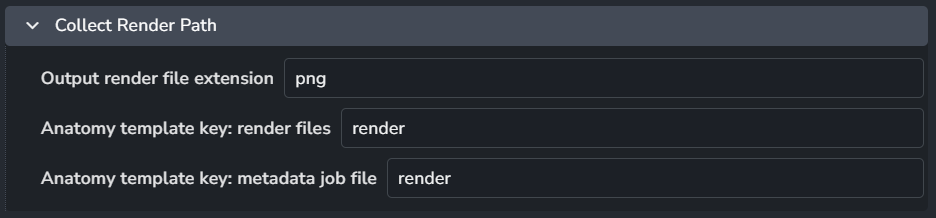
Generate the file and directory path where rendered images will be saved.
By default, it uses the render publish template specified in your Project Anatomy Settings.
Output render file extenstion
Anatomy template key: render files: Used for rendered files.
Anatomy template key: metadata job file: Used for the AYON metadata JSON file for farm submissions.
Was this helpful?
Still need help? Ask the team