Migrate OpenPype Projects to AYON
Last updated About 1 year ago
Introduction
The ayon-openpype-import addon enables the import of OpenPype projects into AYON. However, this process is not recommended for production purposes. There are some limitations to be aware of, and the imported project will not exactly match the one in OpenPype. More details are available in the OpenPype Vs. AYON section.
Known limitations include:
OpenPype Project Migration supports only one project root.
The
ayon-openpype-importaddon works with older versions of AYON Server, specifically1.0.2and below. Support for recent AYON versions is addressed in the PR "Fix: Hero version representations are skipped".Studio and Project settings will not be transferred.
In workfiles, you will not be able to change the version of a loaded product without deleting and reloading it.
OpenPype Project Migration Prerequisites
I. Exporting project from OpenPype
You can only pack projects with a single project root; multi-root projects aren't currently supported.
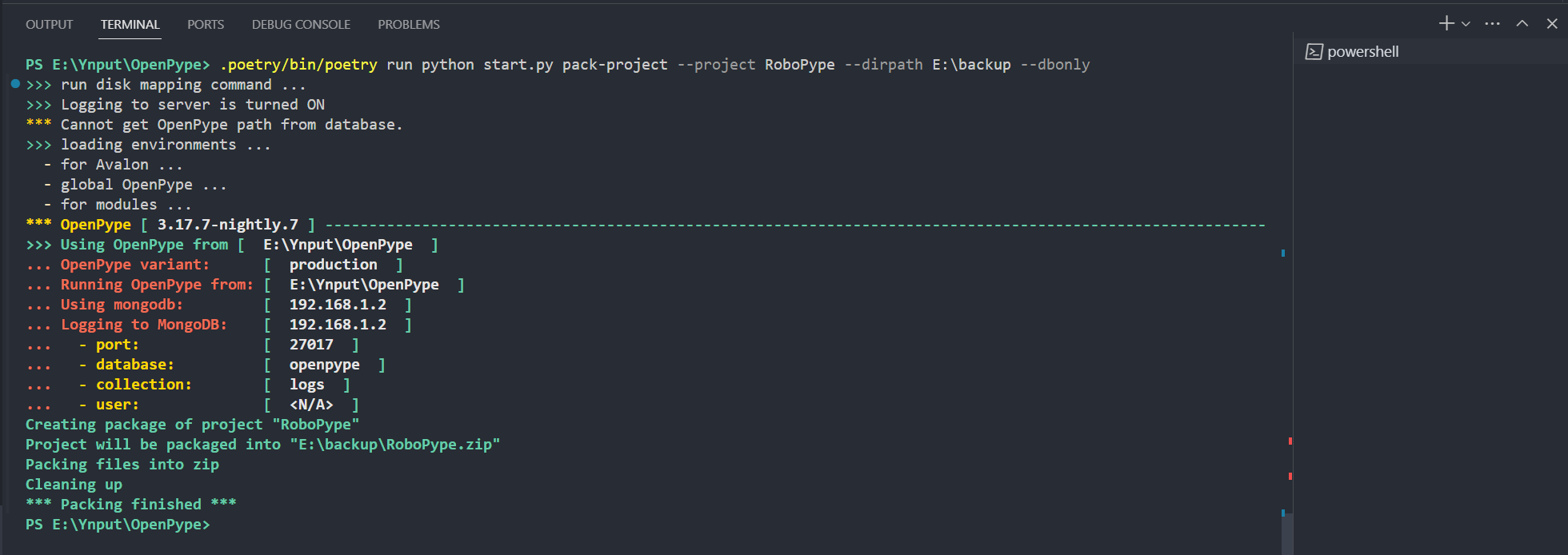
To migrate your OpenPype project to AYON, you'll need to export it first using the pack-project command.
In Terminal, by using the
openpype_consoleexecutable:./openpype_console.exe pack-project --project <PROJECT_Name> --dirpath ../export/path --dbonlyOR, in Terminal, by Running OpenPype directly from the source code:
./.poetry/bin/poetry run python start.py pack-project --project <PROJECT_Name> --dirpath ../export/path --dbonlyOR, by calling the
pack-projectfunction from OpenPype's console, as shown in theExport from console section.
The arguments for the pack-project command:
--project: The name of your project.--dirpath: The destination where the project will be packed.--dbonly: This dumps only the MongoDB documents. If you use this, you also need to specify--dirpath.
It produces a ZIP file containing the project files, database.json file with the MongoDB dump and metadata.json that includes the project root definitions.
Export from console
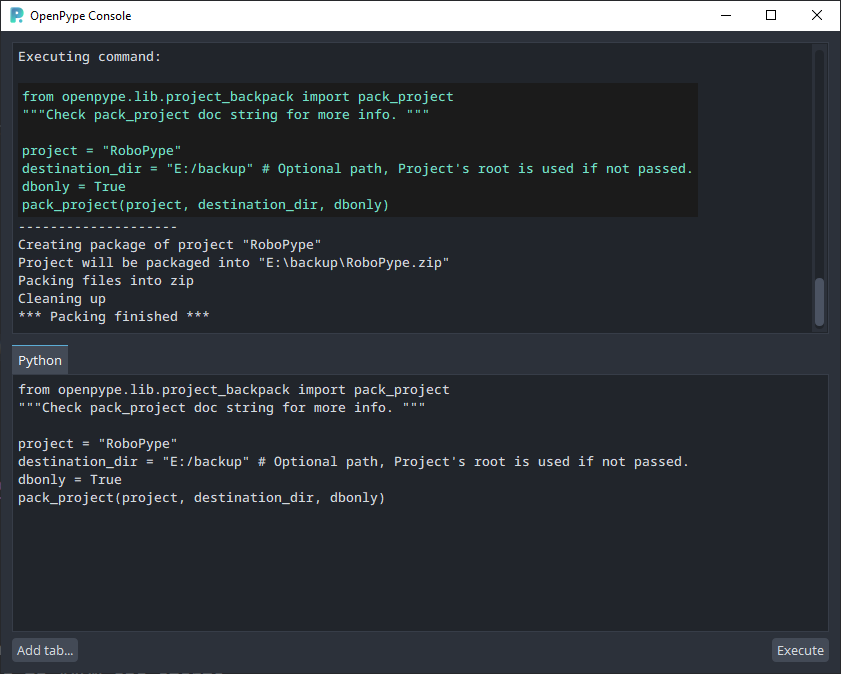
Alternatively, you can call pack-project directly from OpenPype's console as follows
# ------------ Get All Projects ----------------
from openpype.client import get_projects

def get_all_projects():
 return [prj["name"] for prj in get_projects()]

# You can print the names of your projects to be 100% sure you have the correct name.
print(get_all_projects())

# -------------- Pack Project ------------------
from openpype.lib.project_backpack import pack_project
"""Check pack_project doc string for more info. """

project = "project_name"
destination_dir = "desired_output_path" # Optional path, Project's root is used if not passed.
dbonly = True
pack_project(project, destination_dir, dbonly)
OpenPype Project Migration Steps
I. Get the OpenPype Importer Addon
First, clone ayon-openpype-import repository addon:
git clone https://github.com/ynput/ayon-openpype-importNext, create a server addon from the source files by running the create_package.py script. This script can be found in other branches, like enhancement/create-package-with-frontend, where you can download and run it.
python ./create_package.pyII. Installing OpenPype Importer Addon
Once you've created the package ZIP file, you'll need to install it on your AYON server as mentioned in How to update an Addon.
In the Studio settings, go to the Bundles tab, click on Install addons, and drag the
openpype-import-x.x.x.zipfile into the dialog.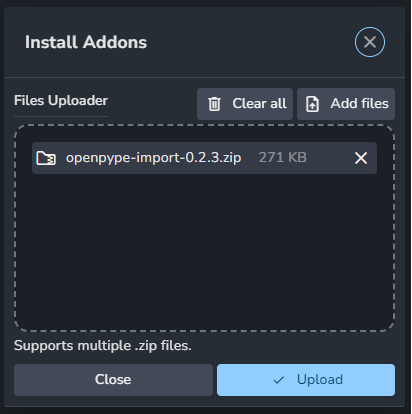
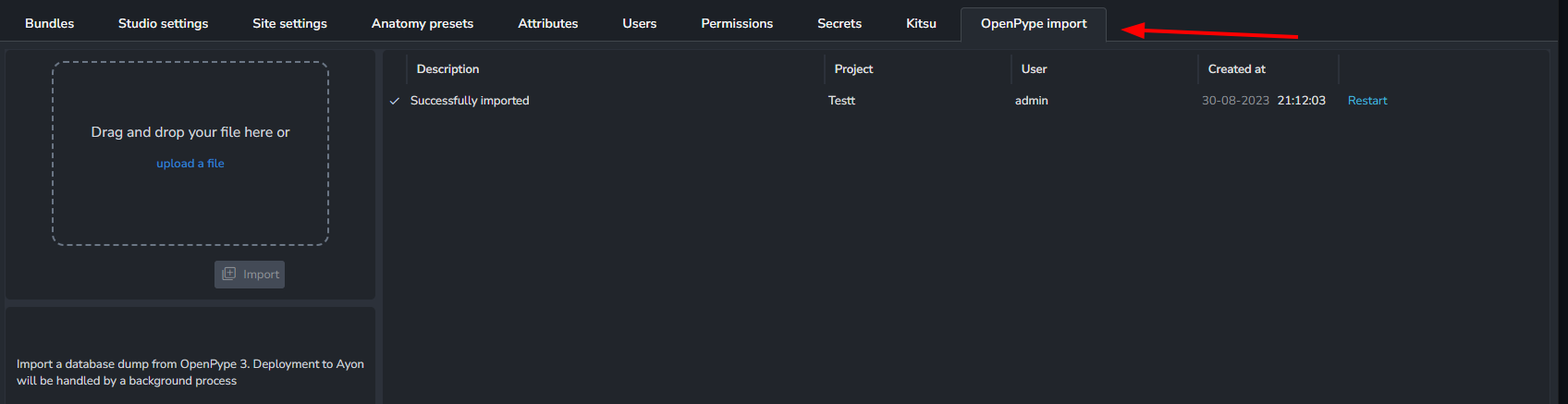
After the upload is complete, restart the server, create a new bundle, and set the version for the OP importer addon.

You will notice a new OpenPype Import tab after the server restarts.
III. Run OpenPype Import Service
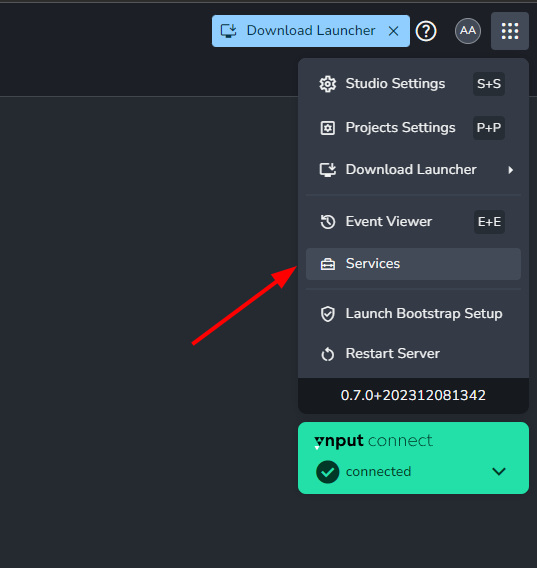
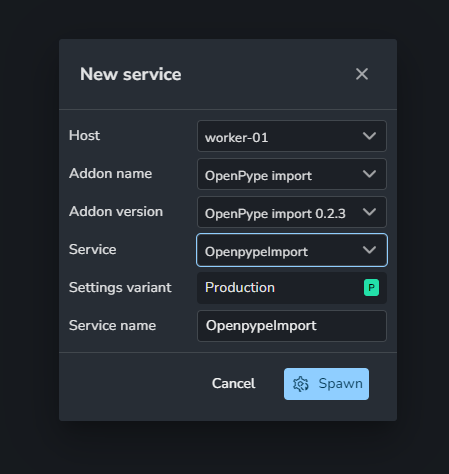
After adding the OpenPype addon to your production bundle, you will need to create and run the OpenPype Import Service via the services tab as outlined in AYON Services and ASH.
III. Import OpenPype Projects
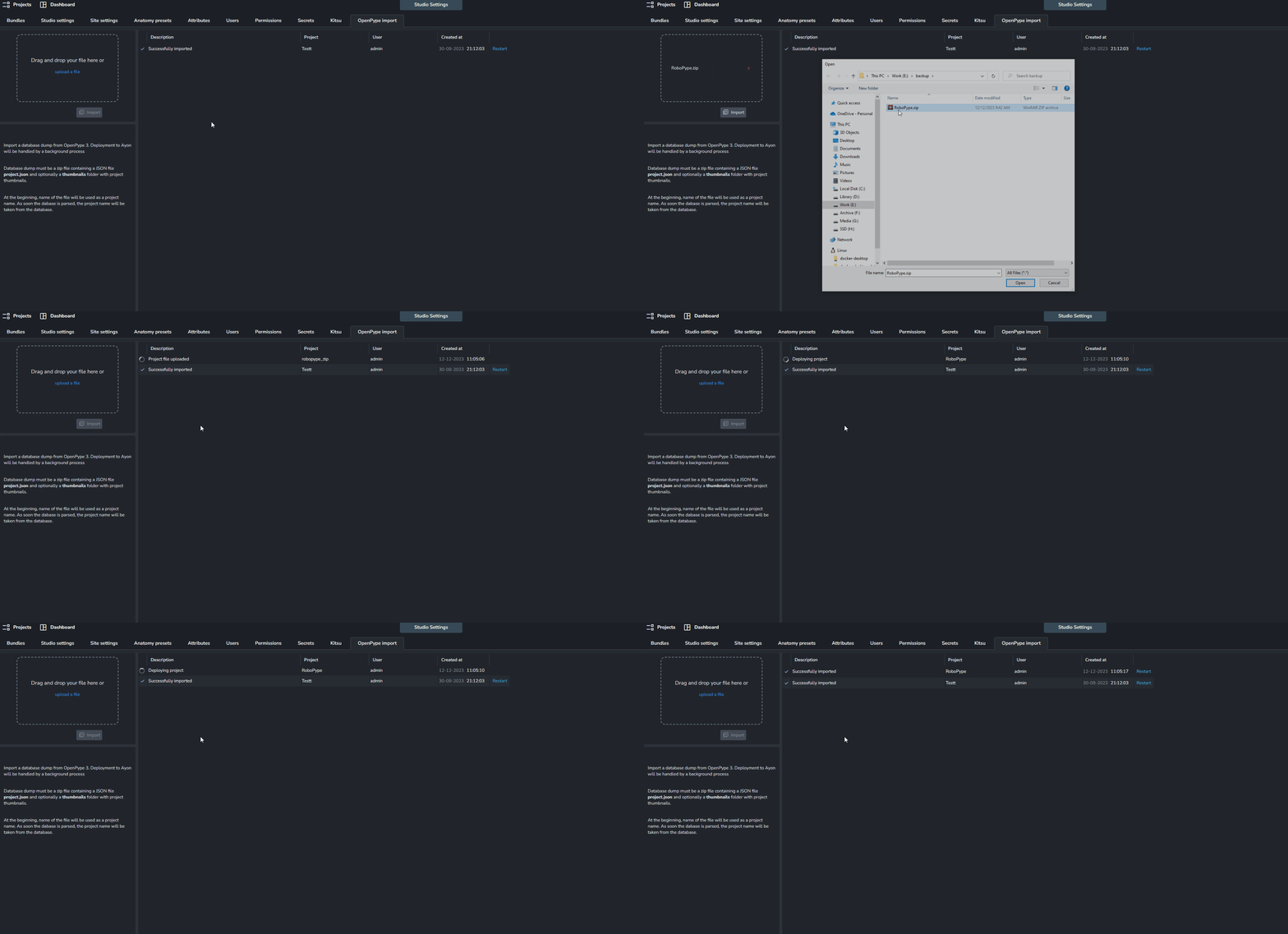
Finally, you can import your packed projects using the OpenPype Import tab.
OpenPype Vs. AYON
What Makes an OpenPype Project?
An OpenPype project is made up of two parts:
The actual files on disk: These are the files themselves, such as Maya scenes, Nuke scripts, or rendered images. They are typically split into two areas:
workandpublish. Theworkarea holds the scenes that generate the published data, which may include previously published and versioned data. These files are interconnected and dependent on one another.DB metadata records: The second part of an OpenPype project is the metadata for versions and products. When a product version is published from a scene, a record is created that references that specific version and its representation. This record is the ID of the corresponding data in the MongoDB database.
Differences between AYON and OpenPype
An AYON project is quite similar to an OpenPype project at the file level, as the actual files on disk remain the same. However, the database metadata is significantly different because AYON uses PostgreSQL, which has different characteristics than MongoDB.
A key difference is the ID length. MongoDB IDs are 24-character hexadecimal strings, while PostgreSQL uses UUIDs, which are 32-character hexadecimal strings without hyphens.
Due to this fundamental difference, OpenPype database IDs will not match AYON database IDs. This means that in your workfiles, you will not be able to manage versions of loaded products that were created in OpenPype. When you open the workfiles, everything should appear as it did before, but if you need to change a version within that scene, you will have to reload the product.
What will remain the same:
Files will be untouched, and their relationships (like references) will be the same.
The project structure, assets, products, versions, and representations in AYON will reflect what was in OpenPype.
What will be lost:
References to loaded versions in scenes (workfiles), which prevents versioning via the Manage tool.
Settings will not be transferred.
Thumbnails are supported, but you must add the folder where OpenPype stores thumbnails for the project to the exported ZIP file within a thumbnails folder.
It's possible to create a tool that updates the IDs of loaded products to use AYON ones. However, this would require a significant amount of work, and the need for such a tool has not yet arisen.
Note for Admins and Developers: A tool like this is possible because a deterministic, name-based conversion is used, which provides a stable mapping instead of generating random UUIDs.
Converting MongoDB IDs to UUID
Converting MongoDB IDs to UUID
import uuid

mongoid_str = "64cfae2b9f1b2c3d4e5f6a7b"  # 24-char hex string
u = uuid.uuid5(uuid.NAMESPACE_OID, mongoid_str).hex
print(u)  # 32-char hex string, no hyphens

# For the mongo id given above the result is always "4c0f909e98995b4ea2206aefe94f791d".
Further Info
Feel free to check OpenPype to AYON discussions on our forums.
Was this helpful?
Still need help? Ask the team