Links Manager
Links create relationships between your projects entities.
Last updated 6 months ago
Links in AYON provide a powerful and static way to define and visualize relationships between entities in your project, offering advantages over transient event-based systems for analysis and visualization.
Each project defines its own set of Link Types within its Project Anatomy .
Link Type Definitions
Each link type is defined by its:
Input Type: The type of entity from which the link originates.
Output Type: The type of entity to which the link points.
Visual Settings: Configurations for how the link is displayed.
Creating Links
AYON Web App - Managing Links
You can manually create and manage links directly within the Project Overview Page and Lists tables in the AYON web application.
Each link type is organized into two distinct columns: one for incoming links ("in links") and one for outgoing links ("out links"). To view detailed information about existing links or to add new ones, simply double-click on a cell within a link table.
Adding New Links: To add a new link, use the search bar to find a specific entity you wish to link to, or utilize the picker tool to navigate through your project and select the appropriate entity.
Deleting Links: To remove a link, click the "x" icon located next to the link itself.
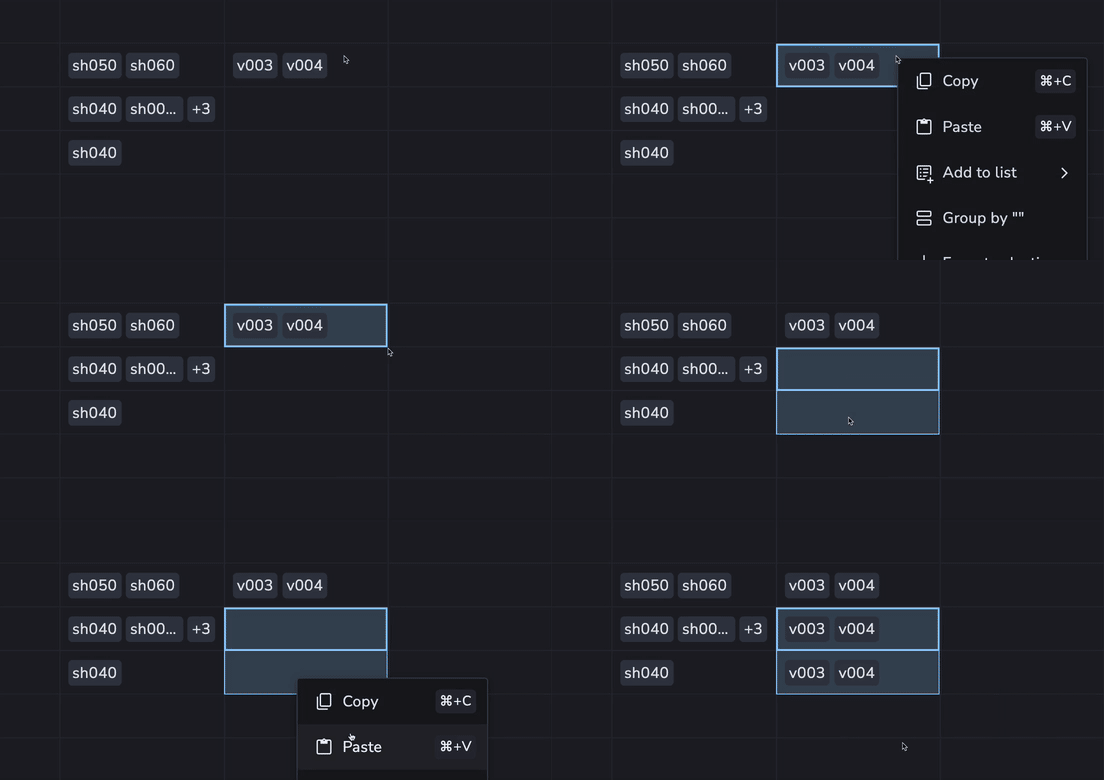
You can easily copy and paste links between entities using keyboard shortcuts:
Copy Links: Use
Ctrl/Cmd + Cto copy selected links.Paste Links (Replace): Use
Ctrl/Cmd + Vto paste copied links onto another entity. This action replaces any existing links on the target entity with the new ones.Paste Links (Add/Merge): Use
Shift + Ctrl/Cmd + Vto paste copied links and add them to the target entity's existing links. This option maintains current links while incorporating the new ones.
Multiple Link Grouping
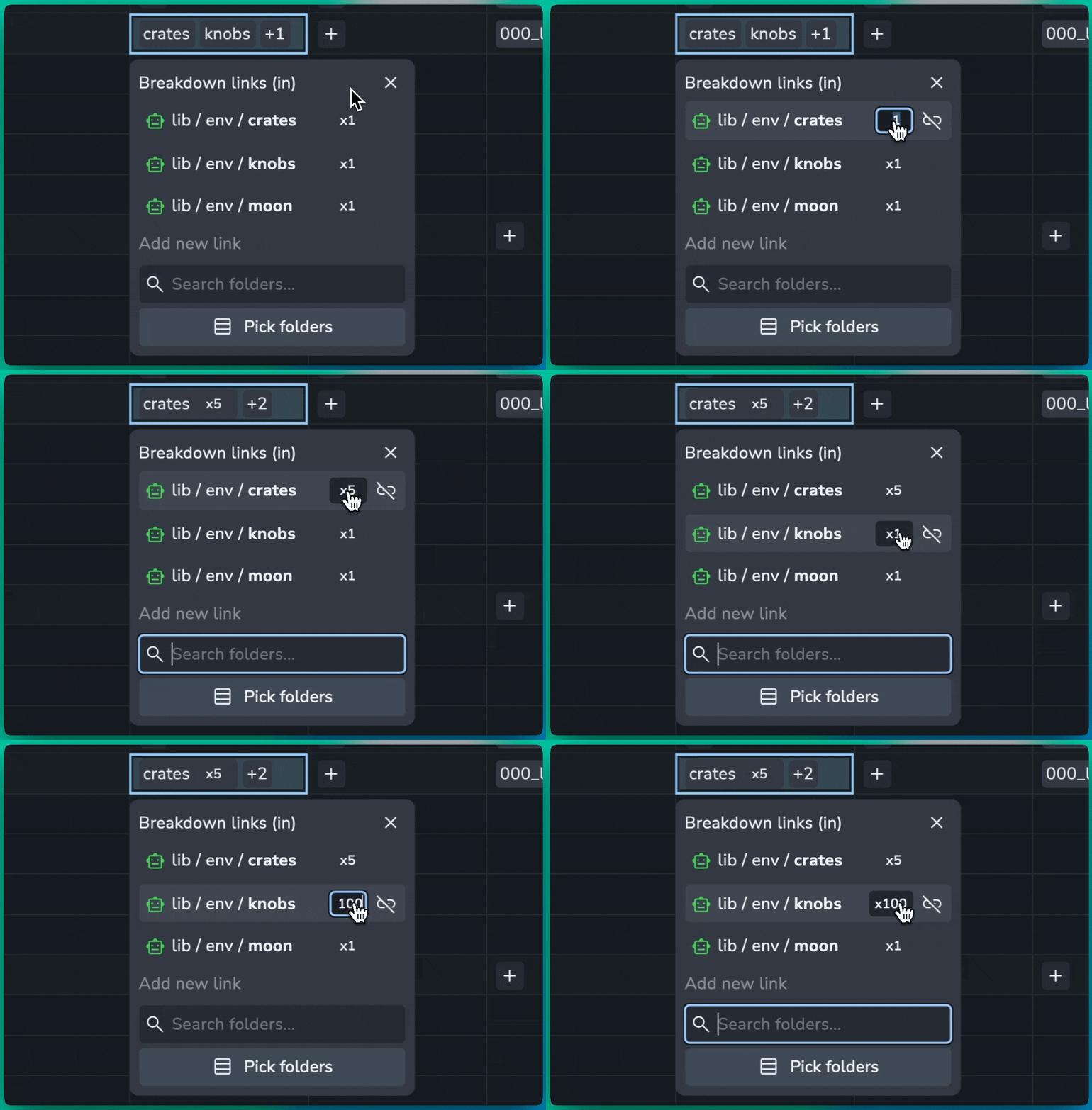
AYON automatically groups multiple links between the same entities to maintain a clean interface.
Count Badges: When an entity has multiple links to the same target, a badge (e.g., x5) appears in both the Links Manager and project table cells.
Inline Editing: To adjust the number of links, click the count badge. This opens an input field where you can specify the desired quantity; the system automatically creates or removes the necessary link entries to match your input.
Bulk Unlinking: Clicking the unlink icon on a grouped badge removes all associated links to that entity in a single action.
Pipeline Generated Links
One of the most common methods for creating links in AYON is automatically, based on your workfile scenes and published work. This ensures that relationships between entities are consistently established as part of your production pipeline.
Create Links using REST API
When creating a link via the REST API, you provide the input and output entity IDs, along with the linkType defined on the project. You can also assign a name to your link and include optional data. For further info, see Create Entity Link | AYON REST API.
Use Cases and Automation
The flexibility of link types allows for advanced automation within your pipeline. For example, you could:
Define Task Flow: Create a link type called
taskFlowwhere both the input and output types are set totask. You could then implement a custom add-on that listens for task creation events and automatically establishes thesetaskFlowlinks based on predefined rules (e.g., "modeling task must precede texturing task").Automate Status Changes: Integrate a plugin that checks these links upon publishing a version. This could trigger automatic status changes for linked entities, or a dedicated service could manage status updates based on link relationships and context data.
Automate Load Products: Load the latest products of the linked tasks.