Process Monitor Tool
Last updated About 1 month ago
Overview
Process Monitor Tool is available in Applications Addon version 1.2.3 or newer.
The Applications Process Monitor tool allows you to track the process logs for applications that have been launched from the AYON launcher.
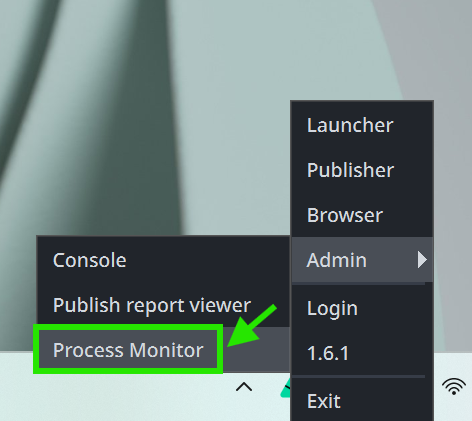
You can access the tool via AYON Launcher > Admin > Process Monitor.
Using the Process Monitor
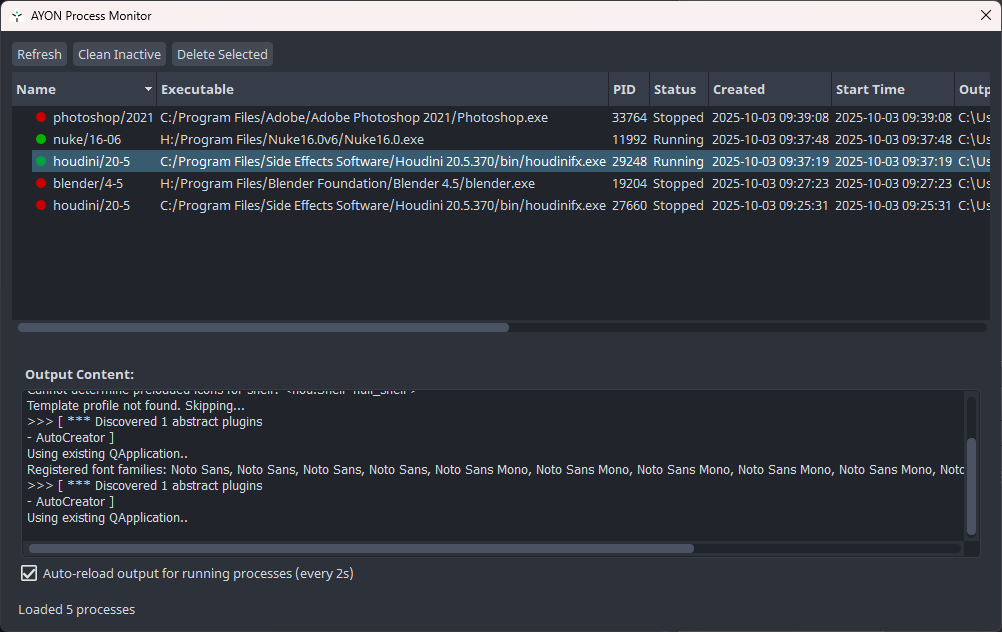
Once the tool is opened, you will see a process table view where you can check the status of each application (whether it is running ⬤ or stopped ⬤).
Double-clicking any process log will display its contents in the output console.
Process Monitor Window Controls
The window includes several buttons and controls:
Refresh: To manually refresh the logs view.
Clean Inactive: To remove logs for processes that have stopped.
Delete Selected: To remove a selected log.
Auto Update Toggle: When enabled, this automatically reloads the output for running processes every 2 seconds.
FAQ
I’ve Lost the Houdini Console
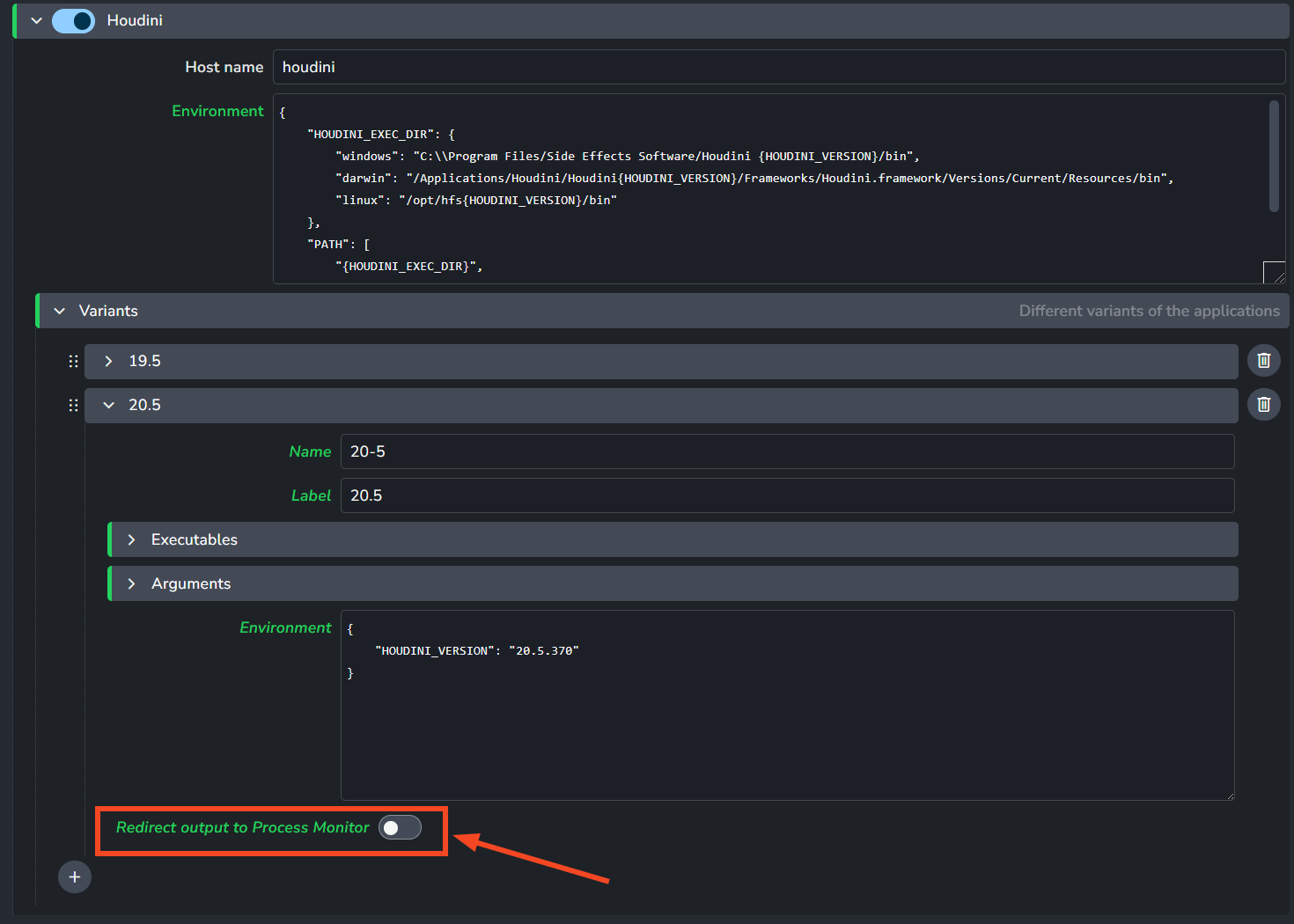
Since AYON redirects the log output to the Process Monitor tool by default, this can cause the standard Houdini console window to disappear.
To solve this, you should disable the “Redirect output to Process Monitor” setting below the Houdini application variant. This setting is located under application variants within the Applications and Tools addon settings.