Silhouette Addon Settings
Last updated Over 1 year ago
Color Management (ImageIO)
Setting Location:
ayon+settings://silhouette/imageio
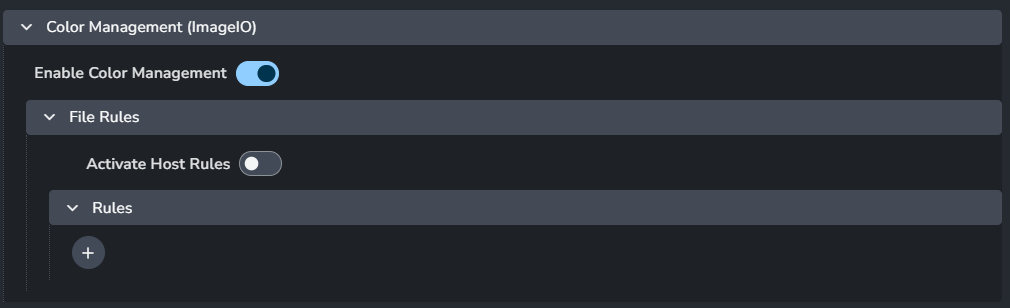
This section allows you to configure and override the global color management settings. For more details, check Host specific overrides.
Enable Color Management: Turns on color management.
File Rules
Activate Host Rules: Enable this to override global color rules.
Rules
+ : Add more rules
Each rule consists of:
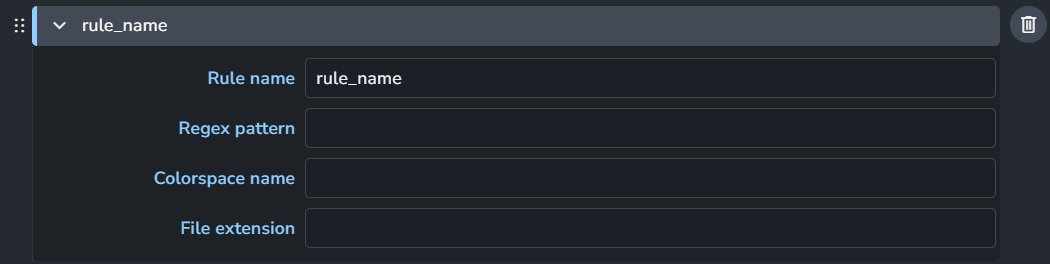
Rule name
Regex pattern
Colorspace name
File extension
Publish
Extract Nuke 9+ .nk Shapes
Setting Location:
ayon+settings://silhouette/publish/ExtractNukeShapes

Enable: The default state of the plugin.
Optional: Allows the user to toggle this setting in the publisher UI.
Active: The default value of the toggle in the publisher UI.
Extract Nuke 6.2+ .nk Shapes
Setting Location:
ayon+settings://silhouette/publish/ExtractNuke62Shapes

Enable: The default state of the plugin.
Optional: Allows the user to toggle this setting in the publisher UI.
Active: The default value of the toggle in the publisher UI.
Extract Silhouette .fxs Shapes.
Setting Location:
ayon+settings://silhouette/publish/ExtractSilhouetteShapes

Enable: The default state of the plugin.
Optional: Allows the user to toggle this setting in the publisher UI.
Active: The default value of the toggle in the publisher UI.
Extract Shake 4.x .ssf Shapes
Setting Location:
ayon+settings://silhouette/publish/ExtractShakeShapes

Enable: The default state of the plugin.
Optional: Allows the user to toggle this setting in the publisher UI.
Active: The default value of the toggle in the publisher UI.
Extract Fusion .settings Shapes
Setting Location:
ayon+settings://silhouette/publish/ExtractFusionShapes

Enable: The default state of the plugin.
Optional: Allows the user to toggle this setting in the publisher UI.
Active: The default value of the toggle in the publisher UI.
Extract After Effects .txt Trackers
Setting Location:
ayon+settings://silhouette/publish/SilhouetteExtractAfterEffectsTrack

Enable: The default state of the plugin.
Optional: Allows the user to toggle this setting in the publisher UI.
Active: The default value of the toggle in the publisher UI.
Extract Nuke 5 .nk Trackers
Setting Location:
ayon+settings://silhouette/publish/SilhouetteExtractNuke5Track

Enable: The default state of the plugin.
Optional: Allows the user to toggle this setting in the publisher UI.
Active: The default value of the toggle in the publisher UI.
Extract Workfile
Setting Location:
ayon+settings://silhouette/publish/SilhouetteExtractWorkfile

Add project.sfx representation: Add the project.sfx file as a separate
sfx_projectrepresentation.
Templated Workfile Builder
Setting Location:
ayon+settings://silhouette/templated_workfile_build

First matched profile will be used as a workfile template
Profiles
Each profile consists of:
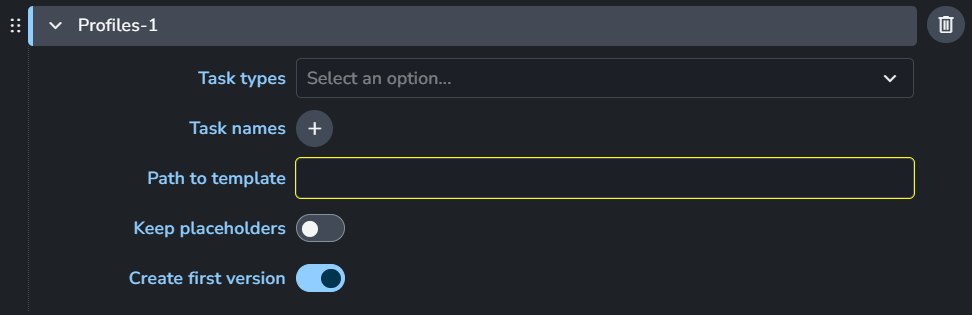
Task Types
Task names
Path to template
Keep placeholders
Create first version
+: Add more profiles
Example:
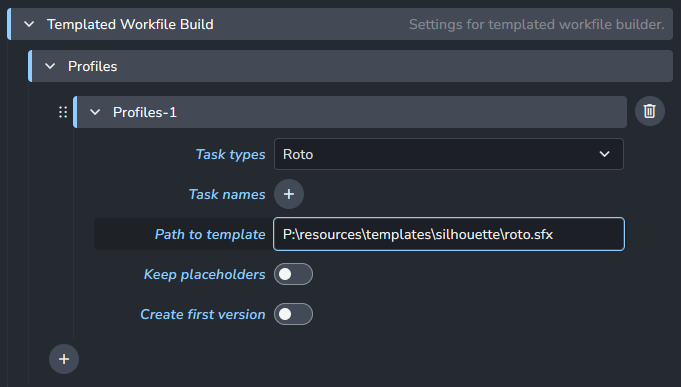
In this case it would build the workfile template only for the Roto task type using the .sfx template project provided in the settings.
Was this helpful?
Still need help? Ask the team