Introduction: AYON Batch Delivery
Last updated 6 months ago
The Batch Delivery is a premium addon included with the Studio and Pro subscriptions.
AYON Batch Delivery is a high-performance automation tool designed to handle the final, often tedious, mile of post-production: getting your work out of the studio and into the hands of your clients and vendors.
What is it for?
In a busy studio, an artist can spend hours manually exporting, renaming, and uploading shots. Batch Delivery changes the math:
Client Compliance: Automatically generate deliverables that match specific naming conventions, file formats, and color requirements (LUTs/CDLs) perfectly every time.
Creative Focus: Offload administrative "paperwork" from your artists so they can spend their time on the screen, not on file management.
Studio Scalability: Use your existing Render Farm to process hundreds of shots simultaneously without locking up artist workstations.
Key Features
The Batch Delivery addon provides two primary actions (Submit Batch Delivery and Submit Batch Transcode) which power the following features:
One-Click Delivery & Transcoding: Trigger massive batches of deliveries or file conversions directly from the AYON Web Interface, the Publisher, or ftrack. See: Batch Delivery User Guide.
Intelligent Transcoding: Use Nuke-based presets to handle complex color conversions, resolutions, and burn-ins automatically during the process. See: Nuke Processors.
Farm-Powered Processing: Both actions offload work to your Render Farm (Deadline). Unlike standard tools, this ensures fast turnaround for large deliveries without locking up artist workstations.
Currently, it only supports Deadline farm.
Pipeline-Native Integration: The process runs as a standard AYON publish. It reuses existing pipeline logic (like Extract Review or Burn-ins) to ensure consistency.
Smart Project Hierarchy: Control exactly where deliverables land. You can push them into dedicated "delivery" folders and tasks, keeping production work cleanly separated from client-bound files. See: Organizing Deliverables Within Your Projects.
How it Works
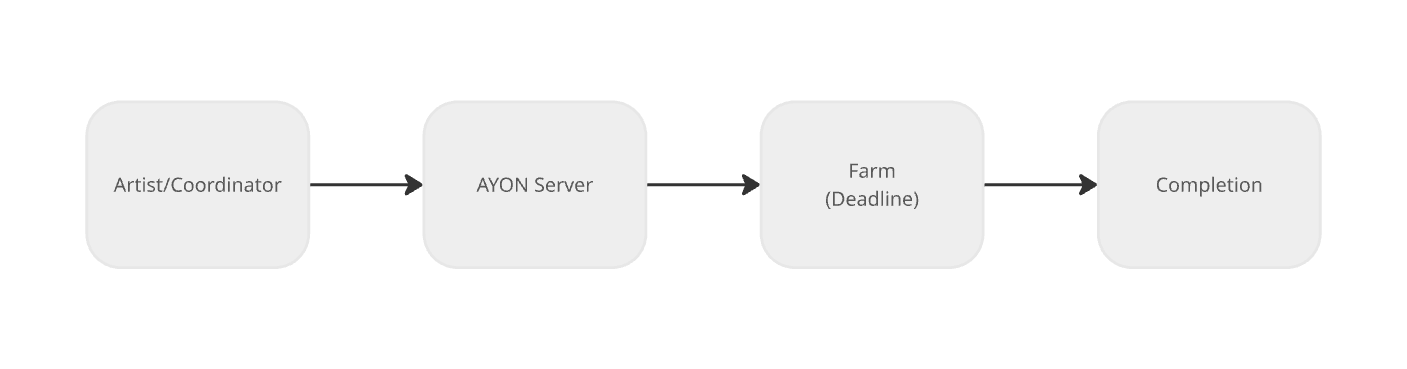
The lifecycle of a delivery or transcode follows a consistent path from the UI, generating results to both the AYON Server and project storage:
The Request (Artist/Coordinator): A user selects versions and triggers either Submit Batch Delivery or Submit Batch Transcode from the AYON Web UI.
The Dispatch (AYON Server): The server receives the request. The Batch Delivery Service immediately picks it up and submits a dedicated processing job to the Deadline Render Farm.
The Processing (Farm): The farm takes over the work, running the background tasks (like Nuke transcoding). Because this is offloaded, the user is free to continue working.
The Completion (Final Output): Once the farm finishes, the results are integrated:
Deliveries are published as new versions in the specified project destination.
Transcodes are added as new representations to the source version.
Installation & Setup
Once installed, start exploring Batch Delivery Configuration and you are ready to start delivering.
Getting Batch Delivery up and running is a simple three-step process:
Get the addon: Navigate to the Addon Market (M+M) in your AYON Server, Search for
batchdelivery, and click install.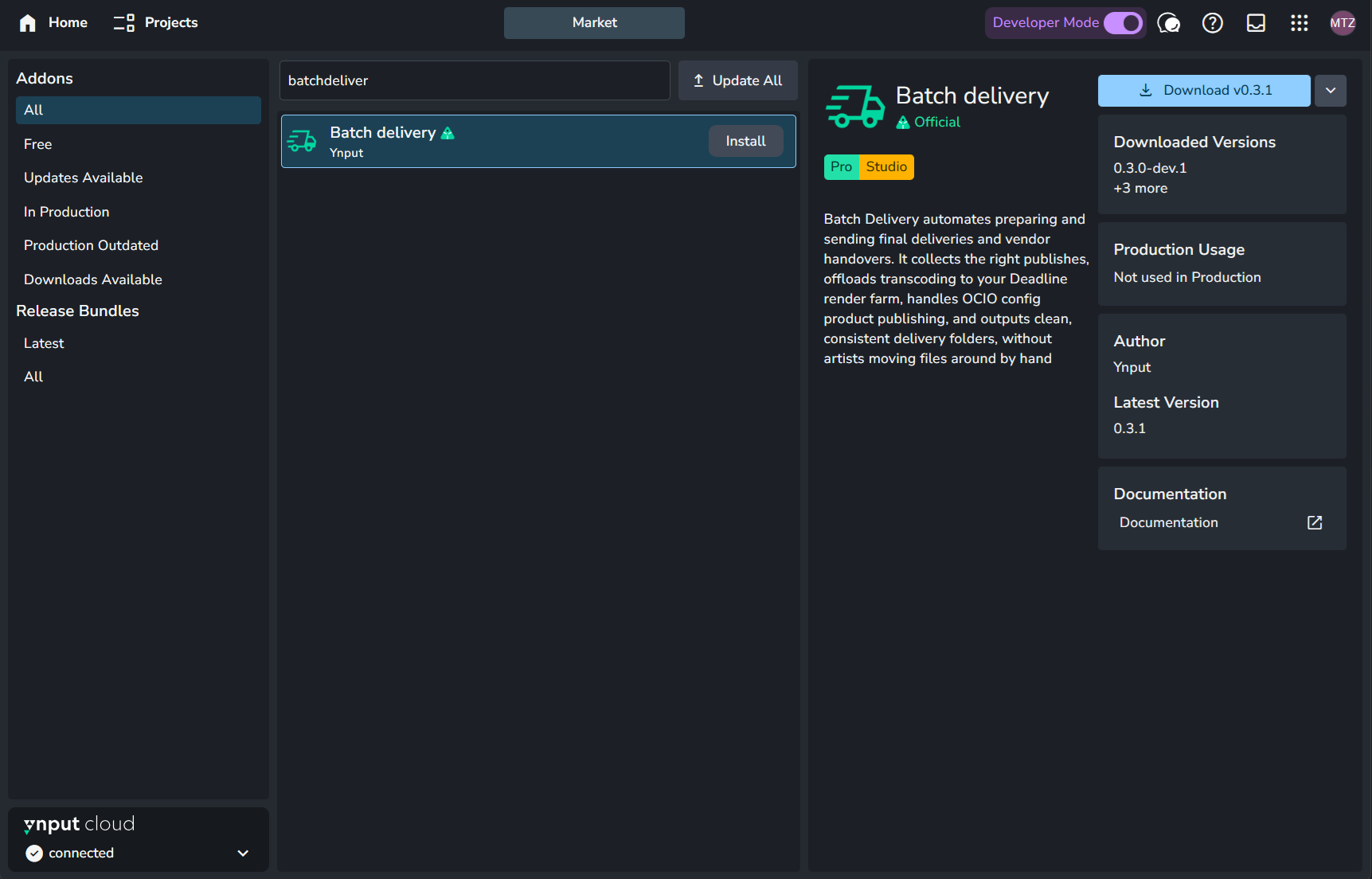
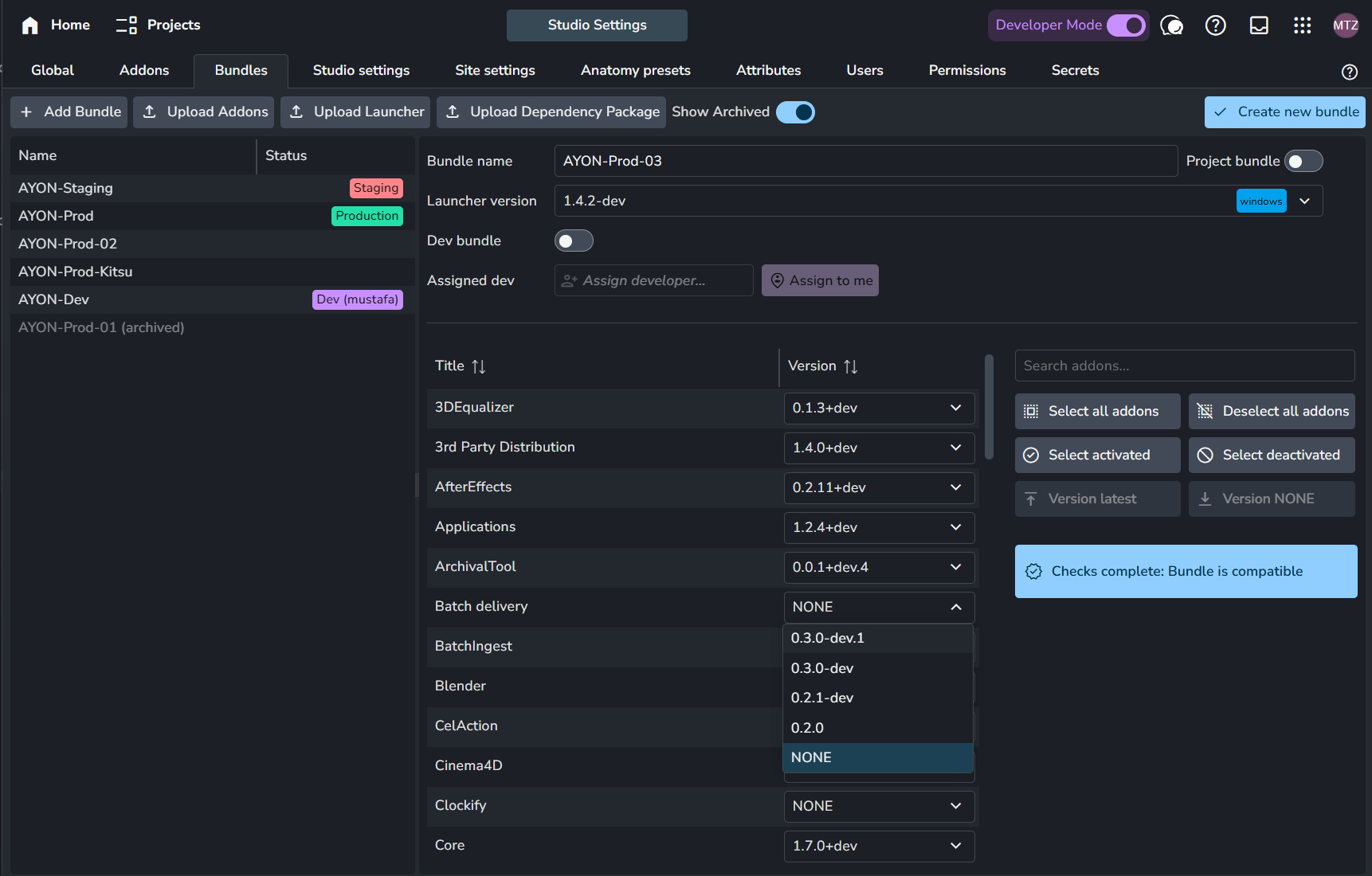
Add it to your production Bundle: Navigate to your bundles (B+B), create and duplicate your production bundle, set batch delivery to the available version on your server. For further info about working with bundles, see Bundles & Addons.
AYON’s built-in dependency checker will ensure you have the required versions of Nuke, Deadline, and Core addons.
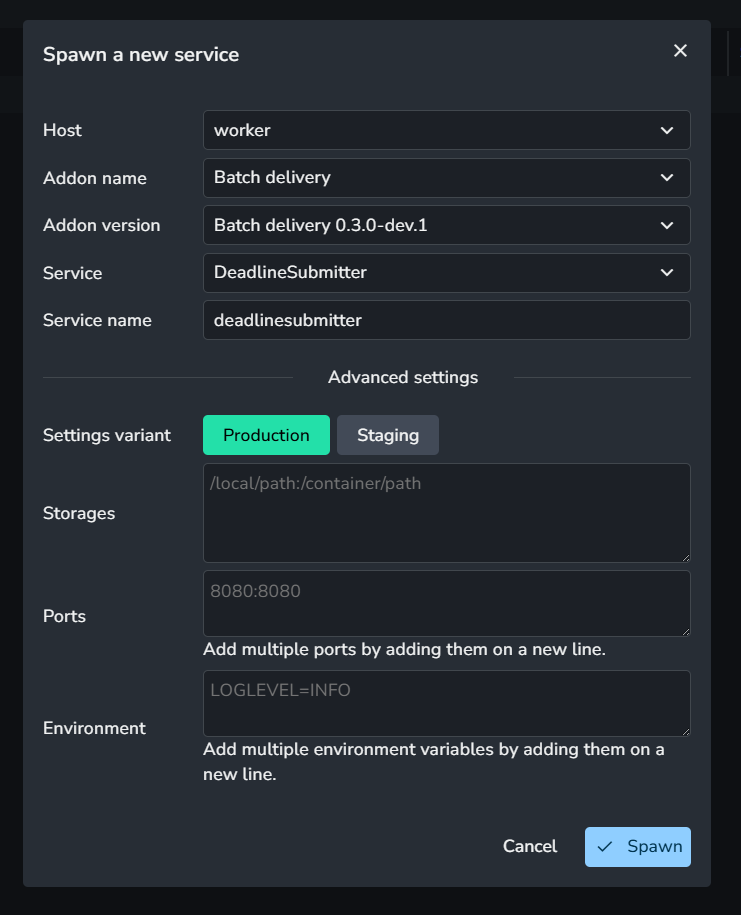
Run addon service: Navigate to your services (V+V) and create “Deadline Submitter” service. For further info about working with services, see AYON Services.
Ensure that your ASH worker can access your deadline service configured in deadline addon.
Compatibility & Limitations
Supported Product Types: The addon is currently optimized for Plates and Renders. While it can process other product types, they will currently be routed through a Nuke transcoding process.
Therefore, attempting to deliver non image-based products (like Model products) through the current system may lead to unexpected results or failed jobs on farm.
Supporting more product types can be achieved by “Pass-through" transcoding mode, which is on our roadmap.
Future Roadmap
We are constantly expanding the capabilities of Batch Delivery. Here is what to expect in future updates:
"Pass-through" Transcoding Mode: This will skip the transcoding process entirely which allows delivering non image based products like Models.
"OIIOTool" Transcoding Mode: For simpler image conversions as an alternative to Nuke and is ideal for studios looking to save on licensing costs for basic delivery tasks.
“Collection” & “Packing” Delivery Job Types: These new delivery modes for packaging up Workfiles and linked Source Media, making it easy to create archival backups or full project hand-offs for external vendors.
FAQ
How is this different from the built-in "Deliver" function?
The built-in AYON "Deliver" tool (found in desktop browser tool or ftrack) is a simple file copier; it moves files and renames them.
Batch Delivery is a processing engine. It can change the color space, add burn-ins, resize images, and run custom Nuke scripts, all while utilizing your render farm instead of your local machine. Also show them in your project hierarchy.