Marvelous Designer Addon Overview
Last updated 8 months ago
The Marvelous Designer Addon integrates Marvelous Designer into the AYON pipeline, allowing studios to manage cloth creation and simulation scene files and their resulting exports (garments/fabrics) with full version control and traceability.
AYON supports Marvelous Designer version 2025.0 and above.
Marvelous Designer addon also works with CLO.
Key Features
The addon integrates the core AYON toolset directly into the Marvelous Designer interface:
Scene Management: Use the Workfiles tool to open and save marvelous files. Artists no longer need to worry about directory structures or file naming conventions.
Loading: Load point cache formats (Alembic, FBX, OBJ) as avatars into your scene via the Loader tool, ensuring the cloth is always created and simulated against the correct version of the character.
Flexible Publishing: Export and publish garments in multiple formats (XML, OBJ, FBX) and fabrics in the .zfab format. The addon also provides the option to publish the avatar alongside the garments.
CLO Support: Full compatibility with CLO.
How the Addon Works
The addon is non-intrusive and does not dictate how you create garments. However, to maintain pipeline integrity, users should rely on the following AYON tools:
Launcher : Start Marvelous/CLO through the Launcher to initialize your project context.
Workfiles : Save and version-up your marvelous scene files.
Loader : Bring in published characters or assets as avatars into your scene.
Creator / Publisher : Define what to export and publish your final garments and cloth simulations back to the server.
Prerequisites
The addon requires PySide and Qt bindings.
This is an automated step.
AYON will handle the installation of these dependencies on the user's machine.
Installation & Setup
Getting this addon and running is a simple two-step process:
Get the Addon: Navigate to the Addon Market (M+M) in your AYON Server, search for
marvelous, and click install.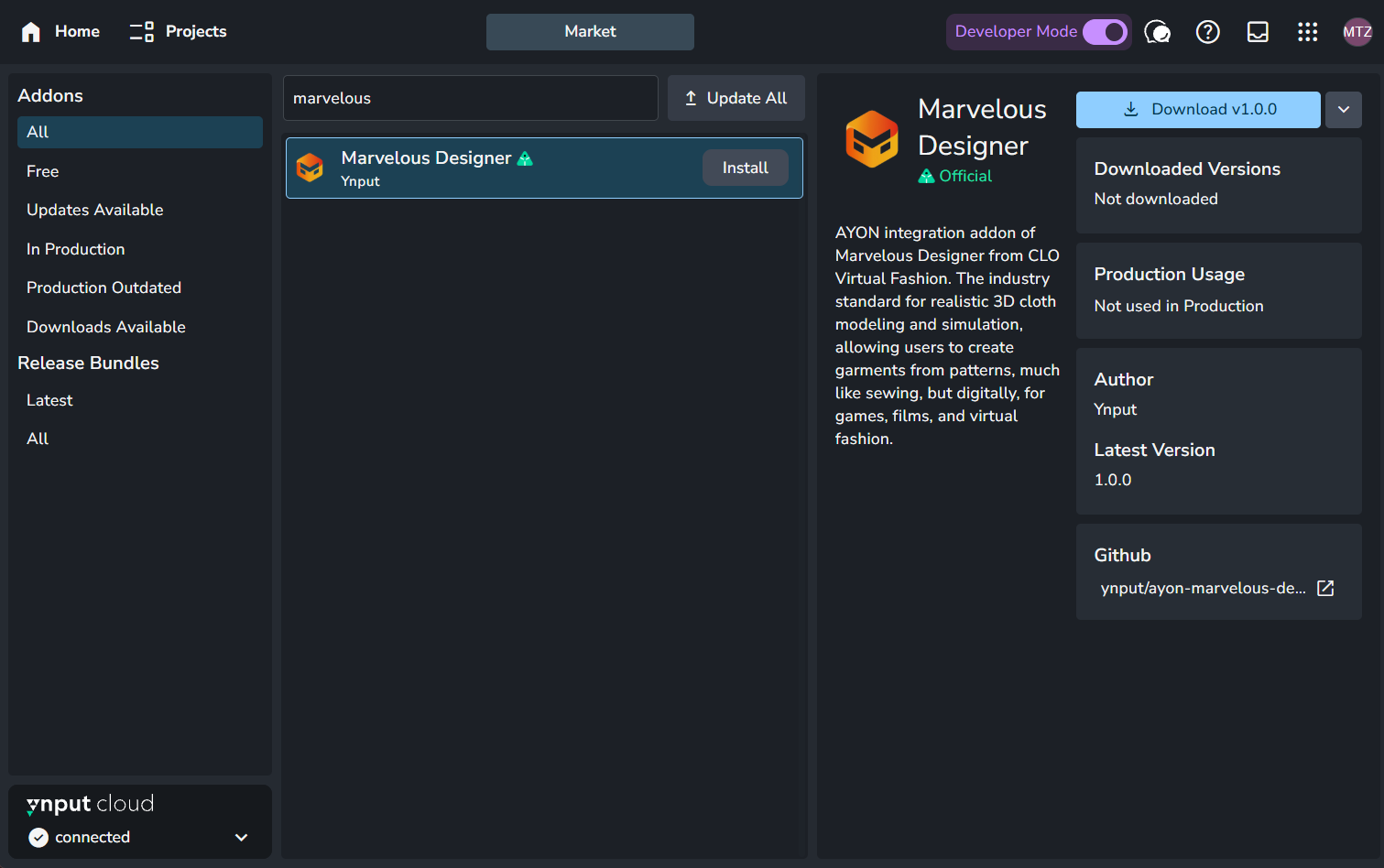
AYON Market with 'marvelous' written in search bar. Admins can click install button next to 'marvelous' to get the addon on their AYON Server. Add to Bundle: Navigate to your Bundles (B+B), create a new version of your production bundle, and enable the Marvelous addon. For more details, see Bundles & Addons
AYON’s built-in dependency checker will ensure you have the required versions core addon.
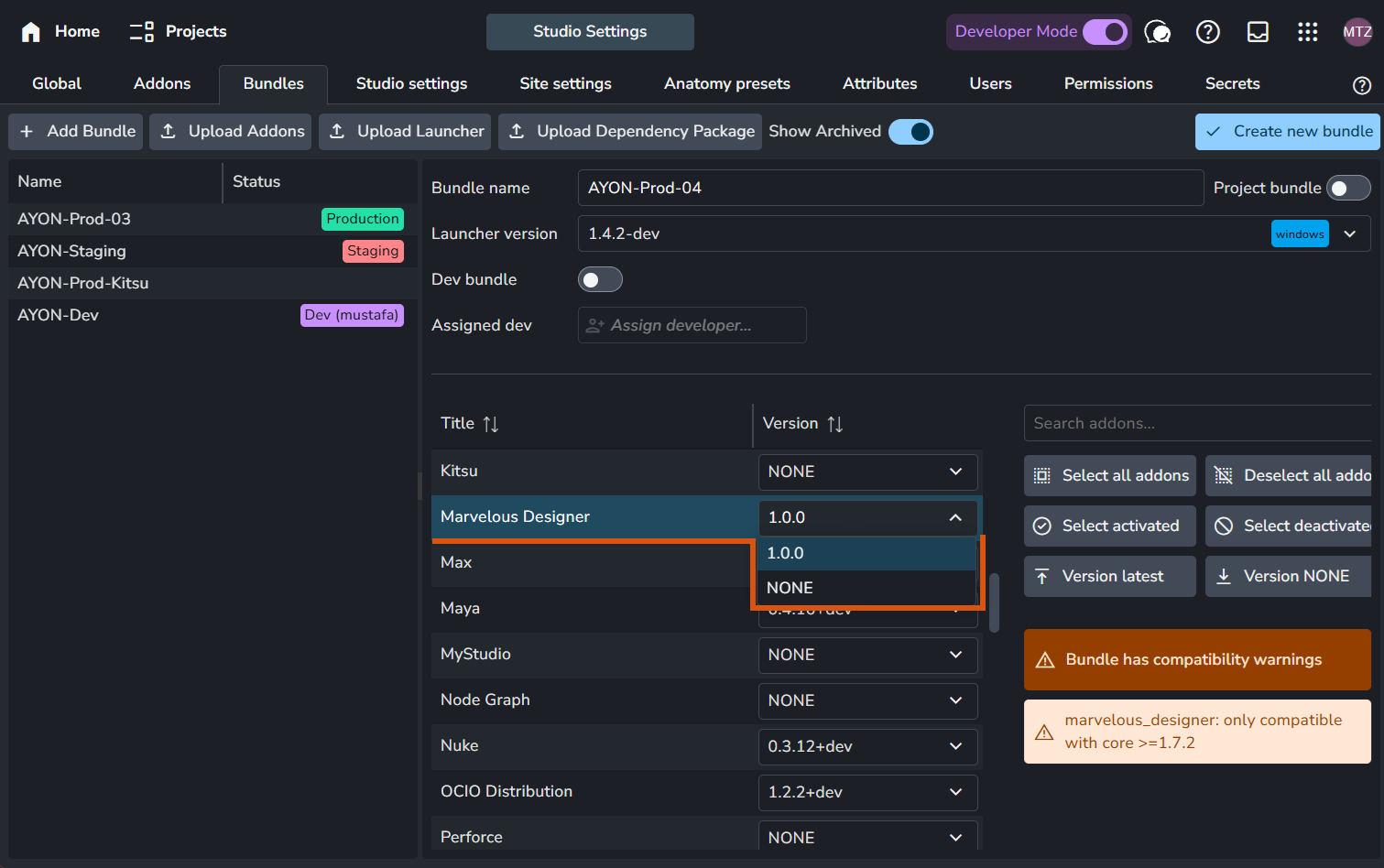
AYON bundles tab where users can duplicate their production bundle and set marvelous addon to a version to include it in their production. The screenshot also shows that AYN's built-in dependency checker detected that core addon should be updated before creating the bundle.
Compatibility & Limitations
There are a few limitations primarily driven by Marvelous/CLO and their API such as:
Export Selection: The API currently does not support "Export Selected." If an artist has multiple garments in one scene (e.g., shirt, jacket, trousers), the export will result in a single combined object.
Renderer Support: Marvelous Designer features a preview renderer only. Consequently, the addon won’t support publishing high-quality renders.
Future Roadmap
Unreal Engine Workflow: Enhanced support for pushing garments directly into AYON-Unreal pipelines.
Reviewables: Integrated support for publishing automated video captures for review.
FAQ
Does it work with CLO?
Yes. Because CLO and Marvelous Designer share the same API, the addon is fully compatible. To use it with CLO:
Enable CLO and set its executable path in the Applications Addon.
For an example see Application Setup section in Marvelous Designer Configuration.
Was this helpful?
Still need help? Ask the team