User Management
All you need to know to manage your admins, managers, artists and guests
Last updated 7 days ago
Admins can manage users through the Users tab (shortcut: U+U), where they can view license information, user statistics, create users, and manage access levels.
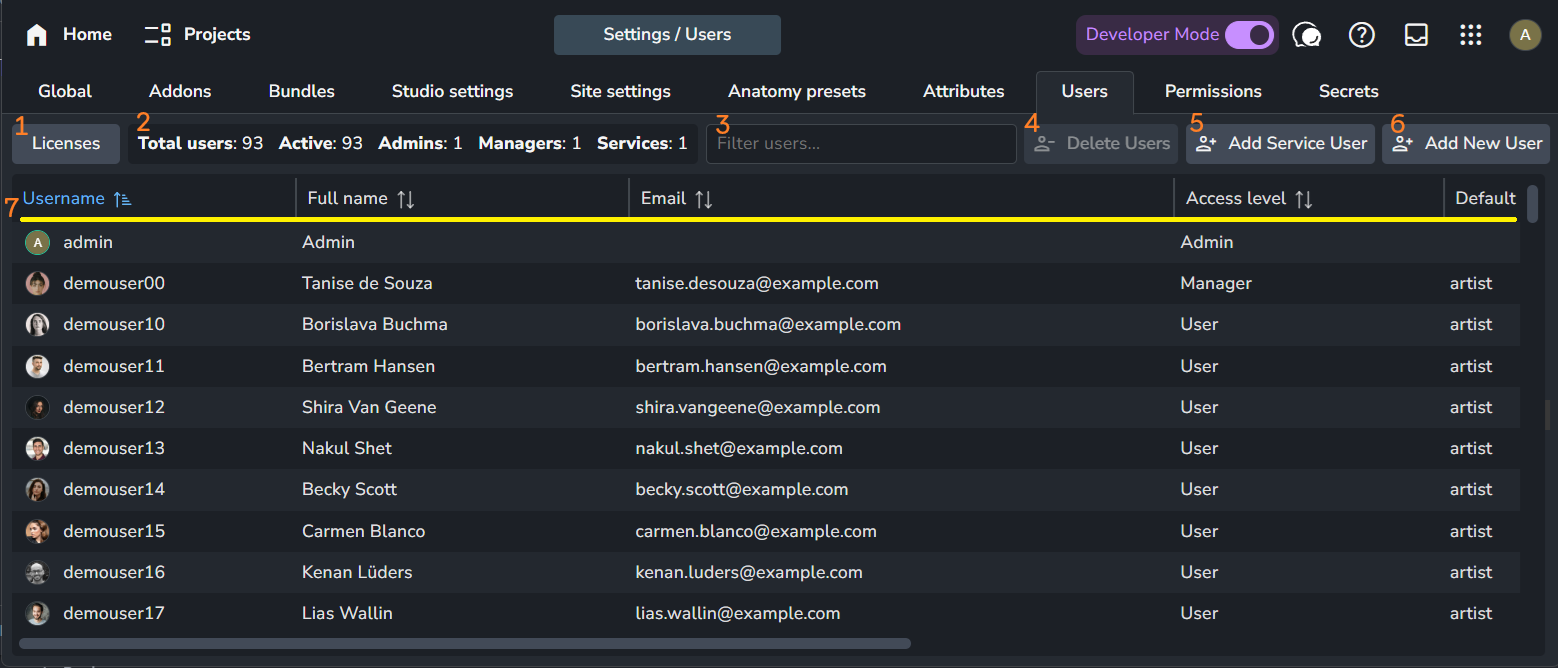
Licenses: Clicking this button opens a pop-up window that shows your current license status. It includes your AYON instance ID and name, organization ID and name, and add-on licenses. For more information, refer to AYON Licenses.
User Stats: Shows the total number of users and a count for each user type.
Filter: A simple filter that allows you to filter the user table by user name.
Delete Users: Deletes the selected users.
Add Service User: Adds a service user.
Add New User: Adds a new user.
User Table Controls: Allows you to sort by column and drag columns to change their order.
Manage Users
Add New User
The Add New User button is used to add new users to AYON. Clicking this button opens a pop-up window where you can fill in user data and set their access type.
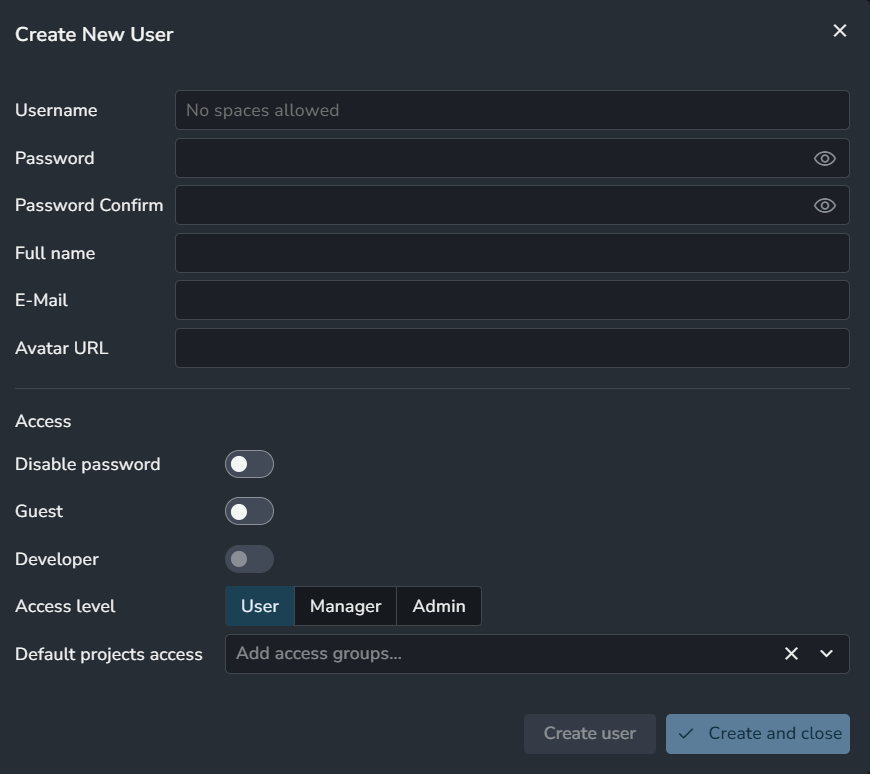
User data includes:
Username
Password
Full name
Email
Avatar URL
Access settings:
Disable Password: When enabled, users can't log in with their password and must use other login options (e.g., a Ynput cloud account). Additional options can be provided by a single sign-on addon.
Guest: This marks the user as a
guest. This setting is being phased out in favor of external users in the review sessions addon.Developer: Enables developer mode for the user. This option is only available for users with an admin access level.
Access level: This defines the user's role as either
admin,manager, or a basicuser.Default Projects access: When a new project is created, the user will be automatically added to the selected access groups.
Add Service User
Create a service user whenever you need an AYON_API_KEY. A new key is generated whenever a new service user is created.
Important: The API key is shown only once when the service user is created. It cannot be retrieved or viewed again later. if you lose it, you will need to create a new service user to generate a replacement key.
AYON uses the AYON_API_KEY environment variable for authentication in the Python API and CLI tools as show in this python example and AYON Service Host (ASH).
Create and save an AYON_API_KEY:
Create a New Service User: Click the Add Service User button to create a new service user.
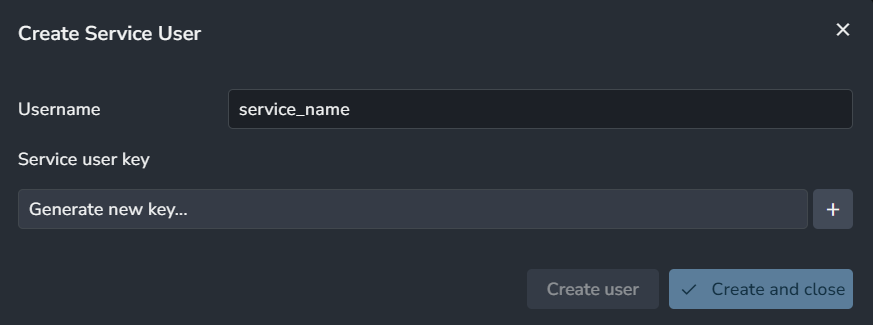
Generate a Key: Click Generate new key... to create a key. Be sure to copy the key before closing the window, as it will not be displayed again.
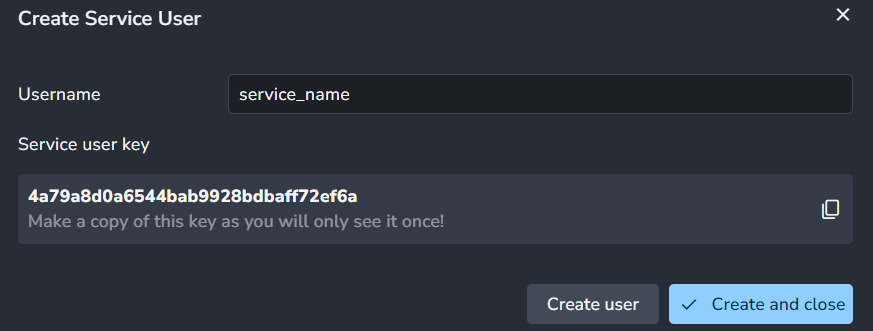
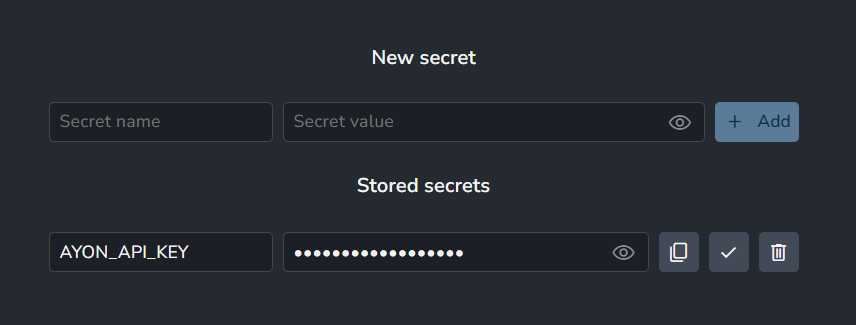
Save the Key: You can store the key within the AYON ecosystem using the AYON Server Secrets page. You can always visit this page to copy the key again when needed.
Modify Users
In Users Page, you can modify users information like name, password and email.
Steps:
Select the user you’d like to modify.
A panel opens on the right
You can access the information there and modify them.
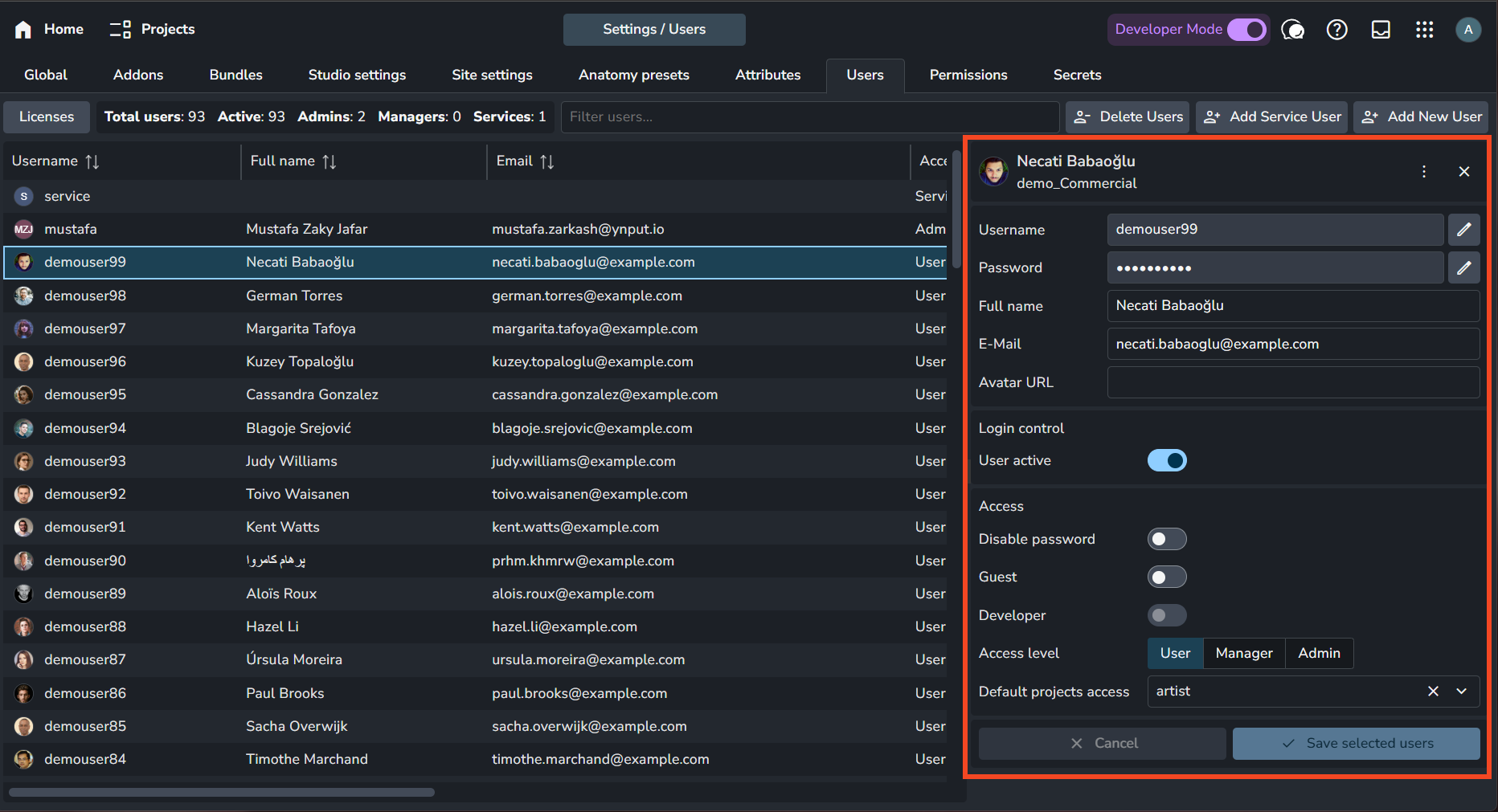
Alternatively, you can right-click a user to open a menu where you can set their username and password.
Changing user names is not recommended.
Renaming users can have unintended consequences. Use with extreme caution.
Delete Users
You can delete users by selecting them and clicking the Delete Users button at the top of the page, or by right-clicking the user and selecting Delete Selected.
Account Profiles
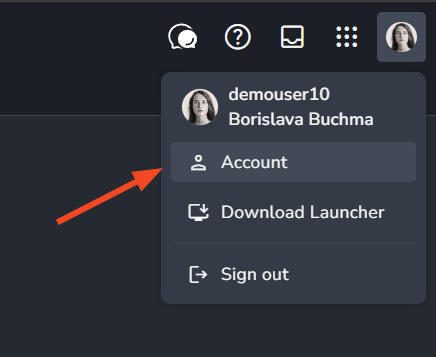
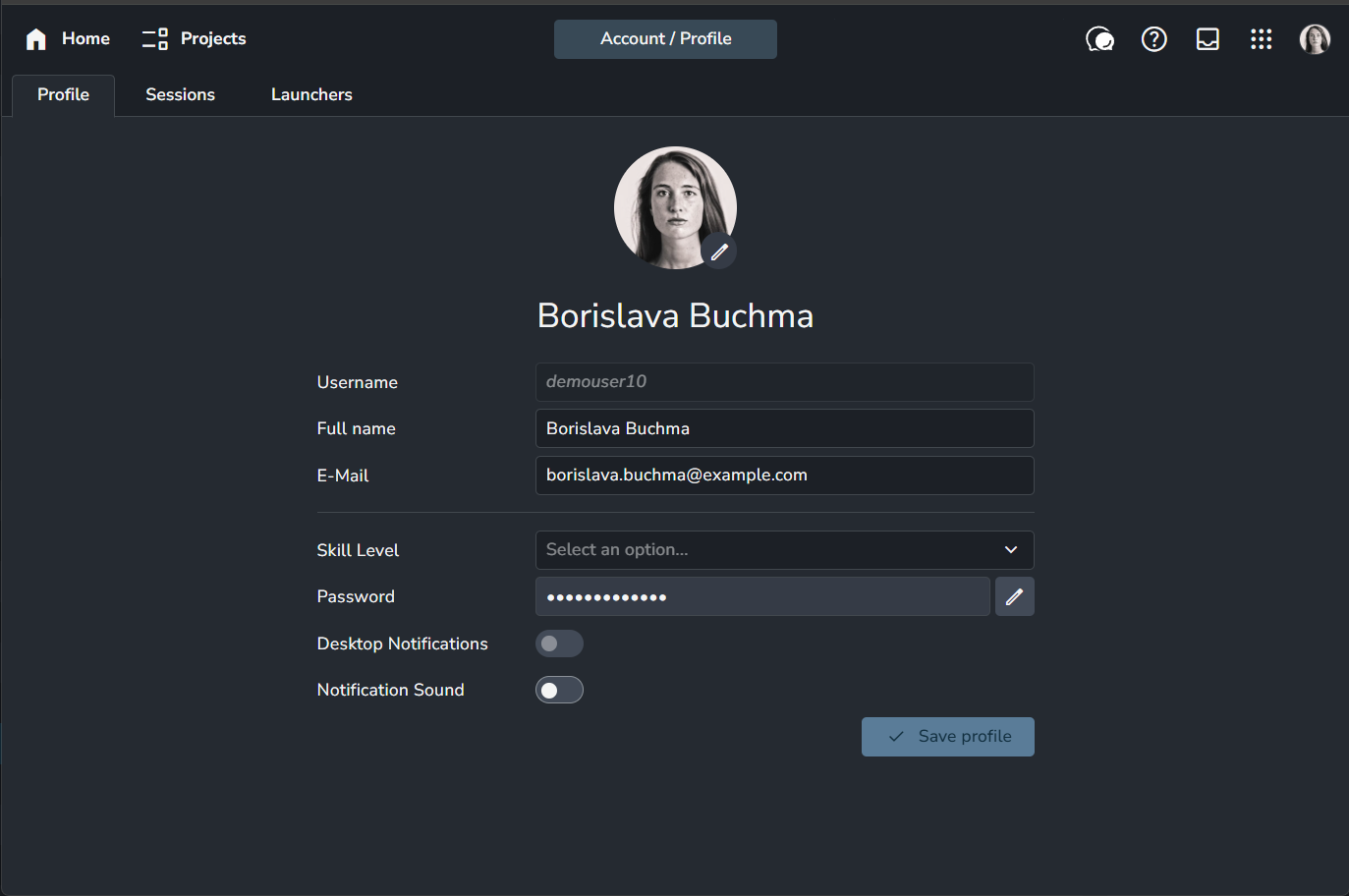
Each user can modify their profile attributes through the Account settings.
 |  |
FAQ
Batch Create Users
If you're self-hosting AYON and have access to your Docker directory, you can create users in bulk by adding them to the settings/template.json file and then running the setup command. For more information, see the AYON Server Provisioning section.
Alternatively, you can create users programmatically using the AYON Python API, as shown in this example.
Sync Users from Third-Party Production trackers
AYON addons for third-party production trackers can sync users between AYON and the respective tracker. This is typically handled through specific actions or settings within each addon.
The Flow (ShotGrid) add-on can sync active users from Flow to AYON as outlined here.
The ftrack add-on provides a dedicated Sync Users to AYON action.
For Kitsu, users are synced to AYON when a Sync Projects action is triggered, provided the sync users setting is enabled.
Creating Users via SSO
The SSO addon provides a New users setting that allows for the automatic creation of users if they do not already exist in AYON. For more information, please see Single Sign-On addon.
How can I change my username?
It is not possible to change your username directly in Account Settings. To change your username, please contact your AYON Server Admin, as usernames can only be modified via the Users page in the server dashboard.