Why and What is OpenUSD?
An introduction to OpenUSD.
Last updated 2 months ago
Why USD
USD Explainer Guide article provides great insights about why USD is very useful.
Let me paraphrase it:
Traditional pipeline production followed a waterfall model, where each stage involved a "baking" process. To make any alterations, you would need to return to the start and re-bake at each step along the way.
Conversely, USD enables the seamless continuation of decisions throughout the pipeline by allowing live updates to existing USD layers. This is achieved through the creation of higher-order layers that can override an attribute or a value, thereby eliminating the need for baking the existing layers.
Thus, USD significantly enhances team collaboration by enabling multiple individuals to work on different layers of the same assets or shots simultaneously. Team members can override each other's work in a non-destructive manner, preserving the integrity of the overall project.
What is USD
USD, short for Universal Scene Description, is a robust ecosystem featuring a versatile file format, layering system, a composition engine, a rich toolset, and a comprehensive library API.
Versatile File Format: Each USD file is a USD layer, and it can store a wide range of 3D data, including scene hierarchies, geometries, instances, material networks, lights, cameras, volumes, coordinate systems, and shading nodes.
USD Layering: A standout feature of USD is how it layers data. You can stack layers, where each one can override (or author an opinion on) parts of the previous layers.
USD Composition Engine: This powerful engine takes all the layered inputs and composes them into a final scene. The composition algorithm is sometimes referred to as LIVRPS (Liver Peas).
Rich Toolset: A command-line toolset for reading, writing, editing, and rapidly previewing USD layers, such as the
usdviewcommand which lets you open and explore USD files without needing a full 3D app.Comprehensive Library API: The accompanying USD API, a C++ library with Python bindings, allows effective interaction with USD content from code, enabling a wide array of applications to adopt and support USD.
This versatility is why USD has earned its name, Universal Scene Description—it uniquely "describes" scenes across any application that implements USD, independent of the operating system on which it runs.
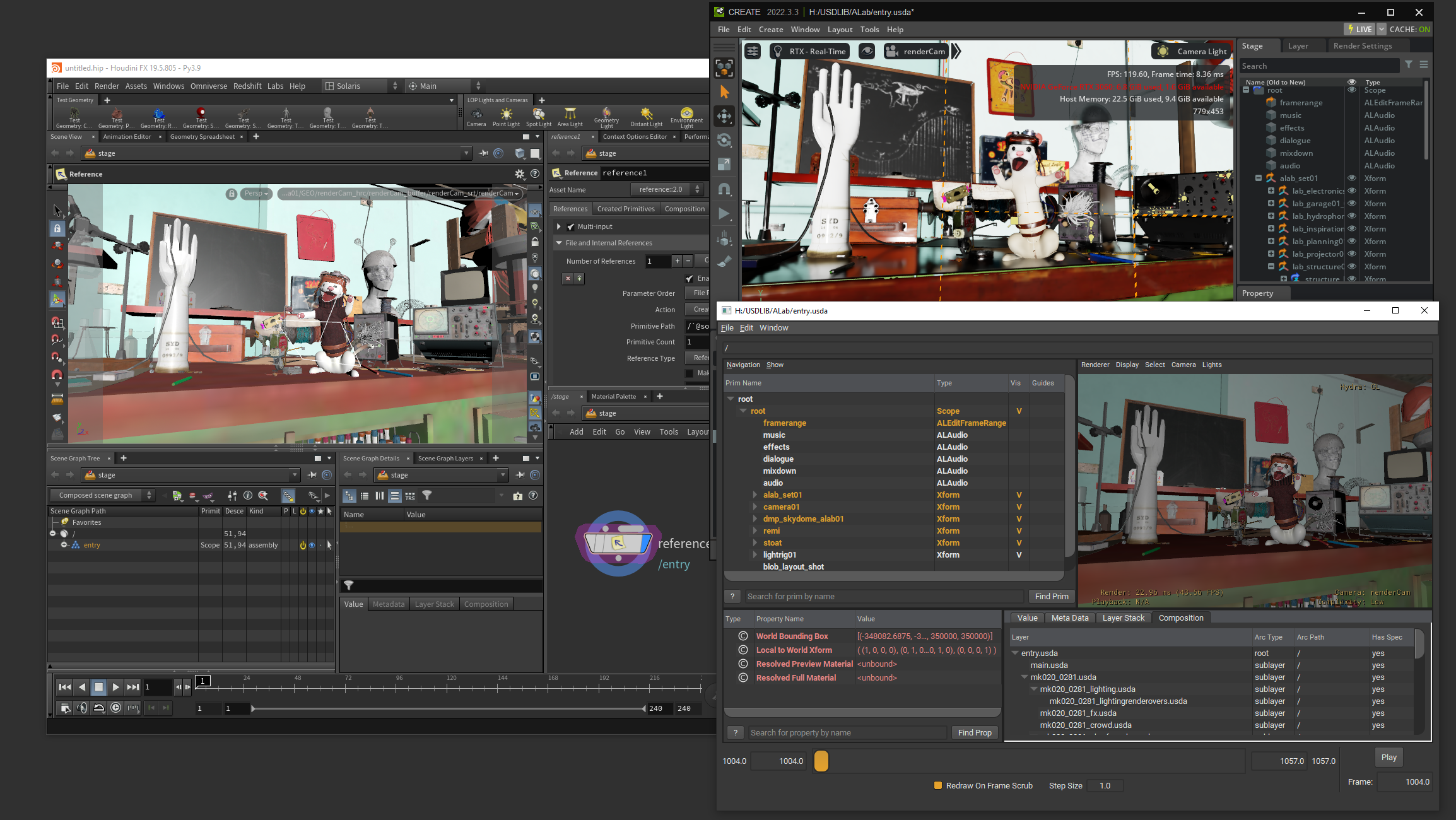
In the screenshot provided, I've opened the ALab usd scene across various applications: Houdini, Omniverse, and Usdview.
USD Products in AYON Pipeline
In the AYON pipeline, we use USD for exchanging assets and shots.
Both USD Assets and USD Shots are USD layers structured differently to enable specific characteristics. In later sections, you'll find a quick demonstration for Understanding a USD Asset and Understanding a USD Shot.
This topic is expanded in later pages.
The following examples in this article are from the ALab scene.
Understanding a USD Asset
A USD Asset is content organized to facilitate efficient asset exchange. It boasts several key features:
The ability to load and unload the asset as needed.
Multiple layers to store data from various departments, such as modeling, materials, effects, lighting, and animation.
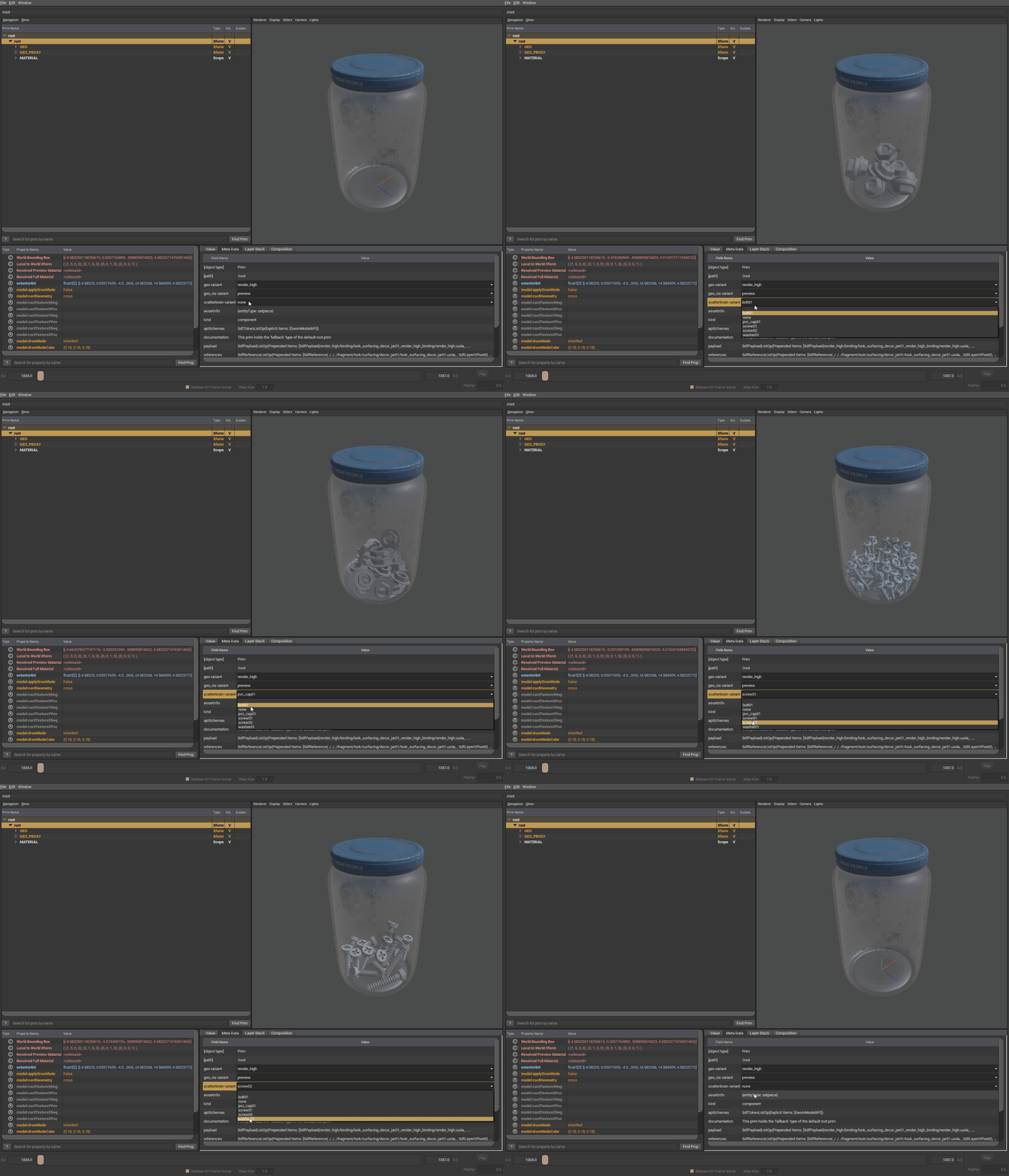
Flexibility for each layer to contain switchable variants, enhancing adaptability and collaboration.
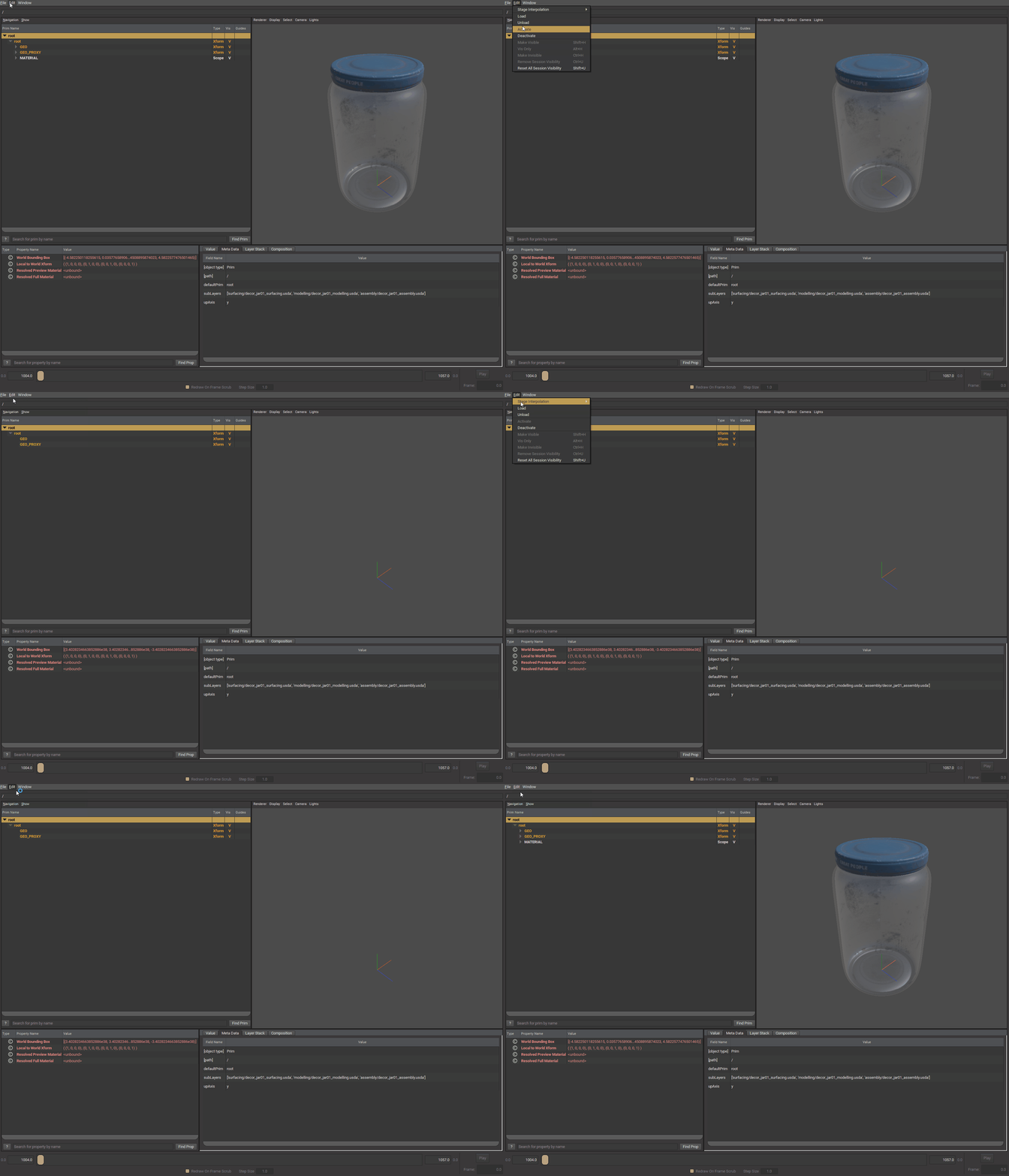
Load and Unload
Unloading an asset effectively makes it resemble an empty folder, which can significantly lighten the scene. This feature is particularly beneficial when assembling scenes, as it helps manage resource usage efficiently.
Multiple Layers
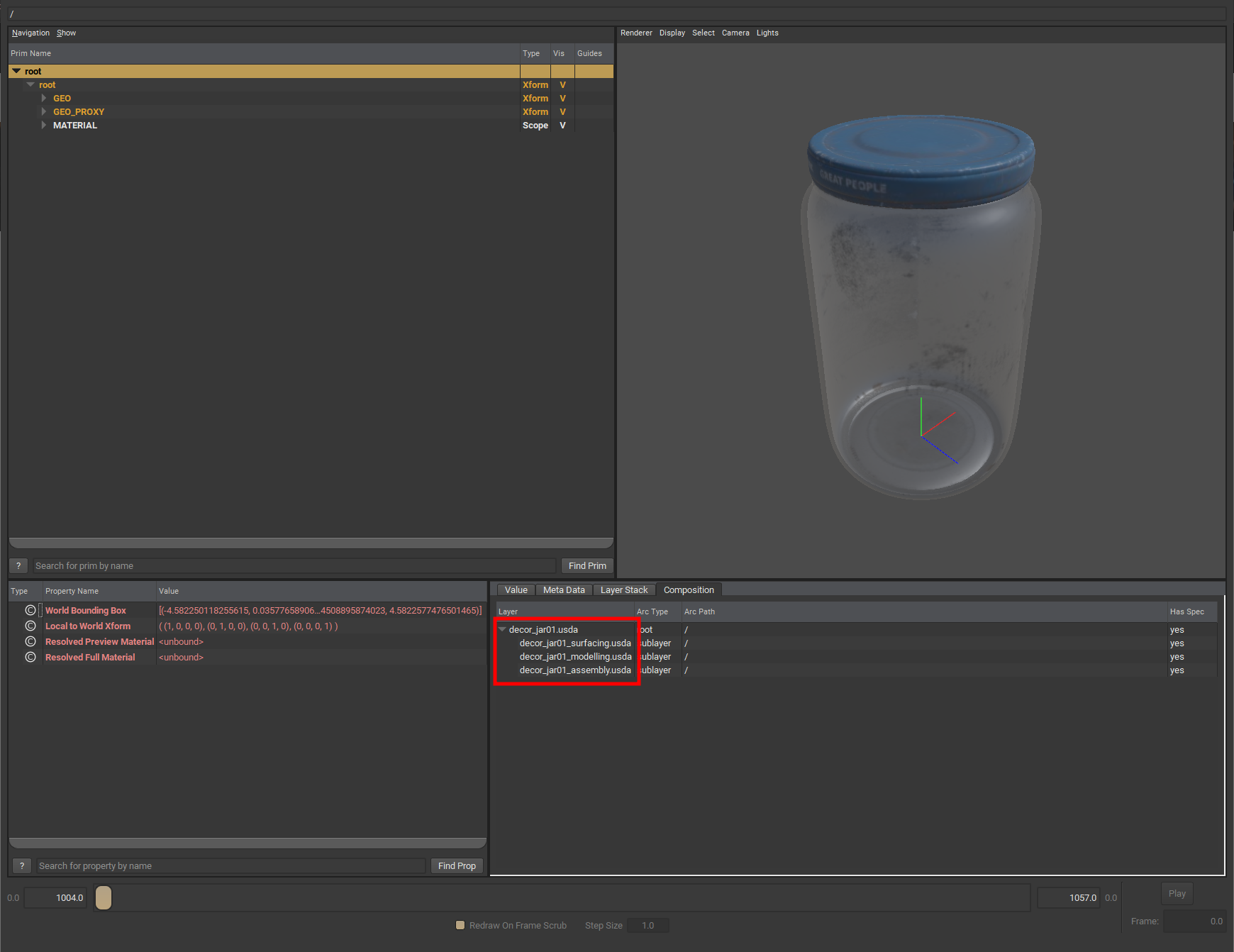
USD assets can include contributions from various departments, each adding to the overall USD asset. For example, this jar asset consists of three layers:
Surfacing
Modeling
Assembly
Department layers depend entirely on your studio's workflow. Your studio should define the list of department layers and specify the type of content to be stored in each layer.
Variants
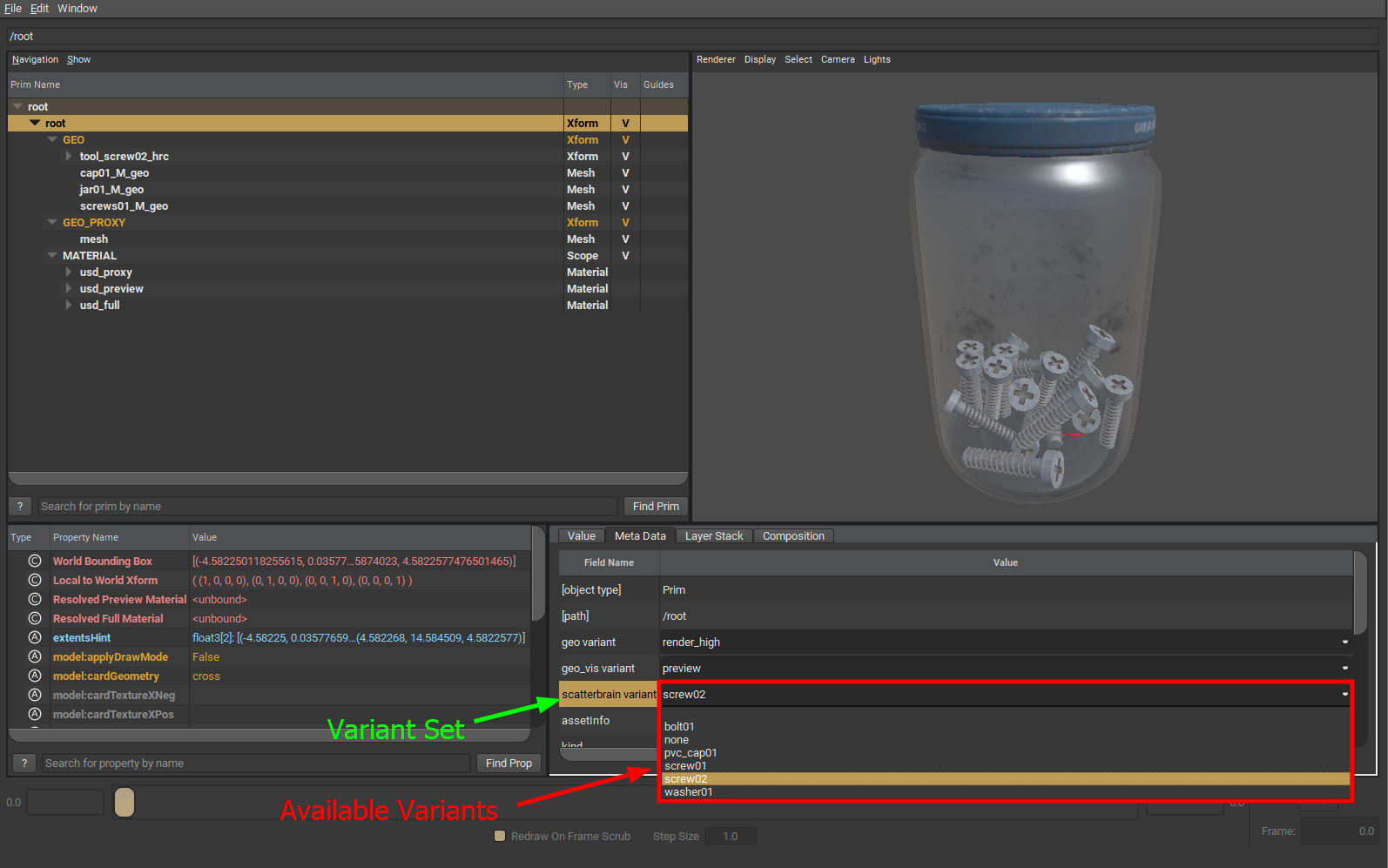
USD Assets can contain multiple variant sets, yet only a single variant within each set can be active at any given moment.
Understanding a USD Shot
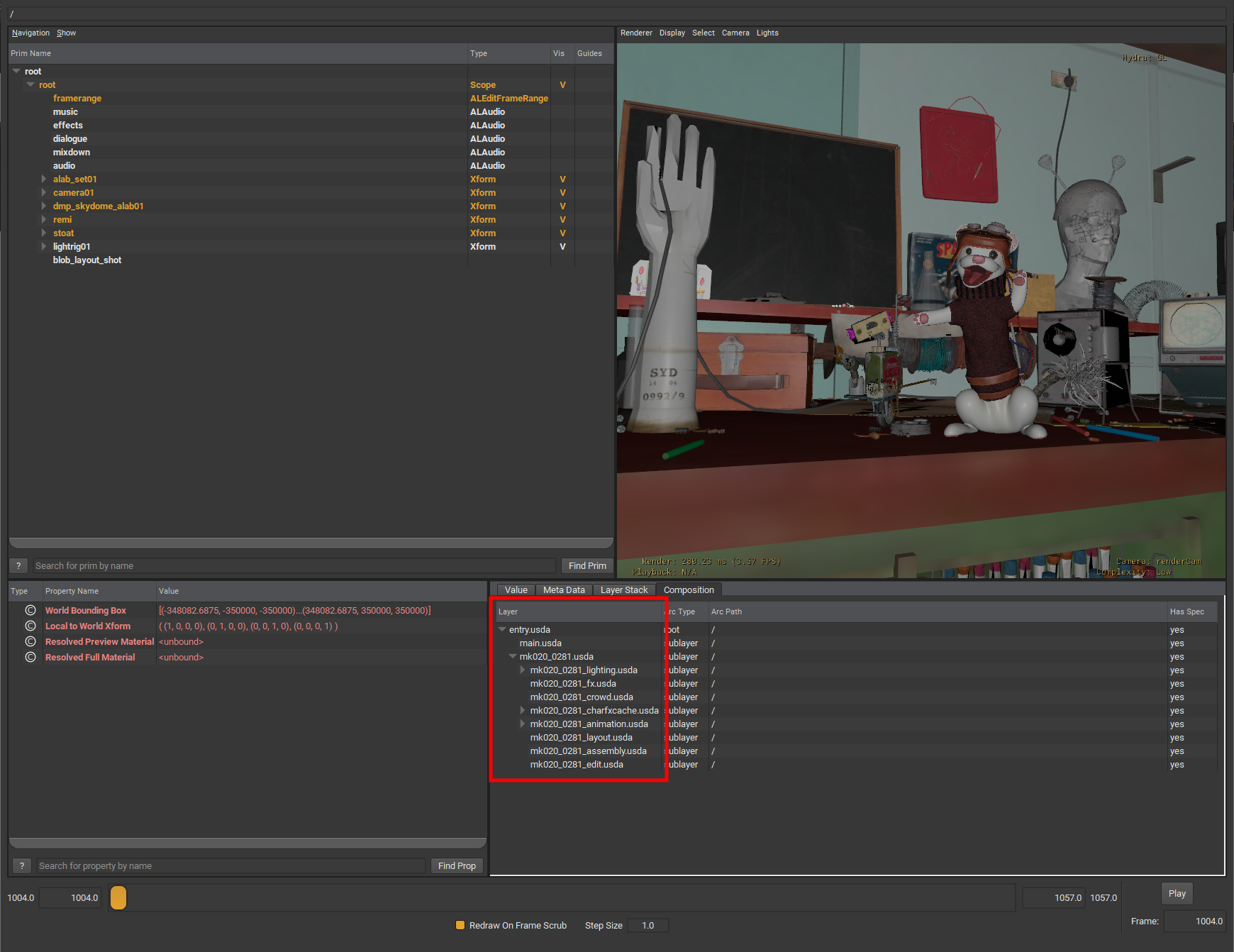
A USD Shot is a USD file structured to enhance shot exchange. It effectively combines distinct layers from various departments into one streamlined file.
Further Reading
USD Introduction Guides
Book of USD - Getting Started with Universal Scene Description (USD) by Remedy Entertainment
☝️ Very good introduction to USD concepts in a slightly simplified and practical way
Usd Survival Guide by Luca Scheller
☝️ More technical guide going over USD with the API as guideway. Also introduces a lot of "workflow optimizations" tips with a focus on Houdini Solaris and Python
USD Asset Structure Guidelines
Our USD workflow follows the following structure guidelines.
Example USD Assets
Alab
The ALab data set is the Animal Logic interpretation and implementation of real world production and pipeline concepts in USD.
Activision
Activision provides a USD data set from their Call of Duty franchise with some good instructions in the readme:
J Cube
3D Assets by J Cube Inc.
The Esper Room by J Cube Inc. is an excellent and user-friendly starting point for experimentation.