Maya Creator Settings
Last updated Over 1 year ago
Creators
Use current context entity attributes as frame range defaults
Setting locaiton:
ayon+settings://maya/create/use_entity_attributes_as_defaults

For frame range attributes on the created instances, use the current context's task entity as the default value. When disabled it will default to Maya's current timeline.
Create Look
Setting locaiton:
ayon+settings://maya/create/CreateLook
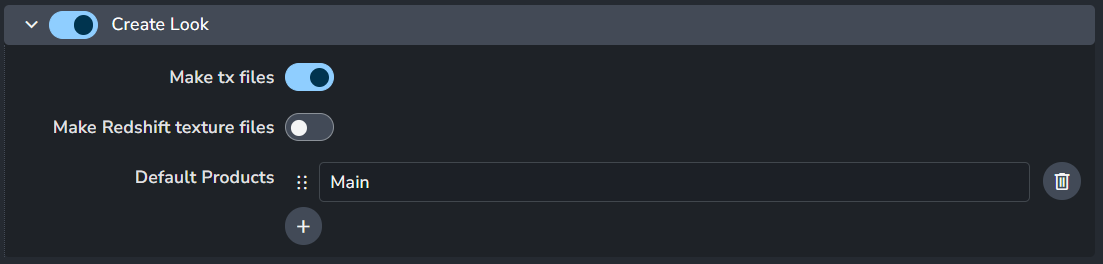
Enable: The default state of the plugin.
Make tx files
Make Redshift texture files
Default Products: Defines a list of default variants available for artists to choose from when creating products in the workfile.
Create Render
Setting locaiton:
ayon+settings://maya/create/CreateRender

Enable: The default state of the plugin.
Default Products: Defines a list of default variants available for artists to choose from when creating products in the workfile.
Create Unreal_Static Mesh
Setting locaiton:
ayon+settings://maya/create/CreateUnrealStaticMesh
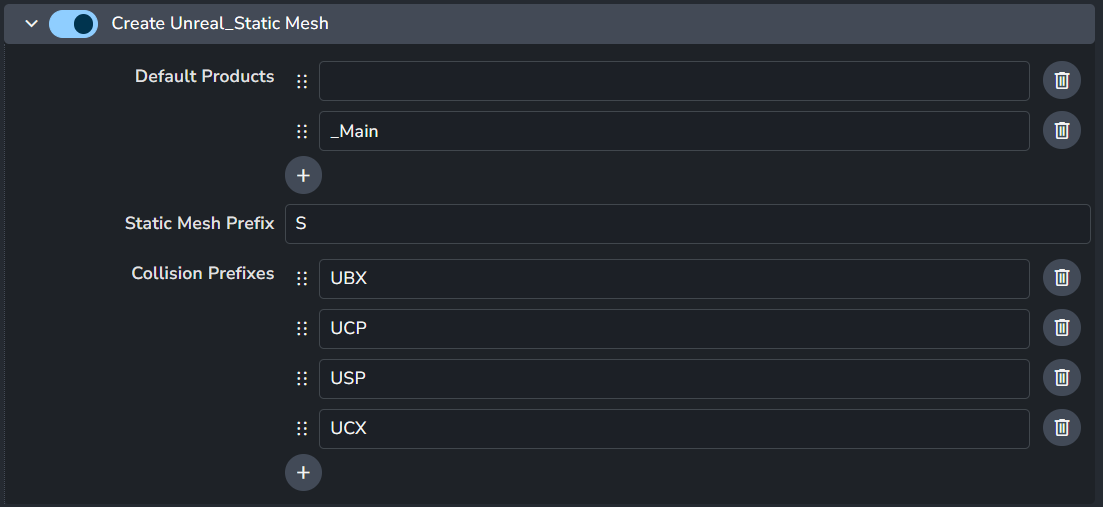
Enable: The default state of the plugin.
Default Products: Defines a list of default variants available for artists to choose from when creating products in the workfile.
Static Mesh Prefix
Collision Prefixes
Create Unreal_Skeletal Mesh
Setting locaiton:
ayon+settings://maya/create/CreateUnrealSkeletalMesh

Enable: The default state of the plugin.
Default Products: Defines a list of default variants available for artists to choose from when creating products in the workfile.
Joint root hint
Create Multiverse Look
Setting locaiton:
ayon+settings://maya/create/CreateMultiverseLook

Enable: The default state of the plugin.
Publish_mip_map
Create Animation
Setting locaiton:
ayon+settings://maya/create/CreateAnimation
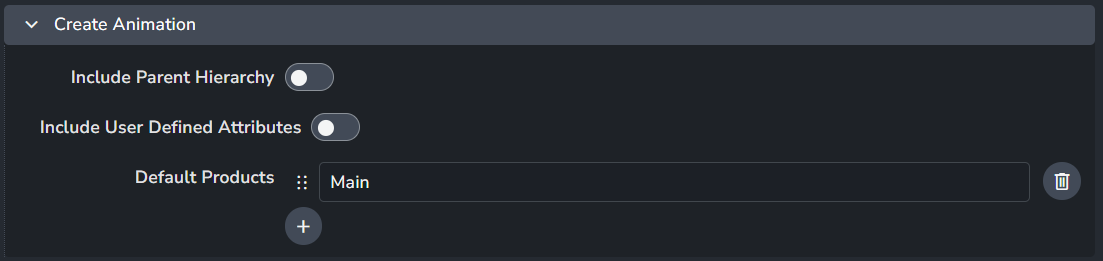
Enable: The default state of the plugin.
Include Parent Hierarchy
Include User Defined Attributes
Default Products: Defines a list of default variants available for artists to choose from when creating products in the workfile.
Create Model
Setting locaiton:
ayon+settings://maya/create/CreateModel
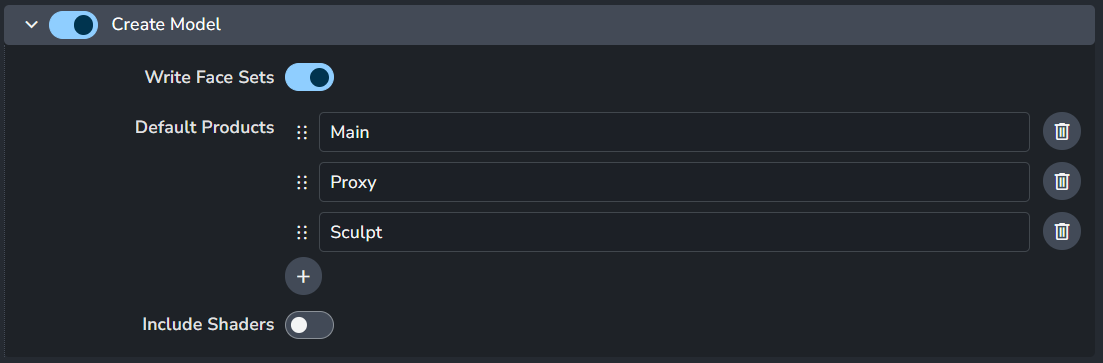
Enable: The default state of the plugin.
Write Face Sets
Default Products: Defines a list of default variants available for artists to choose from when creating products in the workfile.
Include Shaders
Create Point Cache
Setting locaiton:
ayon+settings://maya/create/CreatePointCache

Enable: The default state of the plugin.
Include User Defined Attributes
Default Products: Defines a list of default variants available for artists to choose from when creating products in the workfile.
Create Proxy Alembic
Setting locaiton:
ayon+settings://maya/create/CreateProxyAlembic
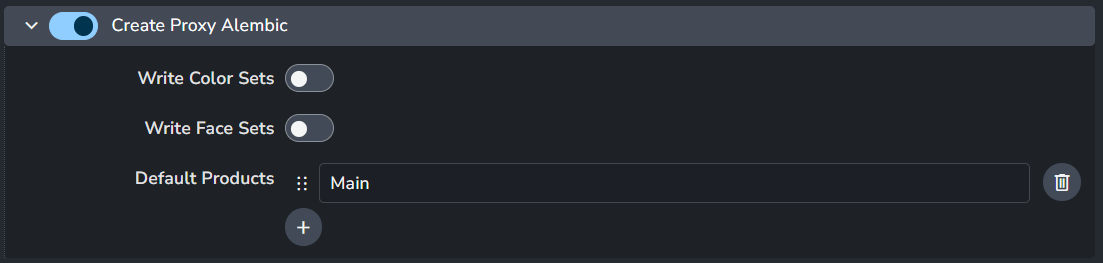
Enable: The default state of the plugin.
Write Color Sets
Write Face Sets
Default Products: Defines a list of default variants available for artists to choose from when creating products in the workfile.
Create Multiverse USD
Setting locaiton:
ayon+settings://maya/create/CreateMultiverseUsd

Enable: The default state of the plugin.
Default Products: Defines a list of default variants available for artists to choose from when creating products in the workfile.
Create Multiverse USD Composition
Setting locaiton:
ayon+settings://maya/create/CreateMultiverseUsdComp

Enable: The default state of the plugin.
Default Products: Defines a list of default variants available for artists to choose from when creating products in the workfile.
Create Multiverse USD Override
Setting locaiton:
ayon+settings://maya/create/CreateMultiverseUsdOver

Enable: The default state of the plugin.
Default Products: Defines a list of default variants available for artists to choose from when creating products in the workfile.
Create Ass
Setting locaiton:
ayon+settings://maya/create/CreateAss
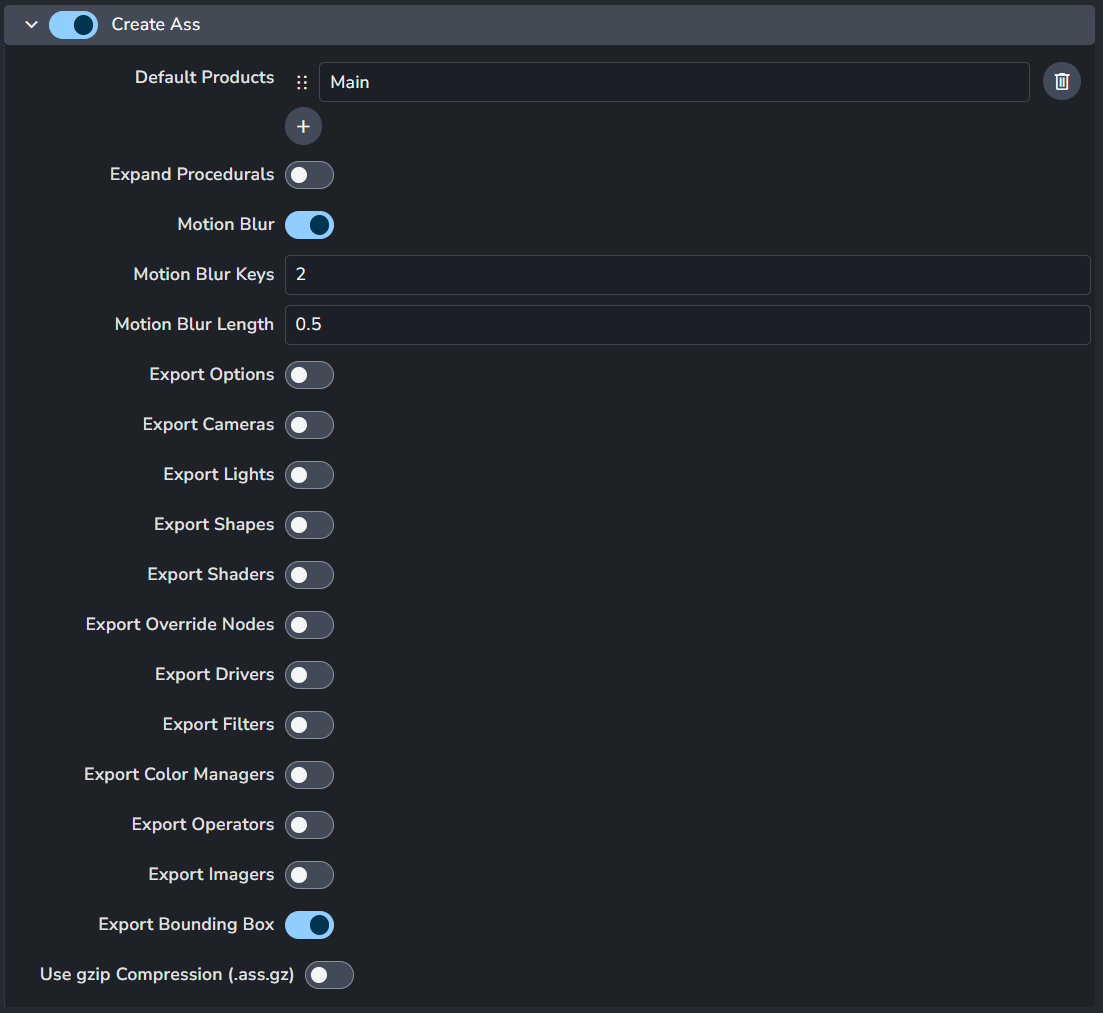
Enable: The default state of the plugin.
Default Products: Defines a list of default variants available for artists to choose from when creating products in the workfile.
Redshift Assembly settings
Create Assembly
Setting locaiton:
ayon+settings://maya/create/CreateAssembly

Enable: The default state of the plugin.
Default Products: Defines a list of default variants available for artists to choose from when creating products in the workfile.
Create Camera
Setting locaiton:
ayon+settings://maya/create/CreateCamera

Enable: The default state of the plugin.
Default Products: Defines a list of default variants available for artists to choose from when creating products in the workfile.
Create Layout
Setting locaiton:
ayon+settings://maya/create/CreateLayout

Enable: The default state of the plugin.
Default Products: Defines a list of default variants available for artists to choose from when creating products in the workfile.
Create Maya Scene
Setting locaiton:
ayon+settings://maya/create/CreateMayaScene

Enable: The default state of the plugin.
Default Products: Defines a list of default variants available for artists to choose from when creating products in the workfile.
Create Ornatrix Rig
Setting locaiton:
ayon+settings://maya/create/CreateOxRig

Enable: The default state of the plugin.
Default Products: Defines a list of default variants available for artists to choose from when creating products in the workfile.
Create Ornatrix Cache
Setting locaiton:
ayon+settings://maya/create/CreateOxCache

Enable: The default state of the plugin.
Default Products: Defines a list of default variants available for artists to choose from when creating products in the workfile.
Create Render Setup
Setting locaiton:
ayon+settings://maya/create/CreateRenderSetup

Enable: The default state of the plugin.
Default Products: Defines a list of default variants available for artists to choose from when creating products in the workfile.
Create Review
Setting locaiton:
ayon+settings://maya/create/CreateReview

Create Rig
Setting locaiton:
ayon+settings://maya/create/CreateRig
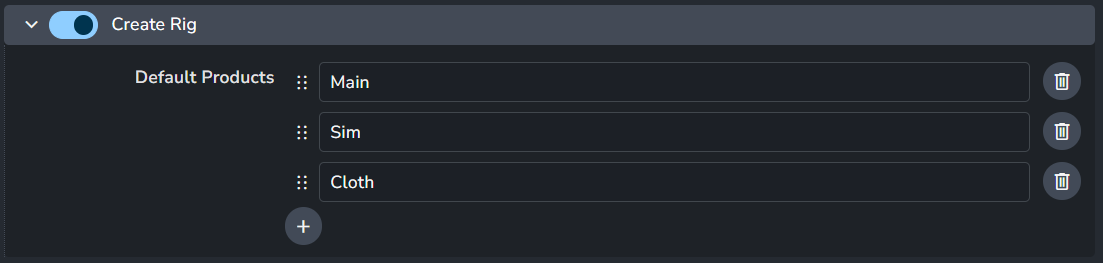
Enable: The default state of the plugin.
Default Products: Defines a list of default variants available for artists to choose from when creating products in the workfile.
Create Set Dress
Setting locaiton:
ayon+settings://maya/create/CreateSetDress
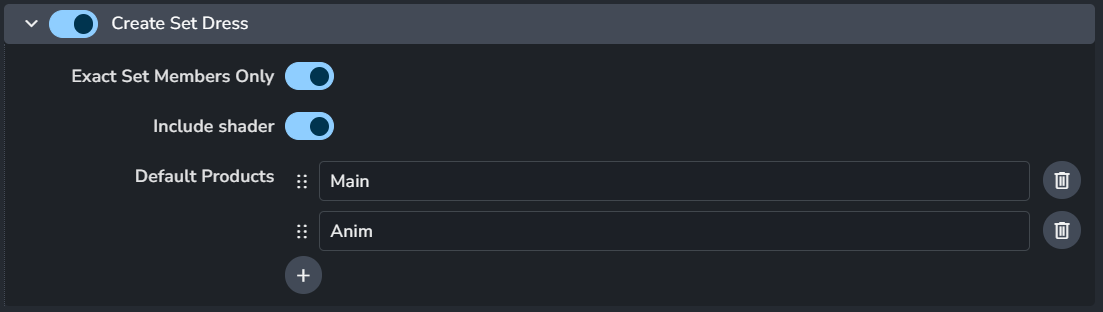
Enable: The default state of the plugin.
Exact Set Members Only
Include Shader
Default Products: Defines a list of default variants available for artists to choose from when creating products in the workfile.
Create VRay Proxy
Setting locaiton:
ayon+settings://maya/create/CreateVrayProxy
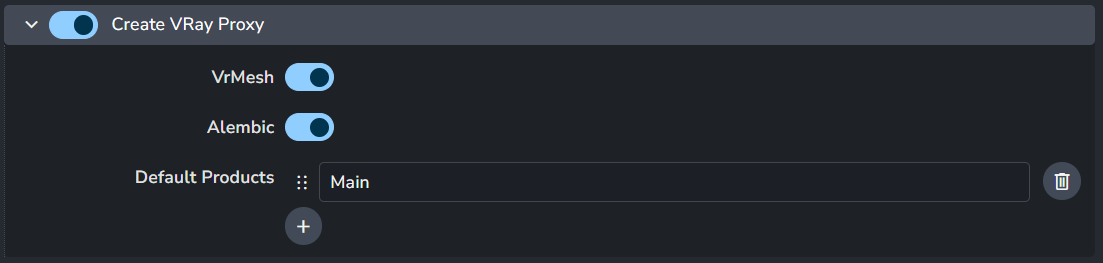
Enable: The default state of the plugin.
VrMesh
Alembic
Default Products: Defines a list of default variants available for artists to choose from when creating products in the workfile.
Create VRay Scene
Setting locaiton:
ayon+settings://maya/create/CreateVRayScene

Enable: The default state of the plugin.
Default Products: Defines a list of default variants available for artists to choose from when creating products in the workfile.
Create Yeti Rig
Setting locaiton:
ayon+settings://maya/create/CreateYetiRig

Enable: The default state of the plugin.
Default Products: Defines a list of default variants available for artists to choose from when creating products in the workfile.