Working with Perforce in AYON
Last updated About 1 year ago
Currently, the addon implements basic Perforce support inside of Unreal.
Get Started
User Setup
Perforce Workspace
It is expected that P4 workspaces would be setup and existed on artists machines.
Initial checkout from Perforce should be done by P4V tool.
Settings Location:
ayon+settings://version_control/local_setting?project={project_name}&site={site_id}
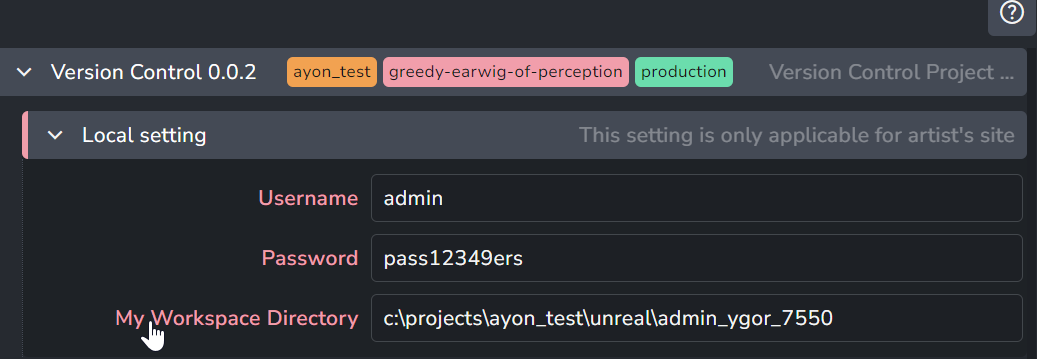
You'd need to setup your Perforce site settings: user name, password and path to existing configured Perforce workspace.
Launch Unreal with version control enabled
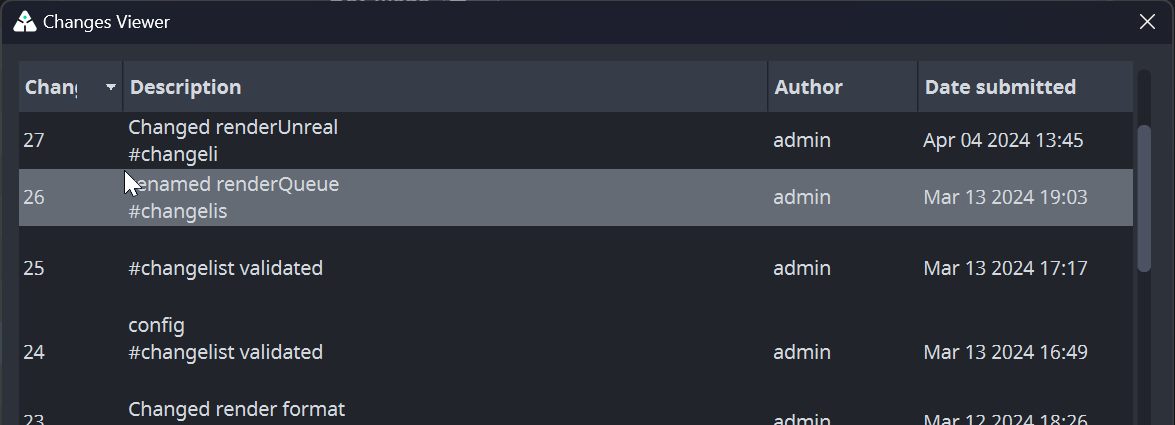
When starting Unreal via AYON Launcher, a pop window will show up before Unreal launch allows you to sync to specific a change list.
Any line with changelist could be selected and synched by Sync to button. When synching process finishes, it will be highlighted under the list of changes.
How Perforce support works
Workflow
Perforce doesn't replace regular AYON publishing. Because commit changes to perforce and publish to AYON are two separate actions. And, you can do both for the same asset!
So for example, you can use AYON to publish assets and use perforce to setup and version control your scene.
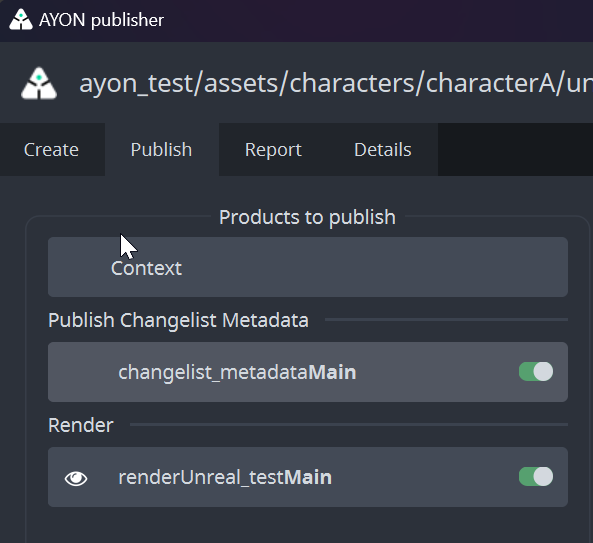
Also, AYON will create changelist_metadata product by default in your Unreal Scene. changelist_metadata product highlights the last existing change list id at the time of publishing This product must be enabled to trigger usage of Perforce on the Deadline. Without it Deadline will just render from current state of Unreal project file.
Commit Strategy
Any manual commits done in Unreal projects via Unreal editor official Perforce tool or via P4V won't be add to AYON published products. Unlike publishing to AYON via AYON publisher will commit to Perforce any uncommitted changes and then publish your work to AYON.
Publish to AYON Process
Commit to Perforce any uncommitted changes.
Publish
changelist metadataproduct as json file.Publish your files to AYON.
info
If you are publishing the same asset that you are pushing to perforce, then AYON publish will be more like taking a snapshot of that asset at a particular change list and save it like any other published assets. which makes it available for other DCCs as well.
Deadline
info
Current Deadline implementation requires P4 depots to be of type 'stream' and workspace to be assigned to a stream.
Unreal Perforce Deadline Support requires our custom UnrealEngine5 deadline plugin which implements PreLoad scripts that syncs your project to change list id within the changelist_metadata before rendering.
Our custom UnrealEngine5 deadline plugin expects the following environment variables for each Deadline workers:
P4PORT: Port number that perforce server useshttp://localhost:{Port}.P4USER: Perforce user.P4PASSWD: Password of the given user.
Setting Environment Variables
Environment variables could be set locally on the worker or be set on studio or project wise by admin via Applications and Tools.